Choose a compact 8–9-inch tablet for brief schedule checks and easier carrying, or an 11-inch screen if dense running orders and annotations need more room. Save and test the current schedule offline before travelling: cellular connectivity does not replace an offline copy. Treat battery figures as usage-specific, and consider a rugged tablet only if venue conditions justify its protection features.
Who this suits
Offline-first schedule checker
If venue Wi-Fi or mobile signal is uncertain, you need the current PDF, spreadsheet or calendar stored on the tablet before you leave. Microsoft Support explains how to mark OneDrive files for offline access on iOS and Android; files marked offline in its Android workflow are read-only.
Light-travel performer or crew member
If you mainly glance at a schedule between journeys, setup and rehearsal, carrying size may matter more than room for several documents. As one compact example, Lenovo UK lists its 8.7-inch Tab K9 at about 320 g.
Detailed schedule reader and annotator
Dense running orders and marked-up PDFs give you a reason to compare larger screens at a normal reading distance. Apple UK lists an 11-inch, 2360 × 1640 display for its entry iPad; check your own file rather than relying on screen size alone.
What matters when choosing
Start with a dependable offline copy of the schedule, then decide how much screen you are willing to carry. Check connectivity and protection against the conditions at your actual venues.
| Concern |
What to check |
Who this matters to |
| Offline schedule access |
Check that your schedule opens in an app on the chosen tablet and that the current file can be saved locally. |
If I lose signal at the venue, I still need to open the right version of the running order. Around 36% of consumers would make reliable offline access their primary concern. |
| Carry burden |
Compare device and case weight together, as well as the space they take in your bag. |
For quick checks while moving between locations, I would rather carry a smaller screen than make room for a large tablet. Portability would come first for around 29% of consumers. |
| Reading and annotation |
Open a representative PDF or spreadsheet at normal reading distance; check annotation support if you need it. |
When a running order has small text or several columns, I need to see enough of it without constant zooming. Around 21% of consumers would put readable screen space first. |
| Difficult venues |
Match any cellular or protection features to the venue; check coverage, rating conditions and required accessories. |
At a wet, dusty or demanding venue, I may need protection or a direct connection for live changes. Those venue needs would lead the choice for around 14% of consumers. |
Buying mistakes to avoid
-
Assuming mobile data makes a cloud schedule available offline
A cellular connection cannot open a cloud-only file when there is no usable signal. Microsoft Support says OneDrive files must be marked for offline access to read them without a connection.
Save the exact current schedule before travelling and test that it opens with Wi-Fi and mobile data switched off.
-
Reading a battery figure as a rehearsal-day promise
Battery capacity and streaming-test hours do not specify how long your schedule app will run at your chosen brightness and connectivity settings. Lenovo Support notes that applications, settings, temperature and battery age affect performance.
Charge before an important rehearsal and trial your actual schedule workflow away from a charger.
-
Choosing a compact screen without opening your schedule
A small tablet takes less space, but a dense timetable can demand more zooming and scrolling than you want during a quick check.
Compare your longest real PDF or spreadsheet on compact and 11-inch screens at a comfortable reading distance.
-
Choosing ruggedness or 5G without a venue-based need
Features such as those on Samsung’s Galaxy Tab Active5 5G address particular exposure and connectivity needs; they do not make offline preparation unnecessary or provide unlimited protection.
Check the exact model’s stated test conditions and warranty limitations, and choose cellular connectivity only if coverage and your update workflow call for it.
Brands to consider for these tablet formats
Apple
Apple’s entry iPad is an 11-inch option to compare when schedules need more viewing room.
- Apple UK lists a 2360 × 1640 display, USB-C and a 477 g weight for the Wi-Fi model.
- If you plan to annotate, check which Apple Pencil works with the exact iPad model and whether you need to obtain one separately.
Samsung
Samsung has standard tablets for schedule reading and the Galaxy Tab Active5 5G for venues where protection or direct mobile connectivity matters.
- Samsung UK identifies the Galaxy Tab A11+ as an 11-inch model and lists 5G and IP68 among the Galaxy Tab Active5 5G’s features.
- Those features are model-specific. Check the rugged model’s stated test conditions rather than treating its rating as damage-proofing.
Lenovo
Lenovo’s Tab K9 provides a compact Android format to compare for carrying a downloaded schedule.
- Lenovo UK lists an 8.7-inch display and an approximate weight of 320 g for the Tab K9.
- Lenovo’s stated streaming runtime is not a prediction of how long the tablet will run your schedule app at rehearsal.
Joybuy tablets for rehearsal schedules
These choices include compact tablets for brief checks and larger screens for detailed schedules, plus models with cellular connectivity for live updates where coverage is available. Whichever format you consider, confirm that your schedule app and file work offline before relying on it away from mains power.
 No image available
Samsung Galaxy Tab A11+ 8GB 256GB Wi-Fi, Grey
Consider this 11-inch model if a larger view of a dense schedule matters more than compact carrying.
The product name specifies 8GB memory, 256GB storage and Wi-Fi connectivity. Check your schedule app and save the file offline before leaving; Wi-Fi alone will not deliver live changes without a connection.
View on Joybuy
 No image available
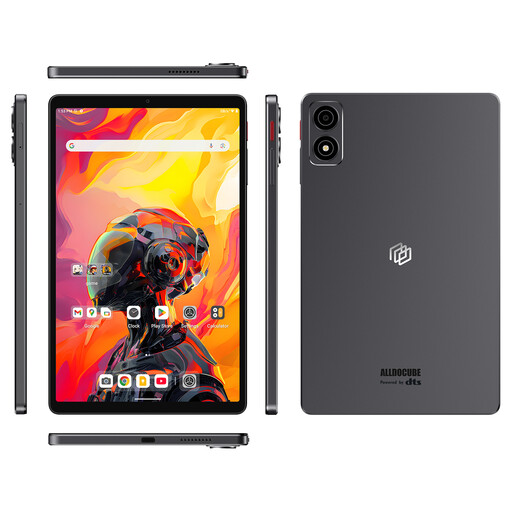
ALLDOCUBE iPlay 70 Mini Ultra 8.8-inch, 12GB+256GB
The 8.8-inch format is worth considering for short schedule checks when a compact device is the priority.
The product name specifies Android 14 and a 7300 mAh battery; capacity does not establish rehearsal-day runtime. It also says no charger is included. If using OneDrive on Android, test the current file offline and bear in mind that files marked offline in Microsoft’s cited workflow are read-only.
View on Joybuy
 No image available
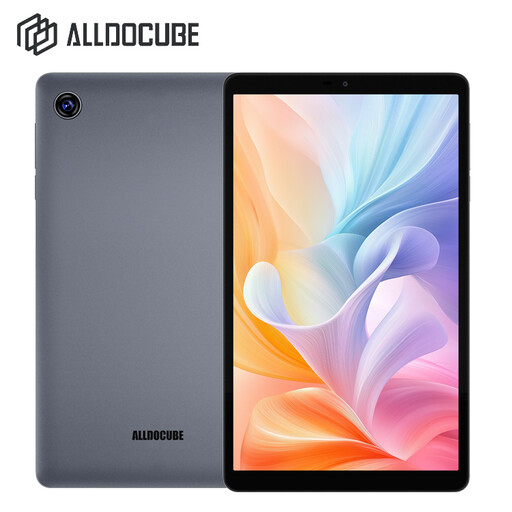
ALLDOCUBE iPLAY60 Mini 8.68-inch, 4GB+64GB
This compact screen suits consideration for quick checks, provided your actual timetable remains comfortable to read at that size.
The product name specifies Android 15 and a 4000 mAh battery, which does not establish schedule-reading runtime. It says no charger is included. Test any required OneDrive file offline; Microsoft says files marked offline in its Android workflow are read-only.
View on Joybuy
 No image available
Apple iPad Pro 13-inch (M5), Wi-Fi + Cellular, 1TB, Standard Glass, Silver
Consider the 13-inch format if you need room for dense schedules or several documents and are comfortable carrying a larger tablet.
The product name specifies Wi-Fi + Cellular connectivity and 1TB storage. Cellular access still depends on coverage and does not replace an offline copy; check that your exact schedule app and file open offline on this iPad before travelling.
View on Joybuy
 No image available
OPPO Pad SE OPD2420 EUN, 6GB+128GB, LTE, Twilight Blue
Consider this LTE model if receiving live schedule changes matters and you can use a suitable connection where you rehearse.
The product name specifies 6GB memory and 128GB storage. Confirm that your schedule app runs on the exact model and lets you save the current file offline; LTE by itself does not provide access without signal.
View on Joybuy
Questions about offline schedule checks
Do I need a cellular tablet to check a schedule away from mains power?
No: cellular service supplies a possible internet connection, not mains power or an offline file. Microsoft Support describes how OneDrive files can be marked for offline reading on iOS and Android; consider cellular if you also need live changes without relying on venue Wi-Fi or a phone hotspot.
How do I prepare a rehearsal schedule for offline use?
Save the current file for offline access while connected, then open it with Wi-Fi and mobile data switched off before you travel. If you use OneDrive on Android, Microsoft Support says files marked offline in that workflow are read-only, so check how you will handle any changes you need to make.
Will a stated battery capacity or streaming time tell me how long a tablet lasts at rehearsal?
No: neither figure specifies runtime for your schedule app. Lenovo Support notes that applications, settings, temperature and battery age affect battery performance; trial the device at a practical brightness level with the files and connections you expect to use.


