What should you check before choosing?
Start with the tasks the person must complete, then test the interface and work out where the device needs to connect. A tablet, smartphone or more closely managed device is only useful if those arrangements work together.
| Priority | What to check | Your needs |
|---|
| Essential tasks |
Try unlocking the exact device, finding a contact, joining a video call and using one essential online service. If forms or sustained typing matter, test a keyboard or computer too. |
I want to complete the tasks that matter without getting stuck at the first screen or an accidental tap. |
| Accessibility fit |
Test the needed screen-reading, text, sound, touch or simplified-interface settings with the intended apps. Check availability on the exact model and operating-system version. |
Larger controls might help me, but I need to find out whether I can actually read, hear or operate the calls and services I use. |
| Connectivity |
Check dependable Wi-Fi at the intended locations. For access away from Wi-Fi, confirm cellular hardware, the intended SIM or plan, network coverage and ongoing data requirements. |
If I need to call or get online away from home, a device that relies on Wi-Fi alone may not meet that need. |
| Ongoing help |
Agree who will set up accounts, keep recovery details, adjust settings and help with updates. Confirm the manufacturer’s update policy for the exact model. |
I need to know who can help if I forget a password, a setting changes or an update interrupts a familiar routine. |
| Local support |
Ask a participating local organisation about device or data support, eligibility and help learning to use the device. Check that any offered device fits the required tasks. |
Before I buy, I would like to know whether local help could let me try a suitable device or address a data-access problem. |
Which brands and services are relevant?
These are references for checking features and support arrangements, not a list of devices available in the product selection below.
Apple
An iPad is one tablet route to examine when its accessibility settings and the person’s intended apps fit the tasks.
- Apple Support describes iPad settings for vision, hearing, mobility, speech and cognitive access, alongside the more focused Assistive Access interface.
- Check the exact iPad model, software and required apps with the person; the presence of a setting does not establish that the overall setup will suit them.
Google / Android
An Android phone or tablet is worth assessing against the accessibility functions and ongoing support of its exact model.
- Google Android Accessibility Help describes TalkBack for people who cannot see to use an Android device and provides guidance for Live Transcribe.
- TalkBack setup can vary by manufacturer and software version. Check the device maker’s update policy rather than assuming every Android model receives updates on the same timetable.
GrandPad
A specialist, supporter-managed tablet service is a different route to consider when a mainstream device remains difficult to use for essential communication.
- A more restricted calling and contact setup may be worth discussing if a trusted person will provide ongoing help.
- Before choosing GrandPad, confirm its current service terms, connectivity, contact controls and whether the person is comfortable with the interface.
Joybuy device options
These options include tablets for considering a larger touch interface and a smartphone for considering calls and access on the move. Test the exact device and check its connection and support arrangements before choosing.
 No image available
Samsung Tab A11+ SM-X230 6/128GB Silver
Consider this tablet for calls and online tasks if its touch interface works for the person. Try the required accessibility settings and services on this exact model, and confirm connectivity where it will be used.
View on Joybuy
 No image available
Samsung Galaxy Tab A11+ 8GB 256GB Wi-Fi Grey
This Wi-Fi tablet is an option where dependable Wi-Fi is available for calls and online services. Check the person’s essential tasks and accessibility settings on the exact model, along with its update support.
View on Joybuy
 No image available
Xiaomi Pad 8 8G RAM 128GB Wi-Fi Grey
For use where Wi-Fi is dependable, check whether this tablet’s interface works with the intended calling app and online services. Test any needed accessibility settings and confirm update support for the exact model.
View on Joybuy
 No image available
TABWEE W90 11-inch 4G SIM and Wi-Fi tablet
This tablet is worth considering if access away from Wi-Fi matters: its name specifies 4G SIM capability, but confirm compatibility with the intended UK SIM and network before relying on it. Test accessibility and essential tasks on the exact device, and confirm the supplied configuration and update support.
View on Joybuy
 No image available
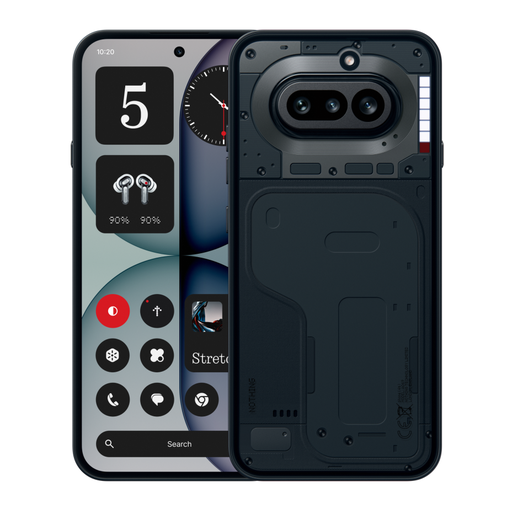
Nothing Phone (4a) 12+256GB Black
This smartphone represents the phone route for someone who needs calls and online access on the move. Try its screen and required accessibility settings with the person, and confirm the intended SIM, network coverage and model-specific update support.
View on Joybuy
Frequently asked questions
Should I choose a Wi-Fi-only or cellular tablet?
Choose Wi-Fi-only if dependable, affordable Wi-Fi covers the places where calls and services are needed. If independent access away from Wi-Fi is essential, check cellular capability, the intended SIM, coverage and ongoing data requirements. Good Things Foundation’s National Databank may be relevant to people who cannot access mobile data.
Which accessibility features should we try before buying?
Start with the person’s actual tasks: unlocking the device, answering and joining calls, reading messages and using an essential service. Then test whichever screen-reading, enlargement, sound, touch or simplified-interface settings those tasks require on the exact device and apps.
Can a family member help manage the device?
Yes, if everyone agrees who will set up accounts, retain recovery details, adjust settings and help when something changes. Apple describes Assistive Access as a more focused iPad interface; try any proposed supporter-managed setup with the person rather than assuming it meets their needs.
Should I look for local support before buying?
It can be worthwhile if device access, mobile data or help getting started is the main obstacle. Good Things Foundation describes its National Device Bank as providing laptops, phones and tablets, and its National Databank as providing mobile SIM cards. Ask a participating local organisation about availability, eligibility and suitability.
How do I check update support?
Ask about operating-system and security updates for the exact model and who will install them. The Android Open Source Project describes regular security updates as important, but its bulletins do not establish when an individual manufacturer will deliver an update to a particular device.


