What matters when choosing?
Start with your game’s connection requirements, then decide how much screen space you are willing to carry and which game and charging specifications you need to check.
| Concern |
What to check |
Who this matters to |
| Independent connectivity |
Check the exact Wi-Fi, cellular or 5G configuration, your game’s offline mode and mobile coverage at the terminals you use. |
If my strategy game needs a connection throughout a wait, I cannot assume the terminal Wi-Fi will meet that need. Around 40% of consumers would put independent connectivity first. |
| Compact gaming setup |
Check game compatibility, processor, memory, screen size and the charging equipment you would take with you. |
For a longer session, I would rather carry a smaller tablet and confirm it runs my game than choose extra map space by default. Compact gaming needs come first for around 30% of consumers. |
| Map and screen readability |
Compare screen size, weight, anti-reflective treatment and the conditions attached to quoted brightness figures. |
When maps and controls share the screen in a bright waiting area, I want enough room to read them without making the tablet awkward to carry. Around 30% of consumers would prioritise display space and readability. |
Joybuy products for different needs
These tablets offer different ways to balance screen size, stated connectivity and carrying preferences for strategy games while travelling. Check the exact game, configuration and connection you need before choosing one.
 No image available
DOOGEE Tab E3+ 12-inch tablet, black
Consider this larger-screen option if map space and a SIM card slot matter to you. Its title specifies a 12-inch FHD+ display, 90Hz refresh rate, Helio G100 processor and 8,800mAh battery. Confirm the selected memory and storage variant, network compatibility and your game’s requirements.
View on Joybuy
 No image available
Apple iPad Pro 13-inch (M5), 1TB, standard glass, silver
The 13-inch format is worth considering if map space matters more to you than a compact tablet. The product title specifies an M5 model with 1TB storage and standard glass, but the title’s Wi-Fi + Cellular designation conflicts with the Wi-Fi designation in its product address. Confirm the exact connectivity variant before choosing it for online play.
Purchase link unavailable
 No image available
TECLAST ArtPad Pro 2025 Edition, 12.7-inch, 256GB
This is another large-screen choice if you want room for maps and a stated mobile-data option. Its title lists a 12.7-inch 2K display, Helio G99 processor, dual-SIM 4G LTE and a 10,000mAh battery. Check that your game runs on the tablet and that its LTE bands suit your network.
View on Joybuy
 No image available
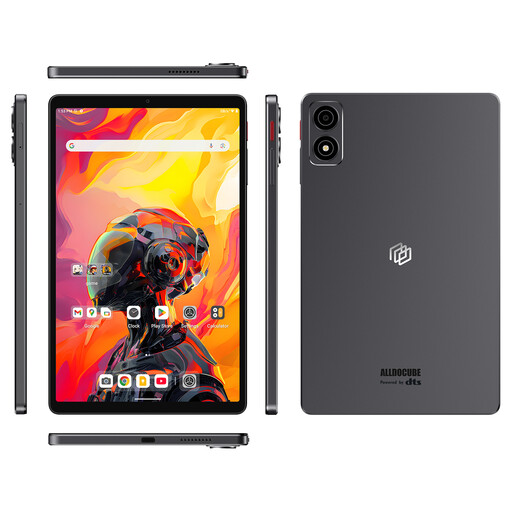
ALLDOCUBE iPlay 70 Mini Ultra, 8.8-inch, 12GB/256GB
Consider this compact Android option if carrying a smaller screen matters more than fitting a larger map on it. The title specifies a Snapdragon 7+ Gen 3 processor and 7,300mAh battery and says no charger is included. Confirm game compatibility and how you will connect if your game requires internet access.
View on Joybuy
No image available
Apple iPad Pro 11-inch (M5), Wi-Fi, 256GB, silver
The 11-inch format offers a middle ground in screen size if your game works offline or you have a suitable hotspot. Its title identifies an M5 model with Wi-Fi connectivity, 256GB storage and standard glass. Do not choose this configuration if the tablet itself must provide mobile-data access.
View on Joybuy
Frequently asked questions
Is a cellular tablet worth choosing for a ferry terminal?
Choose a cellular configuration if your strategy game needs internet access and you cannot rely on terminal Wi-Fi or a separate hotspot. Apple offers iPad Air Wi-Fi + Cellular and Samsung offers Galaxy Tab S10 FE 5G configurations; check the exact model, mobile plan and coverage at the terminals you use. For a game that works offline, a Wi-Fi-only tablet may meet your needs.
Is an 8.8-inch screen large enough for strategy games?
An 8.8-inch tablet can suit players who prioritise a compact device, but check how your own game displays maps, text and controls at that size. Lenovo’s cited Legion Tab Gen 5 has an 8.8-inch screen; Samsung’s Galaxy Tab S10 FE and Apple’s 11-inch iPad Air offer larger alternatives.
Will a brightness figure tell me how readable a tablet is outdoors?
No brightness figure guarantees comfortable viewing in every lighting condition. Apple specifies 500 nits and an anti-reflective coating for the 11-inch iPad Air, while Samsung quotes up to 800 nits in High Brightness Mode for the Galaxy Tab S10 FE. Compare the stated conditions and, if possible, view a screen in lighting similar to where you expect to wait.
Should I check for a charger before travelling?
Yes, check the chosen tablet’s box contents and the charging equipment you plan to carry. Samsung says the Galaxy Tab S10 FE and S10 FE+ boxes do not include a travel adapter; charger inclusion can differ between products and configurations.
Does an IP68 rating mean every gaming tablet is suitable for wet conditions?
No. Samsung specifies IP68-rated water and dust resistance for the Galaxy Tab S10 FE, not for every tablet in this article. Check the exact model’s documentation and the conditions of its rating rather than assuming it applies to another device.


