What to check before buying
Choose an operating system that supports your essential apps first; then use screen comfort, calling features, storage and accessories to narrow down the model.
Android tablets
Consider this route: when your required apps are available on the specific model and you want to compare different entertainment-focused layouts.
Check: the exact model’s software-update commitment and which accessories are included.
iPads
Consider this route: when your preferred calling apps and household accounts fit iPadOS, or a specific compatible keyboard or Pencil would be useful.
Check: the exact accessory compatibility and bundle; iPad (A16) compatibility with iPadOS 27 does not establish a future support end date, according to Apple Support UK.
Amazon Fire tablets
Consider this route: for straightforward viewing when all essential apps are supported on Fire and its account setup suits your household.
Check: Amazon says Fire tablets do not support Google Play; check the supported-app options for each app you need.
Windows tablets
Consider this route: when a particular Windows application or desktop-style workflow is needed alongside entertainment.
Check: Microsoft advises checking required apps and peripherals for compatibility with the specific Arm-based device.
| Concern |
What to check when buying |
Who this matters to |
| Viewing comfort and battery life |
Compare screen size, weight, speaker arrangement and the conditions behind the stated battery figure. |
For sofa viewing, I want a screen and sound setup that suits how I hold or prop up a tablet; about 33% of consumers put viewing comfort and battery life first. |
| Video calling |
Check the exact model’s front camera and microphones, and confirm that your calling app supports its operating system. |
If calls are a regular part of my day, I want the camera setup and app I rely on to work for my use; about 25% of consumers put video calling first. |
| Apps and software support |
Look up every essential app in the relevant store and check the manufacturer’s current update information for the exact model. |
When I depend on a particular service, I want to know it is available before choosing a tablet; about 25% of consumers prioritise required apps and software support. |
| Shared use, storage and input |
Check account controls, storage for planned downloads, and whether the exact keyboard or stylus is compatible and included. |
For a household tablet, I want the right account setup and enough space for our planned use; about 17% of consumers put shared use, storage or optional input first. |
Joybuy product choices for portable viewing and everyday use
These Joybuy choices are Android tablets for portable viewing, browsing and, where specified, video calls. Check each model’s app compatibility and variant details against your own requirements.
 Image unavailable
Xiaomi Pad 8 Pro, grey, 12GB RAM, 512GB ROM
The listing describes this Android tablet for entertainment and portable viewing.
- 11.2-inch display
- 3.2K resolution and 144 Hz refresh rate
- 9,200 mAh battery
Joybuy
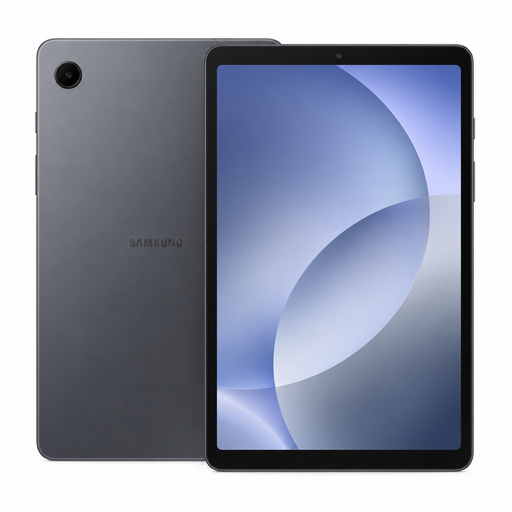 Image unavailable
Samsung Galaxy Tab A11 Wi-Fi, 64GB
The listing describes this compact Android tablet for entertainment, browsing and light productivity, with a front camera for calls.
- 8.7-inch display, 1340 × 800, 90 Hz
- Dual speakers and 64GB storage
- 5 MP front camera
- 335 g listed weight
- Travel adaptor not included, according to the listing
Joybuy
 Image unavailable
Samsung Galaxy Tab A11+, Wi-Fi, grey, 8GB RAM, 256GB storage
The listing describes this Android tablet for streaming, browsing and video calls.
- 11-inch display, 1920 × 1200
- 8GB RAM and 256GB storage
- microSD expansion
- 5 MP front camera
Joybuy
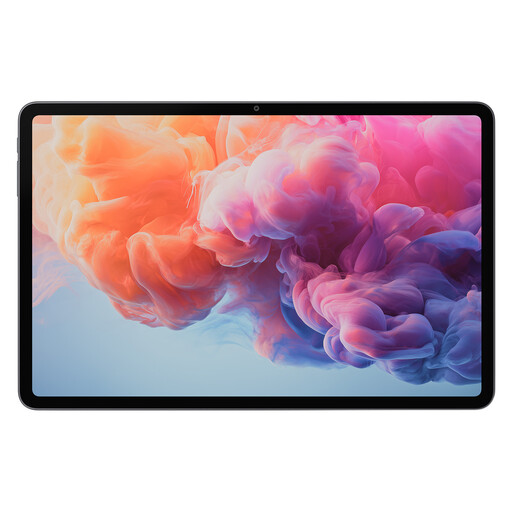 Image unavailable
ALLDOCUBE iPlay 70 Pad Pro MTK G100, 8GB RAM, 128GB storage
The listing describes this Android tablet for streaming and browsing, with a front camera for video calls.
- 12.1-inch display
- 10,000 mAh battery
- 8 MP front camera
- Charger not included, according to the product title
Joybuy
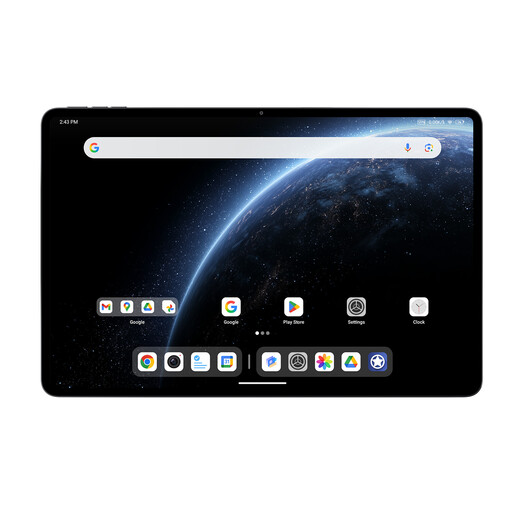 Image unavailable
Alldocube Ultra Pad, Snapdragon 7+Gen3, 12GB RAM, 256GB storage
The listing identifies movie watching and browsing as uses for this Android tablet.
- 12.95-inch display
- 12GB RAM and 256GB storage
- 15,000 mAh battery
- 5 MP front camera
- Charger not included, according to the product title
Joybuy
Frequently asked questions
How can I check whether a Fire tablet will run my calling and streaming apps?
Check every essential app in the supported-app options for the exact Fire device. Amazon says Fire tablets do not support Google Play, and a screen or battery specification cannot establish whether a particular app is available.
What should I check if a child will use the tablet?
Set up the relevant managed account or child profile rather than assuming restrictions are active automatically. Google describes supervised-account controls, Apple describes Screen Time, and Amazon directs children under 13 to a Fire child profile rather than adult-profile parental controls.
Will a keyboard or stylus make a tablet a laptop replacement?
Not by itself. Apple specifies compatible input accessories for iPad (A16), while Microsoft describes an attachable Surface keyboard; check the bundle and whether your required applications work on the device. A tablet in this category is not necessarily a replacement for specialised professional software.
What applies if I change my mind or find a fault after buying a tablet online in the UK?
For a qualifying distance sale, the general statutory cancellation period ends 14 days after you receive the goods, under regulation 30 of the Consumer Contracts Regulations 2013; exceptions and the particular contract matter. Faulty goods involve separate consumer remedies, so a retailer’s voluntary returns policy should not be confused with statutory rights.
How should I dispose of an old tablet in the UK?
GOV.UK guidance says waste electrical products can be taken to a local household waste recycling centre. Follow your local facility’s instructions for electrical products.


