For reviewing survey charts, tables and comments on a small desk, start by considering a 10.9- or 11-inch tablet and checking its physical footprint, rather than choosing by screen diagonal alone. If you regularly edit workbooks, confirm your Microsoft 365 plan and typing setup; if the work requires desktop Office or other desktop applications, a Windows 2-in-1 is the more relevant route.
Who this choice is for
Small-desk chart and table reviewers
If you mainly inspect charts, cross-tabs, response lists and comments, you need a readable display while keeping room for the rest of your work. Apple’s and Samsung’s published tablet sizes offer starting points, but the device and its stand both need to fit.
Mobile spreadsheet editors
If you correct labels or add short comments away from a laptop, check the workbook in the intended app and account. Microsoft distinguishes viewing documents on mobile devices from editing under particular plan and screen-size conditions.
Desktop-workflow analysts
If survey review also involves desktop Office, several full applications or long typing sessions, consider a keyboard-equipped Windows 2-in-1. Microsoft says Office can be installed on Surface Pro as it would be on a desktop computer.
What matters when choosing
Decide whether the job is mainly reading results, making mobile workbook edits or running desktop software. Then check the space available for the complete device and its input accessories.
| Concern |
What to check |
Who this matters to |
| Desk fit and readability |
Compare device width and depth, then allow room for its stand; use screen size to judge how you will view charts and tables. |
I want to read chart labels without covering the space I use for notes. Around 27% of consumers put desk fit and readability first. |
| Workbook compatibility |
Try a representative file in the intended app and check the Microsoft 365 plan and screen-size conditions for the edits you need. |
Returning an edited survey workbook matters more to me than simply opening it. Roughly 33% of consumers make workbook compatibility their primary concern. |
| Typing and annotation |
Check compatible keyboard and pen options, plus the working depth needed when a keyboard is attached. |
When I repeatedly correct labels or write analyst comments, on-screen input may interrupt the task. About 20% of consumers prioritise a workable typing or annotation setup. |
| Desktop workflow |
Identify any required desktop-only software and test whether a keyboard and kickstand suit the available workspace. |
I need to move between full desktop applications while reviewing results. For around 20% of consumers, that workflow is the leading requirement. |
Buying pitfalls
-
Choosing by screen diagonal alone
A larger display also changes the space the tablet occupies. Apple lists its 13-inch iPad Air Wi-Fi model at 280.6 × 214.9 mm, compared with 247.6 × 178.5 mm for the 11-inch model.
Measure the clear desk area with room for the stand, charging cable and anything else you need beside the tablet.
-
Assuming that opening an Excel file means you can edit it
Microsoft’s mobile-device guidance distinguishes document viewing from editing features, which depend on the plan and applicable screen-size conditions.
Check your account and the exact workbook tasks in the app you intend to use before relying on a mobile tablet for edits.
-
Planning around accessories that are not included
A keyboard, pen or stand can change both how you enter notes and how much desk space the setup occupies. Microsoft describes the Surface Pro keyboard as optional.
Check which compatible accessories come with the specific tablet and whether the complete setup fits your desk.
-
Putting an old tablet in household rubbish
GOV.UK advises that electrical products and batteries should not go into household rubbish.
When replacing a tablet in the UK, check your local electrical-waste collection options and follow the relevant battery-disposal guidance.
Relevant brands to consider
Apple
Apple’s iPad Air range offers an 11-inch option for a constrained desk and a 13-inch option when display area takes priority.
- Apple lists the 11-inch Wi-Fi model at 247.6 × 178.5 mm and 464 g, compared with 280.6 × 214.9 mm and 616 g for the 13-inch Wi-Fi model.
- Check the space needed for a keyboard and whether your Microsoft 365 plan permits the mobile edits you intend to make.
Samsung
Samsung’s Galaxy Tab S10 FE is a 10.9-inch Android option for reviewing results and considering pen-based notes.
- Samsung lists S Pen use and microSD support of up to 2 TB for the Galaxy Tab S10 FE.
- For Excel work, check the specific Microsoft 365 plan and the editing functions needed rather than assuming that viewing access covers them.
Microsoft Surface
Surface Pro is relevant when reviewing results also requires desktop-style Office installation and a tablet that can be set up for keyboard work.
- Microsoft describes Surface Pro as a 2-in-1 with an adjustable kickstand and says Office can be installed as it would be on a desktop computer.
- The Surface Pro keyboard is optional; check the space the device and keyboard occupy together.
Lenovo
Lenovo Tab Plus is worth considering if an integrated stand matters for viewing survey material at a desk.
- Lenovo specifies an 11.5-inch 2000 × 1200 display and a 175-degree kickstand for Tab Plus.
- Before choosing it for Excel edits, check the Microsoft 365 plan and screen-size conditions that apply to your account and tasks.
Joybuy tablets for compact-desk review
These 11-inch iPad Air variants are options for reviewing survey charts, tables and comments where desk space is limited. For workbook editing, check your Microsoft 365 plan and required functions; a mobile iPad is not a substitute for software that requires a desktop computer.
 No image available
Apple 11-inch iPad Air (M4), Wi-Fi, 128GB, Starlight
The 11-inch format is a starting point for reviewing survey results on a small desk. Apple lists the 11-inch Wi-Fi iPad Air at 247.6 × 178.5 mm and 464 g. Check your Microsoft 365 editing access and allow space for a compatible keyboard or Pencil if you need one; those accessories are sold separately.
Joybuy
 No image available
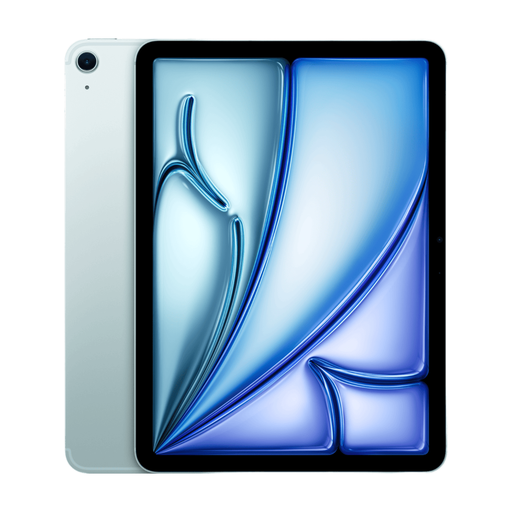
Apple 11-inch iPad Air (M4), Wi-Fi, 256GB, Blue
This 11-inch Wi-Fi variant is another option for reviewing charts and response tables on a restricted desk. Apple lists the 11-inch Wi-Fi iPad Air at 247.6 × 178.5 mm and 464 g; this variant has 256GB storage. Confirm the edits your Microsoft 365 account permits, and check the footprint of any separately sold keyboard or Pencil you plan to use.
Joybuy
 No image available
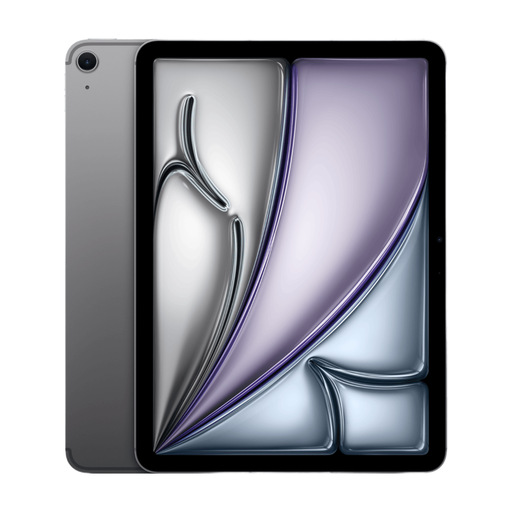
Apple 11-inch iPad Air (M4), Wi-Fi, 512GB, Space Grey
Consider this 11-inch option if you want the listed 512GB storage variant for your survey materials. Apple gives the 11-inch Wi-Fi iPad Air dimensions as 247.6 × 178.5 mm and its weight as 464 g. Mobile workbook editing still depends on your Microsoft 365 arrangements, and a compatible keyboard or Pencil is sold separately.
Joybuy
 No image available
Apple 11-inch iPad Air (M3), 256GB, Blue
The 11-inch display makes this M3 variant worth assessing for survey review where desk space is tight. It has 256GB storage; measure the space available for the device, stand and any keyboard rather than relying on the display diagonal. Check your Microsoft 365 editing access before choosing it for workbook changes; compatible keyboard and Pencil accessories are sold separately.
Joybuy
Frequently asked questions
Is a 13-inch tablet better for reviewing survey results?
Not automatically: a larger display may help with side-by-side material, but the tablet also needs more desk space. Apple lists its 13-inch iPad Air Wi-Fi model at 280.6 × 214.9 mm, versus 247.6 × 178.5 mm for the 11-inch Wi-Fi model. Measure the area left after allowing for a stand, keyboard and notes.
Can I edit survey spreadsheets on an iPad or Android tablet?
You may be able to edit them, but viewing a file does not establish which editing features your account permits. Microsoft says mobile editing conditions vary by Microsoft 365 plan and screen size, including 10.9-inch or 10.1-inch limits under some listed conditions. Check your exact tablet, account and workbook tasks before buying.
Do I need a keyboard to review survey results?
A keyboard is not necessary just to read dashboards, charts and comments, but it is worth considering for frequent corrections or written notes. Microsoft notes that typing in Excel for iPad can be difficult if you are accustomed to a physical keyboard; check accessory compatibility and the desk depth needed to use one.
How should I dispose of an old tablet in the UK?
Do not put it in household rubbish. GOV.UK advises using appropriate electrical-waste and battery collection arrangements; check the options available locally when you replace the device.


