Long-session field-note typists
If you turn extensive observations into structured text at a hotel desk, focus on the keyboard, viewing angle and how you will move files between devices. A pen is less important if most of your time is spent typing.


For extended typing at a hotel desk, start with a tablet and compatible physical keyboard that give you a stable viewing angle and a workable file workflow. An Android tablet with pen support may suit you better if reviewing handwritten observations is central to the task; if you need a particular Windows application or peripheral, consider a Windows 2-in-1 and check that exact software and hardware combination before choosing it.
If you turn extensive observations into structured text at a hotel desk, focus on the keyboard, viewing angle and how you will move files between devices. A pen is less important if most of your time is spent typing.
If you mark up handwritten notes or diagrams before producing a typed transcript, check pen support, room to view your notes and how the device stores or exports the finished files.
If your work requires a named Windows application, institutional sign-in method or specialist peripheral, establish compatibility before choosing a tablet on the basis of its screen and keyboard alone.
Settle any essential software and file requirements before choosing accessories. Then assess the typing position, note-taking method and equipment you will need at the hotel desk.
| Concern | What to check | Who this matters to |
|---|---|---|
| Extended typing | Check keyboard compatibility with the exact tablet, the key layout you need and whether the screen stays at a comfortable angle on a desk. | If I will type up hours of notes, I need a stable keyboard-and-screen position rather than relying on the touchscreen. Around 33% of consumers put that typing setup first. |
| Handwritten notes | Confirm pen inclusion or compatibility, then check internal storage and any stated expansion option for your files. | When I move between annotated observations and a typed transcript, I want both tasks to fit my workflow. Pen-led note work is the primary need for around 25% of consumers. |
| Software and secure files | Check the named app, export format, sign-in method and peripherals on the exact operating system and processor. Plan secure access if the observations are sensitive. | If a required program or institutional file process fails, a comfortable tablet will not complete my work. Around 25% of consumers prioritise workflow and data handling. |
| Complete travel setup | Check which keyboard, charger and other essential accessories come with the chosen configuration, and whether you can use them together at the desk. | I need everything required for a typing session to be ready when I reach the hotel, without depending on a tablet-only description. Setup completeness comes first for around 17% of consumers. |
A tablet may be awkward for sustained transcription if the compatible keyboard cannot hold its screen steadily at a hotel desk.
Check the keyboard and stand against the exact model generation and screen size before settling on a configuration.
Microsoft says x64 emulation broadens app compatibility on ARM-based Windows devices, but some peripherals may depend on manufacturer software that does not support ARM.
Confirm your transcription application, add-ins and any foot pedal, microphone or other required device with their publishers for the exact configuration.
Battery claims measured under manufacturer test conditions may differ from a session involving typing, audio playback, screen brightness and synchronisation.
Check what charging equipment is supplied and assess battery life against the way you will actually work.
Xiaomi says the Pad 8 does not include a power adapter, so a compatible charger may need a place in your travel kit.
The National Cyber Security Centre warns that public or insecure Wi-Fi can allow data interception or modification. Where observations contain personal data, the Information Commissioner’s Office says security measures must be appropriate to the circumstances and risk.
Follow your organisation’s approved access and data-handling procedures, including suitable device controls and protection for sensitive files.
The iPad Air is an iPadOS option for a keyboard-based writing and note-review setup.
The Galaxy Tab S10 FE is an Android option for combining pen-led notes with typed work.
Surface Pro provides a Windows tablet-to-laptop route when a desktop workflow is important.
The Pad 8 is an Android option with a 3:2 display for readers assessing documents alongside their notes.
These products span dedicated note-taking, Android tablet and Windows convertible setups. Compare each one against the way you capture observations, type transcripts and handle required files.
 No image available
Consider this note-taking format if you want to review handwritten observations alongside voice-to-text work. The title lists 16-language transcription; real-time transcription requires an internet connection, so check its supported languages and export workflow for your task.
Confirm whether a suitable physical keyboard works with this model before choosing it for long typing sessions.
 No image available
This bundle may suit a desk workflow that alternates typing and pen input. Its title lists 256GB storage and TF-card support up to 2TB.
Confirm the delivered Android version, keyboard layout and compatibility with your transcription app before buying.
 No image available
Consider this Android tablet if annotating observations with a pen is part of your workflow. The listed variant includes a Focus Pen; check the keyboard setup and your required transcription app separately.
Confirm whether its storage arrangement suits the files you need to keep locally.
 No image available
This Windows 11 Home convertible is a route to assess if your transcription depends on desktop software and keyboard-based work. Its 14-inch format and stated 1.34kg weight make portability worth considering alongside desk use.
Check the named application, institutional workflow and any specialist peripheral against this exact configuration.
 No image available
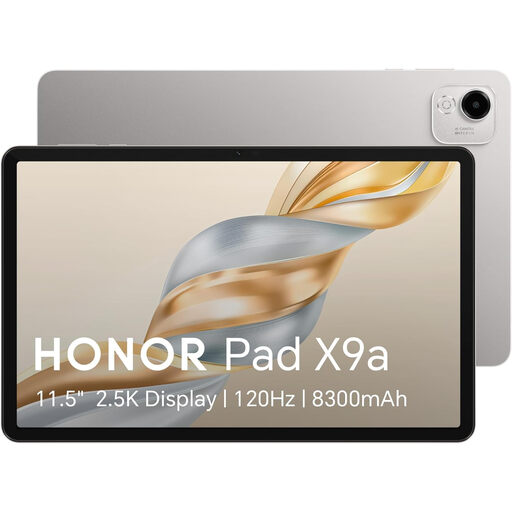
Consider this Android tablet if reading observations and working on documents are your main tablet tasks. Before planning extended typing, check a compatible keyboard and the exact transcription app you intend to use.
Check which accessories are included with the chosen configuration.
A Wi-Fi-only tablet can suit a workflow that allows you to work offline and synchronise later. If connection is essential away from trusted networks, assess cellular access; the National Cyber Security Centre warns that public or insecure Wi-Fi can expose data to interception or modification.
Choose whichever compatible arrangement gives you a stable screen angle and comfortable keys at the desk. Check the exact tablet and keyboard pairing: Apple lists an adjustable viewing angle and trackpad for its compatible iPad Air Magic Keyboard, while Microsoft specifies a UK QWERTY layout for its Surface Pro 12-inch Keyboard.
Check the specific program before buying rather than assuming it will run as required. Microsoft says x64 emulation broadens compatibility on ARM-based Windows devices, but application support and peripherals that need manufacturer software can require separate checks.
If you or your organisation process personal data under UK GDPR, the Information Commissioner’s Office says appropriate technical and organisational security measures are required for the circumstances and risk. Follow your organisation’s data-protection and research procedures when storing or synchronising observations; a tablet choice alone does not settle those requirements.