Handwritten travel-journal makers
If you annotate photos, sketch maps or add captions by hand, check both stylus compatibility and whether the pen comes with the exact tablet you choose.


Start with a tablet of around 11 inches if desk space is tight, then decide whether handwriting, longer typed entries or arranging photos matters most. Samsung lists an S Pen in the Galaxy Tab S10 FE box, while the iPad Air, Lenovo Yoga Tab and Xiaomi Pad 7 present different display and accessory choices. Check the exact model, bundle and keyboard fit before committing to a writing setup.
If you annotate photos, sketch maps or add captions by hand, check both stylus compatibility and whether the pen comes with the exact tablet you choose.
If short notes turn into longer daily entries, consider how the tablet and a compatible keyboard will sit together on your available desk space.
If you arrange travel photos alongside text, compare display format, storage configuration and the apps you plan to use, as well as screen size.
Decide which task takes priority on your small desk, then check the complete tablet-and-accessory setup for that task.
| Concern | What to check | Who this matters to |
|---|---|---|
| Desk space and typing | Check the tablet’s physical dimensions and the exact keyboard model; allow room for both when the keyboard is in use. | If I write long daily entries beside my other travel items, I need a typing setup that fits the desk. Around 42% of consumers put desk-efficient typing first. |
| Handwriting and annotation | Check stylus compatibility and box contents for the selected tablet variant. | For handwritten captions or map marks, I want the right pen ready when I start. Roughly 33% of consumers make handwriting their primary concern. |
| Photo layout and storage | Compare display size and format, storage tier and compatibility with your journal and photo apps. | When I arrange photos alongside text, I need enough working space and a way to keep my files organised. About 25% of consumers prioritise image-led editing. |
A pen, keyboard or case can be a separate choice, so the tablet alone may not represent the setup you intend to use.
List the accessories your journal workflow requires and compare the exact configurations, not just the tablets.
Samsung lists an S Pen in the Galaxy Tab S10 FE box, whereas Apple lists compatible Apple Pencil models for iPad Air. Compatibility and box contents answer different questions.
Read the contents for your selected variant and check the stylus model before ordering.
Keyboard covers can be model-specific: Samsung identifies its cited Book Cover Keyboard Slim as compatible with the Galaxy Tab S10 FE+, rather than every Tab S10 FE model.
Match the tablet’s full model and size to the keyboard’s compatibility statement.
Resolution and colour specifications describe a screen, but do not establish whether your journal app handles the files or layout you need.
Check your journal and photo apps on the chosen operating system, including their import and export options.
The 11-inch iPad Air is worth considering if you want an iPad with Apple Pencil support and a compatible Magic Keyboard option.
The Galaxy Tab S10 FE is an Android option for handwritten entries when pen inclusion matters.
A cited Yoga Tab configuration offers an 11.1-inch Android workspace for journals combining text and images.
The Pad 7 offers an 11.2-inch, 3:2 display format to consider for document-like journal pages.
These tablets offer different starting points for a small-desk travel journal: three 11-inch iPads, an 11.2-inch Xiaomi Pad 7 and a larger 12.7-inch TECLAST option. Choose by your main writing or image-layout task, then check the space and accessories each setup needs.
 No image available
Consider this 11-inch model if you want to keep journal text and images on a tablet of that screen size. Check its physical dimensions against your desk and confirm the compatible pen and keyboard for the M5 model before planning a handwriting-and-typing setup.
 No image available
The 11-inch format is a starting point for journal entries on a limited desk surface. If you will annotate or type regularly, confirm which pen and keyboard fit this M4 variant and how much room the keyboard needs when open.
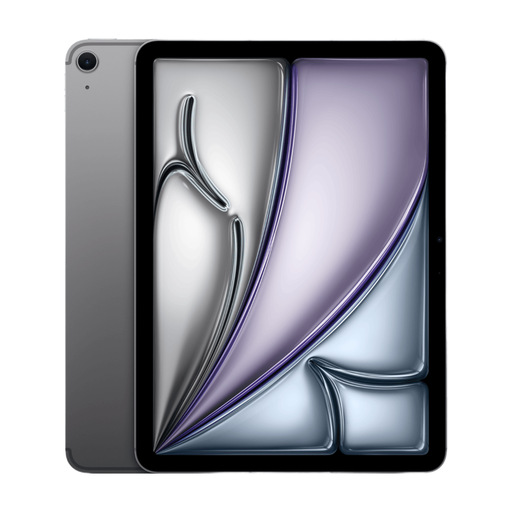 No image available
If you plan to retain more journal material on the tablet, compare this 512 GB variant with the 128 GB M4 iPad Air above. The screen size is 11 inches; check the exact pen and keyboard fit, and measure the assembled setup against your desk.
 No image available
The 11.2-inch, 3:2 display is relevant if you arrange photos on document-like journal pages; Xiaomi specifies a 3200 × 2136 resolution for Pad 7. The product title identifies a Focus Pen bundle, so confirm the exact box contents before relying on it for handwriting. Check keyboard fit separately if you also type long entries.
 No image available
Consider this larger screen if space for arranging journal pages matters more to you than keeping close to an 11-inch format. Its title specifies a 12.7-inch 2K display, 256 GB storage and an included stylus with 4096-level pressure support. Check the tablet’s physical footprint, keyboard compatibility and your required journal apps before choosing it for a small desk.
Around 11 inches is a useful starting point when desk space is limited. The cited iPad Air, Galaxy Tab S10 FE, Yoga Tab and Pad 7 models are close to that size; consider a larger tablet if you have room for its physical footprint and want more space to arrange pages.
It depends on the exact model and bundle: Samsung lists an S Pen in the UK Galaxy Tab S10 FE box, while Apple specifies compatible Apple Pencil models for iPad Air rather than listing a pen in its standard setup. Check the selected product’s box contents before planning handwritten entries.
Check that a keyboard fits the tablet’s exact model and that the assembled setup fits your desk. Also confirm which accessories and charging equipment come in the box: Samsung says the Galaxy Tab S10 FE does not include a travel adapter, and Lenovo lists a Keyboard Pack separately for the cited Yoga Tab configuration.
Where you have a right to repair or replacement under section 23 of the Consumer Rights Act 2015, the trader must provide it within a reasonable time and without significant inconvenience. Keep your order confirmation, the tablet’s model details and a record of the fault when contacting the seller.