Outdoor handwritten journal keepers
If you write or sketch away from a desk, check pen compatibility, screen visibility and how you will protect the tablet when conditions change.


If you will carry your tablet between field locations and make short entries as you go, start with an approximately 11-inch model and check its weight and pen setup. A pen-led Android tablet suits outdoor notes when the exact model meets your storage and protection needs; an iPad suits a handwriting-and-photo workflow with compatible accessories; choose a Windows detachable when the journal also requires desktop software or sustained keyboard work.
If you write or sketch away from a desk, check pen compatibility, screen visibility and how you will protect the tablet when conditions change.
If each entry combines images and captions, consider how much material you will keep locally and when you can upload it.
If short notes become formatted reports during the trip, check keyboard and touchpad options and whether your required software runs on the tablet.
Decide whether the journal is primarily handwritten, built around material kept offline, or written and uploaded during the trip. Then check the exact model and accessories against that task.
| Concern | What to check | Who this matters to |
|---|---|---|
| Portable handwriting | Compare size and weight; confirm which pen works with the exact model and whether it is included. | I want to write or sketch before the details fade, without carrying a setup I rarely use. Around 40% of consumers would make portable handwriting their primary concern. |
| Offline storage and outdoor use | Check local storage or microSD support, stated display conditions and any model-specific water and dust rating. | When photos and notes must stay on the device between connections, I need room for them and a screen I can assess for outdoor use. Roughly 30% of consumers would put offline storage and outdoor use first. |
| Connectivity and longer writing | Confirm Wi-Fi or cellular configuration, keyboard compatibility and support for required software. | If I must upload entries or finish a long report before returning to base, my connection and typing setup shape the choice. Around 30% of consumers would prioritise those working needs. |
A pen, keyboard, protective case or charging equipment may change what you need to carry and use each day.
Check the exact bundle. Prioritise a pen for handwritten entries; add a keyboard if long entries will be a regular task. Samsung lists an S Pen but no travel adapter in its cited Galaxy Tab S10 FE package.
Samsung states an IP68 water and dust rating for the Galaxy Tab S10 FE range, but a tablet rating does not establish the protection of a keyboard, charger or case.
Confirm the rating for the exact model, read its care instructions and plan how to keep the rest of the kit dry.
Offline entries can be uploaded later, whereas a cellular tablet needs a compatible mobile data plan to connect away from Wi-Fi.
Identify which parts of the trip require live uploads or communication before choosing a Wi-Fi or cellular configuration.
London Fire Brigade warns that counterfeit chargers can present a fire and injury risk.
Use the supplied charger or a genuine branded replacement from a trusted supplier.
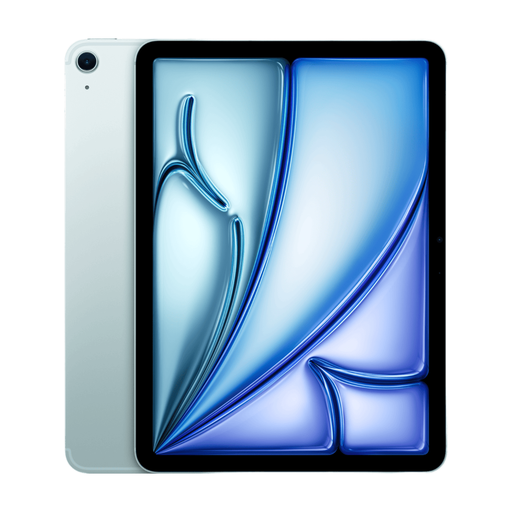
The 11-inch iPad Air is an option for pen-based entries and photo work, with a cellular configuration available if you need a connection away from Wi-Fi.
The Galaxy Tab S10 FE is worth considering when pen-led notes, local storage expansion and a stated water and dust rating matter to your trip.
Surface Pro is a Windows detachable option when the journal also involves desktop applications or regular keyboard-led reporting.
These tablets cover pen-oriented Android options and iPads for notes and trip images. Compare each exact configuration with the way you plan to write, store and upload your journal.
 No image available
Consider this tablet if keeping journal entries and trip images on the device is a priority. It has 256GB storage.
For handwritten use, check pen compatibility and the exact bundle. If you expect rain or need mobile data, confirm how this configuration meets those needs before taking it into the field.
 No image available
This 11-inch Wi-Fi configuration is an option for entries and images you can upload when Wi-Fi is available. It has 256GB storage.
Check which Apple Pencil works with this M4 model and plan for a separate pen or keyboard if your journal needs one.
 No image available
Consider this configuration if your journal calls for substantial local storage for trip material. It has an 11-inch format and 2TB storage.
This is a Wi-Fi variant. Confirm the compatible Apple Pencil and keyboard for the M5 model if you intend to write or annotate with accessories.
 No image available
This larger-screen option may suit entries that combine handwriting and images, provided its size works for your bag and field routine. The product name specifies a 12.7-inch 2K display, 256GB storage, dual-SIM 4G LTE and an included stylus.
Check the exact stylus configuration and how you will protect the tablet in outdoor conditions.
 No image available
Consider this pen bundle for handwritten entries, subject to confirming the contents of the exact package. The product name specifies 8GB RAM, 128GB storage and an included Focus Pen.
Check the charging equipment you will take and whether this configuration meets your connectivity and outdoor-protection needs.
Choose Wi-Fi-only if you can write offline and upload later; choose cellular if you need a connection away from Wi-Fi and can use a compatible mobile data plan with coverage where you travel. Apple offers a Wi-Fi + Cellular iPad Air configuration, but check the configuration of the exact tablet you buy.
A stylus matters most for handwritten notes, sketches or annotations; a keyboard becomes more useful when long entries are a regular part of the trip. Check the exact bundle: Apple lists its Pencil and Magic Keyboard separately, Microsoft describes optional Surface accessories, and Samsung lists an S Pen in its cited Galaxy Tab S10 FE package.
Treat IP68 as a specification for the stated model, not blanket protection for your whole kit. Samsung states an IP68 water and dust rating for the Galaxy Tab S10 FE range; check the exact tablet and pen instructions, and keep other accessories protected.
Keep your proof of purchase and contact the seller about the fault. Citizens Advice says you may be entitled to a refund, repair or replacement for faulty goods; a warranty or guarantee adds to, rather than replaces, your legal rights.
Use the supplied charger or a genuine branded replacement from a trusted supplier. London Fire Brigade warns about counterfeit chargers and advises checking your carrier’s lithium-battery guidance if you are travelling by air.