What matters when choosing?
If the monitor must show a different app or window from the tablet, establish that the exact model supports an extended workspace before weighing capture and desk-use needs.
Galaxy Tab S11 Ultra and monitor
Choose it when: You need separate tablet and monitor work areas. Samsung UK says the Tab S11 Ultra’s Extended Mode lets apps move between them.
Check: You still need a suitable monitor and connection method; do not assume other Galaxy Tab models have the same mode.
Supported iPad Air M2 or M3 and display
Choose it when: You prefer iPadOS and want to move catalogue and reference windows between screens. Apple documents this workflow for supported models.
Check: Apple’s September 2025 Stage Manager guidance names iPad Air M2 and M3 for external-display window movement. Confirm the capability for the exact generation and iPadOS version you intend to buy, particularly if considering an M4 model.
| Concern |
What to check |
Who this matters to |
| Separate screen workspaces |
Confirm that the exact tablet can move apps or windows to the monitor, rather than only mirror its display. Check the required connection. |
I want an item record visible while I consult photos or a spreadsheet on the other screen. Around 36% of consumers put separate work areas first. |
| Room-to-room capture |
Check the intended app’s tablet support for photos, barcode or QR scanning, and the item fields you need. |
Moving between rooms, I want to record belongings where I find them rather than reconstruct the list later. Quick capture comes first for around 29% of consumers. |
| Desk-based organisation |
Match the tablet’s video connection to the monitor input; check keyboard, stand and charging arrangements. |
Once the photos are taken, I need a workable desk setup for sorting records and attaching receipts. Around 21% of consumers prioritise that longer sorting session. |
| Keeping records usable |
Check the app’s export and account-recovery options, and identify the exact tablet variant before ordering. |
I want to retrieve and move my household records when my setup changes. For around 14% of consumers, keeping those records usable is the primary concern. |
Joybuy tablets for this setup
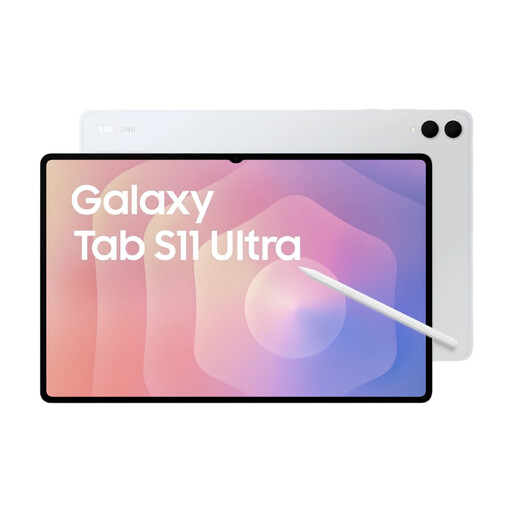
This tablet represents the Galaxy Tab S11 Ultra route for cataloguing belongings with a separate external-monitor workspace. Check the monitor connection and intended inventory app for your own setup.
 No image available
Samsung Galaxy Tab S11 Ultra X930 WiFi, 12GB/256GB, Silver
This model suits a catalogue desk where the tablet and monitor need separate work areas: Samsung UK documents Extended Mode for the Galaxy Tab S11 Ultra.
The listed variant has 12GB RAM, 256GB storage and WiFi connectivity. Confirm the cable and monitor connection, and check that your inventory app supports the capture fields and exports you need.
Samsung UK says Tab S11-series tablets do not include a travel adapter; check your charging arrangement.
Joybuy
Frequently asked questions
Does USB-C mean a tablet can use two independent screens?
No. A USB-C connector alone does not establish video output or an extended workspace. Check the exact tablet’s display mode, the monitor input and the required cable or adapter; Lenovo’s connection guidance treats these as separate compatibility checks.
How should I divide household cataloguing work between the screens?
Keep the active item record on one screen and photos, receipts or reference material on the other, if your tablet and app support that arrangement. Samsung UK describes moving apps between the Galaxy Tab S11 Ultra and a monitor; Apple documents moving windows between supported iPads and external displays.
Will I need accessories for a tablet-and-monitor desk?
Check the connection and power requirements for your exact tablet and monitor before deciding. You may need a suitable cable or adapter, while a keyboard or stand depends on how you plan to enter records; Samsung UK says Tab S11-series tablets do not include a travel adapter.
What should I check in a household inventory app?
Check that the app works on your chosen tablet and handles the photos, item fields, scanning and exports your catalogue needs. Sortly describes barcode and QR scanning in its own tablet-capable service, but features and account terms should be checked for the particular app you intend to use.


