Which students could use a tablet?
The useful distinction is whether the tablet handles your whole course workflow or just the parts that benefit from a pen and portable screen.
Handwritten-note takers with access to a computer
If you write lecture notes, draw diagrams and annotate readings, a tablet can handle those tasks while a laptop or university computer covers specialist applications. Loughborough University IT Services describes note-taking and online resources as suitable tablet uses, while warning that tablet software access is limited.
Students who write substantial coursework
If you regularly draft essays or reports away from home, assess the keyboard, document editing and file-submission workflow as carefully as pen input. Check that the finished work can be produced in the format your course requires.
Students on software-dependent courses
If your course uses engineering tools, coding environments or hardware interfaces, ask your department which operating system and processor types it supports. University of Nottingham engineering guidance warns that some ARM-based Windows devices may not support required software or interfaces.
What should you check before choosing?
Start with your course requirements, then decide how much of your day involves handwriting, sustained typing and moving files between devices.
| Priority | What to check | Your needs |
|---|
| Course software |
Ask your department for required applications, operating systems and processor support. Confirm any computer-room or remote-desktop access before relying on it. |
I need to run the software used on my course, not just open lecture materials. UWE Bristol says required course software determines the type of device you need; University of Nottingham engineering guidance flags possible ARM compatibility issues. |
| Notes and writing |
Check pen compatibility for the exact model and whether the pen is included. If you type regularly, check the keyboard and trackpad setup separately. |
Handwritten notes and PDF markup matter to me, but I also need a workable way to draft assignments. A keyboard helps with typing; it does not add desktop-only software to iPadOS or Android. |
| Files and assessments |
Check the required answer format and practise creating, exporting and uploading a file through your university system. |
I want to know that my work opens after submission. Loughborough University notes that online exam instructions can specify word-processed or handwritten answers, so the required workflow can change between assessments. |
| Daily carrying |
Compare the complete setup, including its keyboard, case and charger. Check charging access and any ports or adapters needed for course equipment. |
Between lectures, the library and home, I need a setup I can carry and charge conveniently. The tablet alone may not represent everything I take with me. |
Relevant device ranges
These ranges illustrate different study setups; a brand name alone cannot establish compatibility with your course.
Apple
iPad Air is a route for handwritten notes, reading and annotation, with optional accessories for typing.
- Apple lists 11-inch and 13-inch iPad Air models and describes Apple Pencil Pro and Magic Keyboard support.
- Confirm that your required coursework applications and assessment workflow work on iPadOS before making one your only study device.
Samsung
Galaxy Tab S10 FE offers an Android tablet route for notes and course reading.
- Samsung identifies a 10.9-inch Galaxy Tab S10 FE and states support for microSD storage of up to 2TB.
- Check the exact pen and keyboard setup, and whether your course tools work on Android.
Microsoft
Surface Pro combines a Windows 2-in-1 format with optional keyboard and pen input.
- Microsoft describes optional Surface Pro keyboards and Slim Pen input for its Surface Pro range.
- Windows alone does not settle specialist compatibility: University of Nottingham engineering guidance advises checking software and interfaces on ARM-based devices.
Joybuy study-device options
These options include tablets for handwriting-led study and a Windows 2-in-1 for a typing-led setup. Check course requirements before deciding whether any one device can be your only computer.
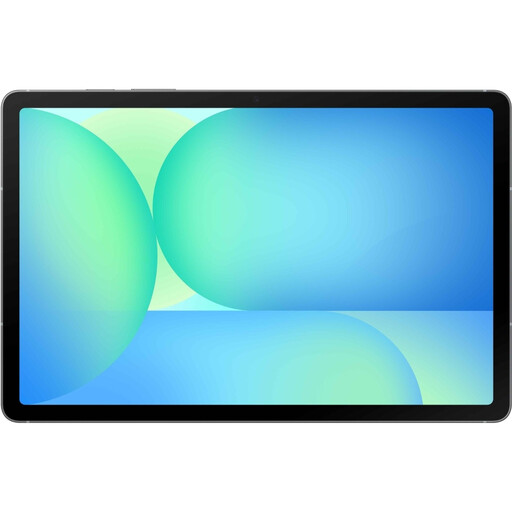 Image unavailable
Samsung Galaxy Tab S10 FE 256GB Wi-Fi, Grey
The 10.9-inch Galaxy Tab S10 FE is an Android tablet to consider for reading and note-taking; check the pen and keyboard supplied with this exact configuration.
256GB storage and Wi-Fi connectivity are stated in this variant’s name. Confirm course-app and file-workflow compatibility before using it as your only study device.
View on Joybuy
 Image unavailable
Apple 11-inch iPad Air (2026, M4) Wi-Fi 128GB, Space Grey
For handwritten notes and typed coursework, check which Apple Pencil and keyboard work with this exact iPad Air and whether they are included.
This is the 11-inch, 128GB Wi-Fi variant. Confirm that iPadOS handles your course applications, assessment platform and required files before relying on it alone.
View on Joybuy
 Image unavailable
TECLAST ArtPad Pro (2025), 12.7-inch, 256GB
The title identifies an included stylus, making this a tablet to consider if you want to write notes directly on a larger screen.
It lists a 12.7-inch 2K display, 256GB storage and Android 15. Check the complete setup for daily carrying and typing, and confirm that your course workflows run on Android.
View on Joybuy
 Image unavailable
Xiaomi Pad 7 Grey, 8GB RAM, 128GB, Focus Pen included
The included Focus Pen makes this an option to examine for handwritten lecture notes and annotation.
The title states 8GB RAM and 128GB storage. Check keyboard arrangements if you write long assignments, and confirm course-software and submission compatibility.
View on Joybuy
 Image unavailable
HP OmniBook Ultra Flip 14-fh0006na 2-in-1
This Windows 11 Home 2-in-1 is an option to examine for a typing-led workflow alongside convertible use.
Its title states 16GB RAM and a 1TB SSD. If writing directly on the screen matters, check stylus support; also confirm that your exact course applications and hardware interfaces work on this configuration.
View on Joybuy
Questions about tablets for university
Can a tablet be my only device at a UK university?
Only if your course confirms that its applications, assessments, file formats and any hardware connections work on that tablet. UWE Bristol and the University of Bristol caution against relying on tablets as the main study computer when desktop or specialist software is needed.
Do I need a keyboard if I mainly take handwritten notes?
A keyboard is worth checking if you will frequently draft essays, reports or long research notes on the tablet. Choose one compatible with the exact model; adding it will not make iPadOS or Android run desktop-only course software.
What should I test before an online assessment?
Check the specified answer format, then practise creating, uploading and reopening a file in that format. Loughborough University notes that online exam instructions may call for word-processed or handwritten answers.
What should I do with an old tablet when replacing it?
Keep electrical products and batteries out of household rubbish and use an appropriate collection route. The UK Office for Product Safety and Standards says retailers selling a new electrical product must accept an old one on a like-for-like basis.
What if a newly bought tablet is faulty?
Where you have a right to repair or replacement, section 23 of the UK Consumer Rights Act 2015 requires the trader to provide it within a reasonable time, without significant inconvenience, and to bear necessary costs. Keep your order record; a seller’s voluntary policy does not replace statutory rights.


