Families arranging hands-free calls
For a relative who cannot comfortably hold a phone, a tablet needs a stable position, a visible screen and a charging location that works for the person and the room.


Start with a Wi-Fi tablet and a stable, hands-free position if the care home permits the device on its network and the chosen calling service works where calls will take place. Consider cellular when calls must work away from that Wi-Fi or the connection is unreliable, but check indoor mobile reception before relying on it. Confirm the calling app and who will manage the account before choosing either tablet.
For a relative who cannot comfortably hold a phone, a tablet needs a stable position, a visible screen and a charging location that works for the person and the room.
For someone who would benefit from fewer visible choices and easy access to familiar contacts. Apple documents focused controls and favourite contacts in Assistive Access; the arrangement still needs to suit the individual.
For calls that may not reliably use the care home’s Wi-Fi. The home’s device rules, connection at the intended seat and local mobile reception affect whether a cellular tablet would help.
Confirm the calling service and connection first, then plan the tablet’s position and the routine for making calls. The concerns below describe families choosing a setup primarily for regular video calls with a relative in care; each percentage refers to consumers who would put that need first.
| Concern | What to check | Who this matters to |
|---|---|---|
| Hands-free position | Check that a stand or stand-case fits the exact tablet, holds it steadily and leaves the camera and charging connector accessible. | If my relative cannot hold a device through a call, the tablet needs to stay in view without being propped up each time. Around 29% of consumers would put a stable hands-free position first. |
| Simple calling | Try the chosen app with the intended account and contacts; test both placing and receiving a call. | I want my relative to reach familiar people without navigating a crowded home screen or managing the account alone. For around 29% of consumers, a repeatable calling routine is the primary need. |
| Reliable connection | Ask whether personal tablets can use the home’s Wi-Fi at the calling spot; if considering cellular, check indoor reception and the required data arrangement. | Calls need to work from the place where my relative sits, even if the usual Wi-Fi cannot be used. Around 18% of consumers would make connection resilience their first concern. |
| Ongoing support | Check the exact model’s update commitment and agree who will handle updates and account recovery. | I need a family member to be able to maintain a tablet that holds contacts and a calling account over time. That would be the leading concern for around 24% of consumers. |
A tablet and connection are useful only if the family’s chosen app works with the intended accounts and the care home’s device arrangements.
Confirm which service everyone will use, try it on a comparable device if possible and ask the home about personal Wi-Fi access before deciding between Wi-Fi and cellular.
Changing the calling arrangement later may require a different device or a mobile-data plan.
The tablet may still need to be held if its case cannot stand securely, or a poorly fitted stand may obstruct the camera or charging connector.
Choose accessories for the exact model and check the view and sound from the intended seat, with the charging cable connected.
A compatible stand, case or cable may need to be obtained separately.
Samsung says available Galaxy updates vary by model, carrier and location. Google guarantees Pixel Tablet operating-system and security updates until June 2028; Apple lists iPad (A16) as compatible with iPadOS 27, which does not establish a future support end date.
Check the exact model’s remaining update commitment and decide who will install updates and retain account-recovery details.
A live family call is different from recording care. The Care Quality Commission warns that recording equipment can affect privacy and dignity, and that some services have rules about its use.
If recording is being considered, discuss it openly with the relative and provider and check the applicable policy before proceeding.
An iPad route worth considering when the family can use FaceTime and wants a focused calling screen.
An Android route with Galaxy Tab sizes and connectivity variants to assess against the room and calling app.
A Pixel Tablet route for families who want a published software-update endpoint.
These Wi-Fi tablet choices relate to calls from a fixed position. Check that the chosen calling app works for the family, the care home permits Wi-Fi use and a suitable stand can be arranged; these products do not represent the cellular route.
 No image available
Consider this 11-inch model for a fixed calling position if the family’s app works on it and the home’s Wi-Fi is usable. Samsung lists a 5 MP front camera and quad speakers for Galaxy Tab A11+; check the fit of a stand for this variant.
 No image available
Its stated 10.1-inch screen may suit a tablet positioned for regular calls. Check the exact calling app, installed software version and update support, as well as whether the intended stand leaves the camera and charging connection clear.
 No image available
Consider its stated 11-inch screen for a calling position with a suitable stand. Confirm that the family’s calling app works as needed, and check stand fit and model-specific update support.
 No image available
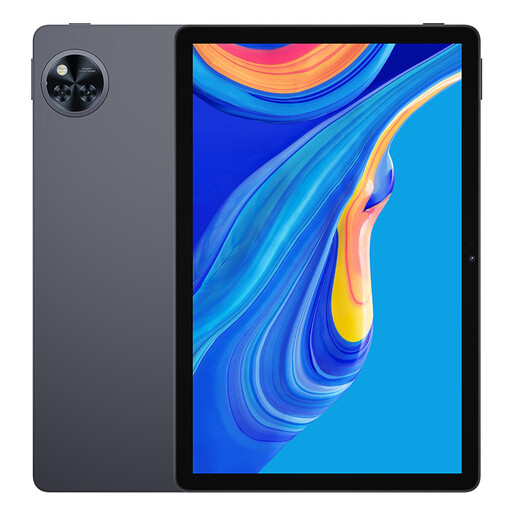
This stated 11-inch Wi-Fi model is another option to assess for calls from a fixed position. Check the calling app and account setup, the fit of a stand and the update commitment for the exact model.
 No image available
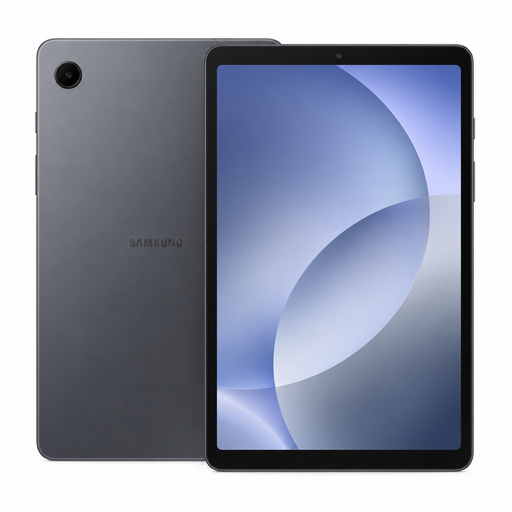
Consider this Wi-Fi variant if the family prefers the Galaxy Tab A11 route and the home’s connection works at the calling spot. Check its screen against the relative’s larger-screen need, along with the chosen app, stand fit and update support for this exact variant.
A Wi-Fi tablet is a reasonable starting point when the home permits the device on its network and calls work at the intended location. Consider cellular if calls must also work away from that connection or Wi-Fi access proves unreliable; test indoor mobile reception and check the data arrangement before depending on it.
Apple says Assistive Access can present selected favourite contacts first in its Calls app and supports FaceTime video calls. Set it up with the person who will use the iPad and a trusted supporter; check any preferred third-party calling app separately.
Arrange the account around the person using the tablet, with their involvement and an agreed way for family to help. For Assistive Access, Apple specifies that the Apple Account shown during setup should belong to that person. Agree who may access credentials and contacts rather than assuming staff or relatives can manage them.
Choose a fixed charging position that suits the person and agree which supporter will check the device and its account-recovery details. Samsung advises using Wi-Fi for updates because downloads can use substantial mobile data; check the update arrangements for the exact tablet selected.