Who needs which setup?

People used to a keyboard and mouse

If email, online games and calls are normally managed with physical keys and a pointer, start with a laptop-style setup or check the exact tablet accessories together. Apple documents keyboard and pointer options for compatible iPads, but compatibility varies by device.

People using a device away from home with family help

Streaming, calls and online activities may depend on a relative setting up accounts and Wi-Fi beforehand. For a hospital stay, check the particular venue’s device and network rules: NHS England describes patient device use, while individual NHS organisations can set local Wi-Fi terms.

People switching between viewing and typing

A detachable may suit someone who wants to hold a screen for viewing and attach a keyboard for messages or forms. Lenovo describes this arrangement for its IdeaPad Duet Chromebook; check the screen size and what comes with the exact device being considered.

What should you check before choosing?

Tablet with keyboard and pointer

Consider it when: Touch-led viewing and carrying a separate screen matter, and the user is comfortable switching to compatible physical controls for typing.

Trade-off: Keyboard cases and pointer devices may be separate purchases and must suit the exact tablet; Apple says Bluetooth mouse or trackpad use on iPad requires iPadOS 13.4 or later.

Detachable laptop

Consider it when: The relative wants a keyboard-led setup for writing but would also use the screen without its keyboard for viewing.

Trade-off: A compact detachable may offer less screen space for desktop-like tasks; confirm that its compatible keyboard is included.

Conventional Chromebook

Consider it when: An integrated keyboard and a larger laptop screen take priority, and the essential activities work on ChromeOS.

Trade-off: Check the exact Chromebook’s automatic-update end date and whether the person’s services work in its browser; Google says older devices eventually stop receiving updates.

Windows portable computer

Consider it when: A particular Windows program or peripheral is essential to the existing routine and works on the proposed device.

Trade-off: Confirm Windows 11 support on an older device. Microsoft states that Windows 10 support ended on 14 October 2025.

Concern What to check Who this matters to
Familiar input Have the user try email, passwords and their usual online activity. Check the exact keyboard and mouse or trackpad combination. If I normally type and navigate with a pointer, touch controls alone could change how I complete everyday tasks. Around 36% of consumers put familiar keyboard-and-pointer input first.
Screen and laptop layout Compare screen sizes in person if possible, and check whether the preferred services work on the chosen operating system. When I want a portable version of my desktop routine, viewing space and an attached keyboard matter more to me than tablet handling. For around 29% of consumers, that conventional workspace is the primary need.
Touch-led portability Check that touch navigation feels comfortable and that any keyboard, stand or pointer is compatible and practical to carry. If I mainly watch programmes and make calls, I may prefer a screen I can use without a keyboard attached. Touch-first portability comes first for around 21% of consumers.
Setup and connectivity Set up accounts and sign-in methods before travel; ask the destination about Wi-Fi access and streaming rules. When a relative will help me get online away from home, reliable sign-in and the venue’s connection can determine whether I can use the device as planned. Around 14% of consumers make that support and connectivity their first concern.

Purchasing pitfalls

  • Choosing a tablet for its size alone

    A smaller device does not settle whether familiar typing and pointer tasks will be comfortable. Apple’s iPad keyboard compatibility varies by model, and its Bluetooth pointer support depends on the iPadOS version.

    Ask the intended user to try their usual activities, then check the exact tablet, keyboard and pointer combination before buying.

    A compatible keyboard case may need to be bought and carried separately.

  • Assuming every Chromebook has the same support remaining

    Google gives Chromebooks device-specific final-update dates. Once automatic updates end, the device no longer receives new ChromeOS and browser updates.

    Check the update schedule for the exact model, particularly when considering an older device.

  • Relying on unrestricted venue Wi-Fi

    Network terms differ by location. Sheffield Health and Social Care NHS Foundation Trust, for example, restricts excessive bandwidth use, including long streaming periods, on its public Wi-Fi.

    Ask the intended hospital, care setting or accommodation about access and streaming, and prepare an offline option if viewing matters.

    If venue Wi-Fi cannot be used for the planned activity, another connection or offline preparation may be needed.

  • Buying an older Windows laptop solely because it looks familiar

    A familiar layout does not establish current software support or compatibility with a particular program. Microsoft states that Windows 10 support ended on 14 October 2025.

    Confirm Windows 11 support and test essential applications, accounts and peripherals on the proposed device.

Relevant brands to consider

Apple

An iPad route for someone who wants touch-led use with the option of physical input.

  • Apple documents external keyboard control and Bluetooth mouse or trackpad navigation on compatible iPads.
  • Check keyboard compatibility by iPad generation and size; pointer use requires iPadOS 13.4 or later, and accessories may be separate.

Lenovo

A reference for detachable Chromebook designs that switch between tablet and keyboard-attached use.

  • Lenovo describes its IdeaPad Duet Chromebook with a detachable keyboard and a 10.1-inch screen.
  • That screen size may not suit someone prioritising a larger workspace; check the specifications and included parts of the exact model.

Acer

A reference for the conventional Chromebook route with an integrated keyboard.

  • Acer identifies a 14-inch FHD display on its Chromebook 314 CBOA314-1H.
  • Specifications differ between models and configurations, so check the precise model code rather than relying on the Chromebook family name.

Microsoft

A reference for Surface detachables and Windows devices where a particular desktop workflow matters.

  • Microsoft lists Surface Pro keyboards by compatible device generation for a keyboard-attached setup.
  • Confirm whether the keyboard is included, whether the device supports Windows 11 and whether the required software works on it.

Joybuy devices for these routes

These tablets and Chromebooks offer different ways to handle viewing and keyboard-led online activities. Compare their screens and input arrangements with the relative’s usual tasks; a particular account or service still needs checking on the device chosen.
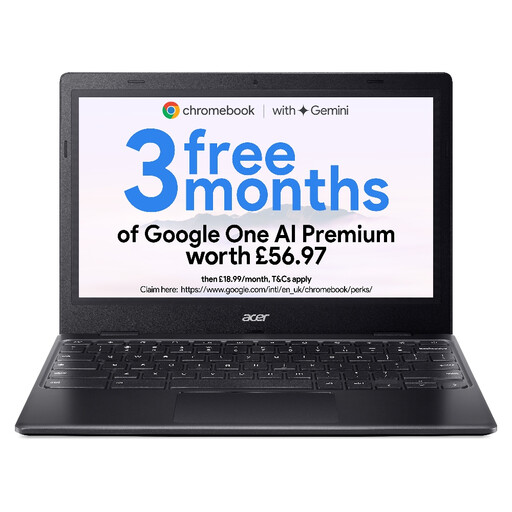
Acer Chromebook 311 CBOA311-1H

Acer Chromebook 311 CBOA311-1H, 11.6-inch

Consider this Chromebook if a keyboard-led device with a compact screen suits the relative’s routine.

11.6-inch HD display (1366 × 768); Intel Celeron N4500; 4GB RAM; 64GB eMMC.

Check the exact model’s automatic-update end date and try the required websites and pointer controls before buying.

Joybuy

TABWEE T20 tablet with keyboard, mouse and stylus

TABWEE T20 10.1-inch tablet with keyboard, mouse and stylus

This tablet bundle is worth considering if the relative wants touch-led viewing but also needs physical input for some tasks.

10.1-inch display; T606 octa-core processor; 256GB storage. The product name lists a keyboard, mouse and stylus.

Check the shipped Android version and try the supplied controls with the relative’s usual activities.

Joybuy

Acer Chromebook Plus 514 CB514-5H with Intel Core 5 120U

Acer Chromebook Plus 514 CB514-5H, Core 5 120U, 512GB SSD

Consider this laptop-style Chromebook when a 14-inch screen and physical keyboard take priority over tablet handling.

14-inch WUXGA display (1920 × 1200); Intel Core 5 120U; 8GB RAM; 512GB SSD.

Confirm that essential services work on ChromeOS, and check the exact model’s update end date and pointer controls.

Joybuy

Acer Chromebook Plus 514 CB514-5H with Intel Core i3-1315U

Acer Chromebook Plus 514 CB514-5H, Core i3-1315U, 256GB SSD

This variant offers a 14-inch, keyboard-led Chromebook route for someone who prefers a conventional laptop layout.

14-inch WUXGA display (1920 × 1200); Intel Core i3-1315U; 8GB RAM; 256GB SSD.

Check its update end date and the user’s essential services; confirm that a non-touch display suits their preferred way of working.

Joybuy

Xiaomi Pad 8 tablet, 8G RAM and 128GB Wi-Fi variant

Xiaomi Pad 8, 8G RAM, 128GB Wi-Fi

Consider this tablet if touch-led use is acceptable and the relative does not need to rely on an untested keyboard-and-mouse setup.

The product name identifies the 8G RAM, 128GB Wi-Fi variant.

Check the exact bundle and compatible input accessories, then try the accounts and services the relative intends to use.

Joybuy

Questions before purchase

Can an iPad use a mouse and physical keyboard?

Yes, with compatible accessories and software. Apple says Bluetooth mouse or trackpad use requires iPadOS 13.4 or later, while keyboard compatibility depends on the iPad’s generation and size; check the exact combination before buying.

How long will a Chromebook receive updates?

Check the final-update date for the exact Chromebook. Google describes a 10-year automatic-update period for Chromebooks, but an older device may already be partway through it and will eventually stop receiving ChromeOS and browser updates.

Can hospital Wi-Fi be relied on for streaming?

Check the intended hospital’s current Wi-Fi terms before relying on streaming. NHS England describes Wi-Fi across thousands of care settings in England, but local terms can restrict heavy use; Sheffield Health and Social Care NHS Foundation Trust specifically restricts excessive bandwidth use, including long streaming periods.

Can a patient use a tablet or laptop in hospital?

NHS England guidance permits patient use of mobile devices in acute hospitals, subject to considerations such as disturbance, privacy during calls and interference near sensitive equipment. Follow the particular hospital’s signs and staff directions, including instructions to switch a device off or use aeroplane mode in restricted areas.

Will existing desktop accounts work on a tablet or Chromebook?

Do not assume they will work in the same way. Before choosing a device, check the actual bridge game, email, streaming and calling services, including sign-in, account recovery and any software or peripheral the relative needs.