What matters when choosing
Larger conventional tablet
Choose when: Preserving more of a dense, colour PDF on screen matters more than hand-held comfort.
Trade-off: A larger device may be more practical when propped up; Apple lists its 13-inch iPad Air Wi-Fi model at 616g.
Approximately 11-inch tablet
Choose when: You regularly hold the device while moving between essays, web pages and learning platforms.
Trade-off: Fixed-layout pages may call for more zooming and panning than on a larger screen.
E-ink writing reader
Choose when: A glare-free reading surface and handwritten document review matter more than conventional tablet apps.
Trade-off: PDF writing depends on the device, file and import method; it should not be assumed to work with every essay.
For science essays read in bed, consider page legibility and how you will support the device, then check annotation and accessory needs against the exact model.
| Concern | Buying checks | Who it matters to |
|---|
| Dense PDF pages |
Open a typical essay at the intended screen size. Check figure labels, equations and footnotes at your normal viewing scale. |
When a page mixes text with small figures, I want to see enough detail without repeatedly changing the view. Around 31% of consumers would put full-page PDF readability first. |
| Comfort in bed |
Compare device weights for the exact configurations and decide whether you will hold the screen or use a stable support. |
If I hold an essay for a long session, a larger page is less useful when the device feels cumbersome. Roughly 31% of consumers would prioritise hand-held comfort. |
| Notes and file transfer |
Try a representative PDF through the intended import route, including writing on it and retrieving your notes. |
I need my marks to stay usable when I move a course document between devices. For about 23% of consumers, the annotation and file workflow would be the primary concern. |
| Accessories |
Confirm which pen, charging equipment and support accessories come with the exact configuration. |
If I plan to annotate in bed, I need to know which parts of that setup I will have from the start. Around 15% of consumers would put accessory completeness first. |
Joybuy products for reading essays in bed
These choices include an e-ink notebook, larger conventional tablets and a more compact tablet configuration. Compare their stated screen and pen details with how you read and mark up your own essays; a pen in a bundle does not establish how a particular PDF can be annotated.
 No image available
iFLYTEK AINOTE 2 10.65-inch E-Ink Tablet with Protective Case
Consider this e-ink format if reading essays and making handwritten notes take priority over conventional tablet apps. The listed bundle includes a protective case; check whether your usual PDFs allow the specific kind of annotation you need and whether your bedside lighting is adequate.
View on Joybuy
 No image available
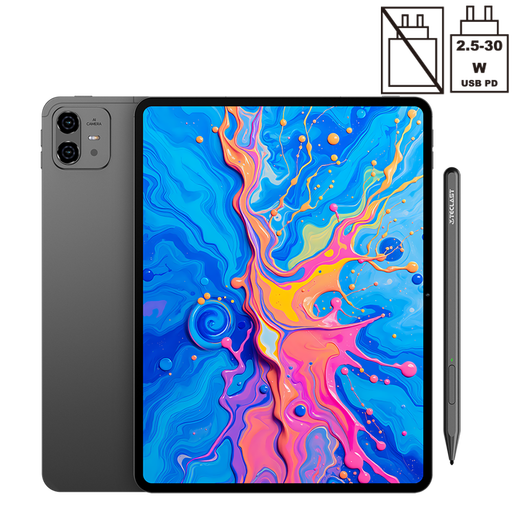
TECLAST ArtPad Pro 2025 Edition, 12.7-inch, with Stylus Pen
Its larger screen may appeal if you want more room to inspect illustrated essay pages. The product title specifies a 12.7-inch 2K display, an included stylus with 4096 pressure levels and Android 15. Check the device weight for bed reading and try your intended PDF-markup workflow.
View on Joybuy
 No image available
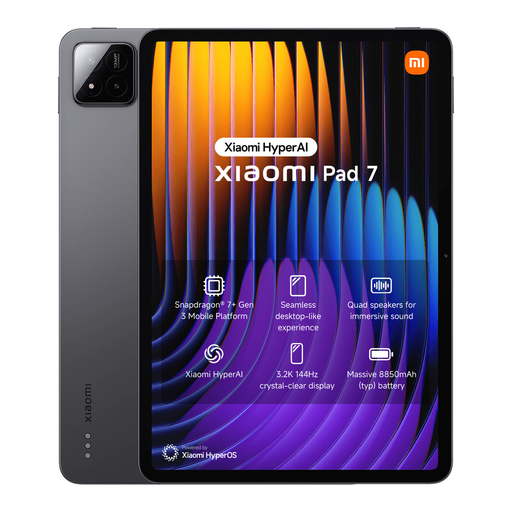
Xiaomi Pad 7 Gray, 8GB RAM, 128GB, with Focus Pen
Consider this tablet if an included pen matters for your reading setup. The title identifies the Focus Pen and the 8GB RAM and 128GB storage configuration. Check its weight before planning to hold it in bed, and confirm that your preferred PDF app handles notes as you need.
View on Joybuy
 No image available
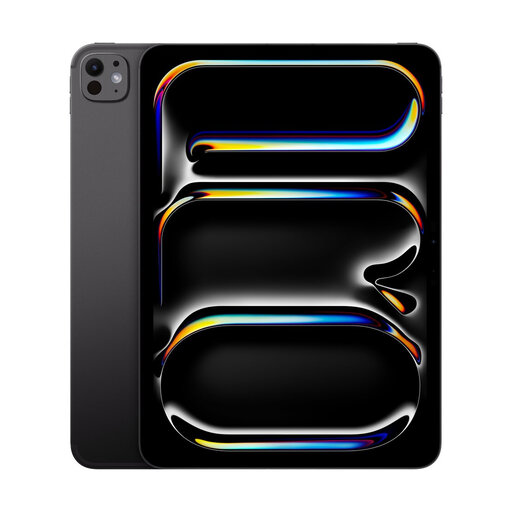
Apple iPad Pro 13-inch (M5), Wi-Fi, 256GB, Standard Glass, Space Black
The 13-inch format is worth considering when page area for figures and fixed-layout essays is your priority. This is the Wi-Fi, 256GB, standard-glass variant. If you plan to write by hand, confirm the compatible pen and bundle contents; check the device weight and your PDF app before choosing it for bed use.
View on Joybuy
Questions about reading essays in bed
Is a 13-inch tablet always the better choice for science PDFs?
No: a 13-inch screen offers more room for fixed-layout pages, but the device may be less comfortable to hold. Apple lists its 13-inch iPad Air Wi-Fi model at 616g against 464g for the 11-inch model, so weigh page area against whether you will use a stand.
Can Kindle Scribe write directly on every academic PDF?
No: Amazon says direct on-page PDF writing applies to documents imported through Send to Kindle. PDFs loaded through USB-C, or sent to the library before 11 November 2022, do not support that direct-writing behaviour. Try a representative essay through your intended route.
Does a tablet with pen support include everything needed to annotate?
Not necessarily: accessory contents depend on the model and bundle. Apple lists compatible Pencils as optional for iPad Air, while Samsung lists an S Pen with the Galaxy Tab S10 FE and FE+ but says a travel adapter is not included. Check the exact configuration and your PDF app.
How should I set up a screen for reading before sleep?
Dim the display, use a night or dark mode where available and silence notifications, while allowing time to stop reading before sleep. Oxford Health NHS Foundation Trust advises dimming or filtering a screen when it must be used and notes that stimulating content can interfere with winding down.


