What matters when choosing?
For folklore reading on a coach, start with the files you will actually open. Then weigh the reading surface against the screen space and apps those files require.
| Concern | What to check | Who this matters to |
|---|
| Glare and uninterrupted reading |
Check for an E Ink display, front-light controls and a screen size you can hold comfortably. |
If daylight changes during a long journey, I want to keep reading without managing screen glare or frequent charging; around 36% of consumers put this reading experience first. |
| Personal-file compatibility |
Identify your EPUB, PDF or protected files and test the transfer method with one representative title. |
I already have folklore files from several sources and need a workable way to open them; compatibility is the primary concern for around 29% of consumers. |
| Scans, illustrations and apps |
View a typical fixed-layout page at a comfortable size, then check the reading apps you intend to use. |
Maps and scanned pages make me zoom too often on a small display, while I also want access to other apps; around 21% of consumers prioritise that combination. |
| Simple portable reading |
Compare display size and the features you will use, rather than choosing by storage alone. |
My books are mostly ordinary text, so I would rather carry a straightforward reader than choose extra tablet features; that is the main priority for around 14% of consumers. |
Joybuy product choices
These choices cover E Ink devices for reading-focused journeys and compact tablets for readers who also want apps. Compare a representative folklore file on the type of screen you plan to use: the products vary considerably in page area and reading features.
 No image available
iFLYTEK AINOTE 2 10.65-inch E Ink tablet with protective case
Consider its larger E Ink screen if your folklore collection includes pages that feel cramped on a small reader. The 10.65-inch display is stated in the product name; check how your own files appear on it and bear in mind that the listing states there is no reading light.
View on Joybuy
 No image available
Apple iPad mini 7 (A17 Pro), 512 GB, Space Grey
This compact tablet suits readers who want reading apps alongside other tasks. Apple specifies an 8.3-inch display for the iPad mini (A17 Pro); check that your preferred app opens a representative EPUB, PDF or protected title as intended.
View on Joybuy
 No image available
Bigme B6 6-inch E Ink reader, White, 4 GB + 64 GB
This smaller reader is worth considering for text-led books when a compact screen matters. Its product name specifies a 36-level front light and Android 14 with Google Play; test a scanned page at your usual reading size and check the app and file workflow you need.
View on Joybuy
 No image available
Bigme HiBreak Pro Color 6.13-inch E Ink reader, 8 GB + 256 GB
Consider this compact colour E Ink device if your books include coloured illustrations and you also want Android apps. The product name specifies Android 14; check whether a typical illustrated or scanned page remains readable on its 6.13-inch screen, as well as the file workflow and lighting you require.
View on Joybuy
 No image available
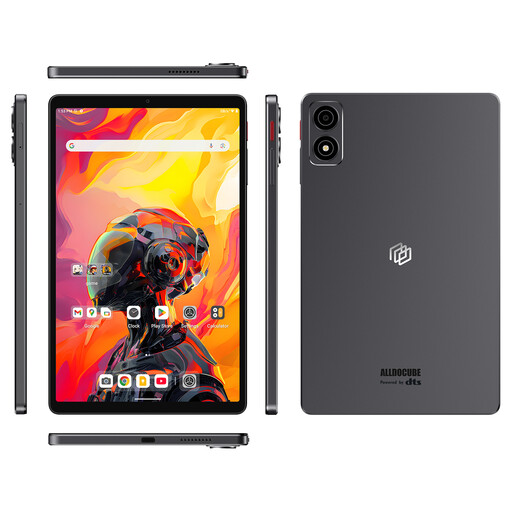
ALLDOCUBE iPlay 70 Mini Ultra 8.8-inch tablet, 12 GB + 256 GB
This Android 14 tablet gives you a larger compact-tablet screen to consider for reading apps and fixed-layout pages. Its product name specifies a 7300 mAh battery but no charger is included; check that you have a suitable charger and that your intended apps open your books.
View on Joybuy
Questions about coach reading
Should I choose an eReader or a tablet for folklore books on a coach?
Choose an E Ink eReader for mainly reflowable books when a glare-free, reading-focused display matters most. If scanned pages, illustrations or several apps are central to your journeys, compare compact tablets with larger-screen eReaders using a file from your collection.
Will my personal EPUB and PDF files work on an eReader?
Check the device and transfer method rather than assuming that format support covers every file. Rakuten Kobo lists EPUB and PDF among its eReader formats and says Adobe DRM files require Adobe Digital Editions for transfer; Amazon lists both formats for Send to Kindle for Windows. Try a representative book, especially if it comes from a library.
How can I tell whether a screen is large enough for scanned books?
Open a typical scanned or illustrated page at the size you would use while travelling. If you need frequent zooming on a 6–7-inch reader, compare it with a larger E Ink model or compact tablet; a device's ability to open a PDF alone does not settle readability.
What should I check when buying a regional tablet version?
Check the complete model and regional version, supplied charger or cable, and the seller's warranty terms for that exact product. Do not assume that two similarly named variants have the same accessories or support arrangements.


