Browser-dependent hobby users
If a particular hobby website, account portal or browser tool is essential, check how it behaves on the device you intend to use. A screen suitable for casual browsing does not settle that question.


Choose a tablet if your essential websites and streaming services work in its supported apps or browser and you are comfortable using touch controls. Add a compatible keyboard and pointing device for regular typing; choose a lightweight notebook if desktop-style browser use, multiple windows or an attached keyboard and trackpad are central to your stay. If considering a refurbished device, check its individual condition, included accessories and seller terms.
If a particular hobby website, account portal or browser tool is essential, check how it behaves on the device you intend to use. A screen suitable for casual browsing does not settle that question.
If you expect to type regularly or need precise pointing for forms and menus, compare an accessory-equipped tablet with a notebook that already has a keyboard and trackpad.
If streaming and everyday online tasks are your priorities, check service compatibility alongside screen comfort. For a refurbished device, assess the individual listing, supplied accessories and seller support.
For an extended stay away from your usual computer, start with the websites and services you cannot do without. Then choose the input method and screen arrangement you would be comfortable using repeatedly.
Choose it when: Streaming, browsing and simple app-based tasks are enough, and each essential service works on the chosen tablet.
Trade-off: Touch controls may be awkward for lengthy typing or precise website controls.
Choose it when: You still want touch use but regularly write emails, complete forms or navigate websites with physical controls.
Trade-off: Accessories must fit the exact tablet, and they do not make every mobile website or app behave like its desktop version.
Choose it when: Desktop-style browser behaviour, several windows or an attached keyboard and trackpad are important to your daily tasks.
Trade-off: It offers a less touch-centred arrangement; its operating system and browser must still meet each service’s requirements.
| Concern | What to check | Who this matters to |
|---|---|---|
| Essential websites and services | Check each required site or service against the candidate’s operating system and supported app or browser. Netflix Help Center lists different requirements for supported devices and browsers. | If a hobby site needs particular browser behaviour, I need to know I can use it throughout the stay. Around 33% of consumers put essential website and service access first. |
| Keyboard and pointing controls | Match a keyboard, mouse or trackpad to the exact tablet model; confirm what comes with the device. Google, Apple and Microsoft document input options with differing compatibility conditions. | When I am typing emails or working through forms regularly, touch input alone may not suit me. Physical controls are the primary concern for around 27% of consumers. |
| Viewing and streaming comfort | Compare screen size and carrying comfort, then check playback support and any subtitle or audio needs with your services. Display resolution alone cannot establish the playback available through a particular browser. | For frequent viewing, I want a screen I can use comfortably and services that play as I need them to. Around 27% of consumers prioritise viewing and streaming comfort. |
| Refurbished condition and support | Read the individual condition description, included accessories, warranty coverage and returns process. UK government guidance on second-hand products advises checking instructions and buying from a trusted source. | If I choose a refurbished device, I need to understand its condition and who will help if something goes wrong. That is the leading concern for around 13% of consumers. |
A service can have different app, operating-system and browser requirements. Netflix Help Center, for example, publishes separate support information for devices and browsers.
List your indispensable sites and services, then check them on the intended platform. If a hobby site requires desktop-browser behaviour, confirm that before choosing a tablet.
A detachable keyboard can be specific to a tablet generation. Microsoft, for example, names the Surface Pro models compatible with its 13-inch Flex Keyboard.
Match the full tablet model to the accessory’s compatibility list and check whether the keyboard, pointing device and stand are included.
The intended arrangement may also require a separate case, stand or adapter.
Playback also depends on the service, device and supported app or browser; a display specification does not establish what a particular service will provide.
Check your priority services and any subtitle or audio requirements before comparing screen size and carrying comfort.
Condition can vary between individual devices, while a cosmetic grade does not describe every component or supplied accessory.
Read the exact listing, check what comes with it, and review the seller’s warranty and returns process. Keep proof of purchase and inspect the device promptly after delivery.
iPad is a tablet-first option to examine if external keyboard and pointing controls matter to you.
Galaxy Tab is an Android tablet line to examine if Bluetooth input or Samsung DeX is part of your intended setup.
Surface Pro is a Windows tablet line to examine if you want a detachable laptop-style keyboard and trackpad.
These choices cover conventional notebooks, a touch-capable convertible notebook and a tablet-and-keyboard bundle. Check your essential services against each device before deciding which arrangement suits your stay.
 No image available
Consider this notebook if an attached keyboard suits your regular online tasks. Its name specifies a 14-inch Vivobook with Snapdragon X, 16GB RAM and 512GB SSD; check your essential sites and services against its operating system and browser.
 No image available
This Chromebook offers a notebook arrangement for regular typing and web-based tasks. Its name specifies a 14-inch WUXGA (1920 × 1200) display, 8GB RAM and 512GB SSD; check whether your essential tools and streaming services work as required on ChromeOS.
 No image available
This tablet bundle is relevant if you want touch use alongside physical input. The product name lists a 10.1-inch display, 256 GB storage, keyboard and mouse; confirm the included accessories and their layout, the Android version and support for your essential services.
 No image available
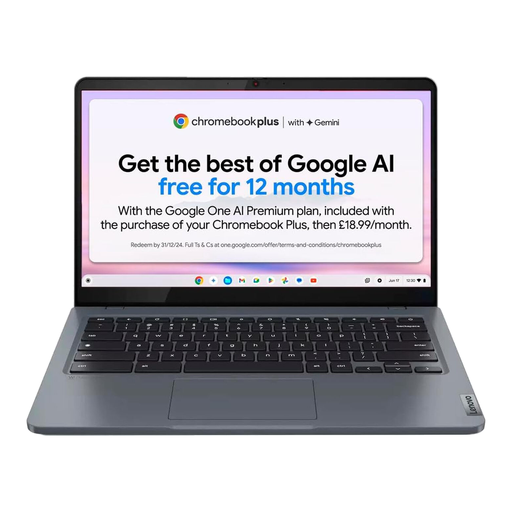
This notebook format suits consideration if you want an attached keyboard for web-centred tasks. Its name specifies a 14-inch Chromebook with an Intel Core i3 N305, 8GB RAM and 256GB eMMC; check your essential websites and services on ChromeOS.
 No image available
Consider this convertible if a larger touch-capable screen and a notebook arrangement both matter. Its name specifies a 16-inch touchscreen, Windows 11 Home, 16GB RAM and 512GB SSD; check its weight for your carrying needs and confirm your essential services work on the intended setup.
Choose a lightweight notebook if desktop-style browser use, several windows or an attached keyboard and trackpad are important to your stay. Check essential websites and services on the notebook’s operating system too; adding a keyboard to a tablet does not change how every mobile app or browser site works.
Yes, with compatible devices and accessories. Google documents physical-keyboard options for Android tablets, while Apple documents external keyboards, mice and trackpads for iPad; check the exact model and operating-system requirements before choosing accessories.
A USB-C iPad can connect to an external display, but the connection and available display behaviour depend on the iPad model, app and display arrangement, according to Apple Support. Check the exact iPad, cable or adapter and available display connection before relying on it.
Check the individual device’s condition, included accessories, warranty coverage and who handles a problem. For an eligible online purchase from a trader, GOV.UK says you can tell the trader you wish to cancel within 14 days of receiving the item and then have another 14 days to return it; check the applicable conditions and exceptions. Citizens Advice explains that a warranty or guarantee adds to, rather than replaces, legal rights concerning faulty goods. Do not assume a private-person sale has the same cancellation terms.