Households building a warranty archive
You want receipts, guarantee terms, serial-number photographs and installation paperwork together in files you can find if an appliance develops a fault.


Choose a tablet around the way you will capture receipts, file warranty terms and retrieve appliance records later, rather than screen size alone. An iPad fits an existing Notes or Files routine; an Android tablet may suit Google Drive scanning or a local archive, but check the exact model’s storage, accessories and scan workflow before buying.
You want receipts, guarantee terms, serial-number photographs and installation paperwork together in files you can find if an appliance develops a fault.
You keep household documents on an iPhone or Mac and want to scan paperwork into the Notes or Files workflow described by Apple Support.
You want more room than a phone offers for reading documents and completing registrations, while your main tasks remain scanning, filing and web administration.
Start with a scan-and-filing routine you will use consistently, then decide how much screen space and annotation equipment you need.
| Concern | What to check | Who this matters to |
|---|---|---|
| Readable document capture | Try the intended scanning app with a multi-page receipt and photograph an appliance label at the distance you would normally use. Check the saved file for legibility. | If receipts and serial numbers are hard to read later, the archive cannot answer the question I saved them for; around 45% of consumers put clear capture first. |
| Filing and retrieval | Check the chosen storage capacity or expansion option, where scans are saved and how that location will be backed up. | I need to find the right guarantee years after filing it, not search through unnamed photographs; roughly 33% of consumers make organised, lasting records their primary concern. |
| Desk review and annotation | Compare display sizes and check the exact bundle if you plan to write on PDFs or type registrations. | When reviewing terms and entering model details at my desk, I want enough room to work comfortably; about 22% of consumers prioritise that desk workflow. |
A roomy display helps when reading a PDF, but loose, unnamed photographs can still make a warranty difficult to find. Apple Support describes scanning in Notes and Files, while Google Drive Help describes saving scans through Drive.
Decide where scans will go, how you will name them and how you will back them up. Try a multi-page document in your intended app when the tablet arrives.
Pen, charger and case inclusion can differ between configurations of a tablet family. A pen is useful if you will annotate records, but basic scanning does not require one.
Check the exact model and bundle contents before choosing accessories for your desk setup.
Keeping warranty terms helps you check the cover offered, but a guarantee does not replace statutory consumer rights. Pembrokeshire County Council and nidirect make that distinction in their respective consumer guidance.
File the receipt and guarantee terms together, along with the purchase date and any repair correspondence. Use official advice for the part of the UK where your purchase falls if you need to assess a particular claim.
The iPad (A16) is an option for an existing Apple document routine. Apple Support describes scanning in Notes and Files, and Apple UK lists 128GB, 256GB and 512GB versions of the 11-inch model.
Galaxy Tab S10 FE models suit consideration if you want an Android filing workflow and expandable local storage. Samsung UK lists microSD support up to 2TB for the cited FE series.
The Tab M11 is an 11-inch Android option for basic scanning, PDF reading and registration work at a home-office desk. Lenovo UK lists a 4GB memory and 128GB storage configuration.
These Android tablets and the iPad offer different starting points for reviewing and filing appliance documents. Choose by your preferred scanning app, storage plan and desk setup, and check receipt and label legibility with the device you select.
 No image available
Consider this for reviewing warranty PDFs and optionally marking up documents at a desk. The product name specifies a 12.7-inch 2K display, 256GB storage and an included stylus; test the camera with receipts and labels if clear capture is central to your plan.
 No image available
Consider this if a local file archive is part of your plan. The product name specifies 256GB storage and TF-card expansion up to 2TB; check that its scanning app produces readable receipts and appliance labels.
 No image available
Its screen and stated storage options make it worth considering for desk review and a local warranty archive. The product name specifies 256GB storage and expansion up to 2TB; test receipt and label capture before relying on it for your records.
 No image available
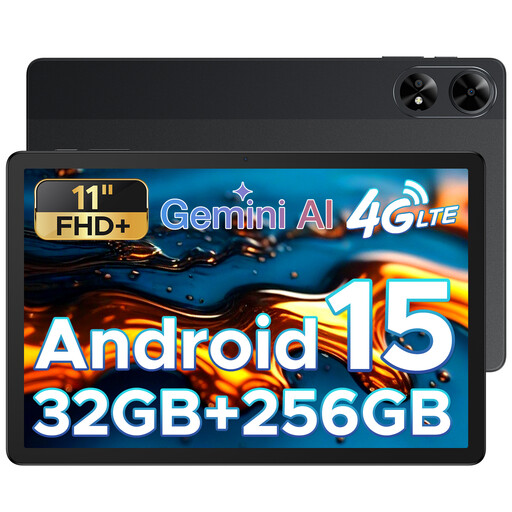
Consider this for reading and organising warranty files at a desk if you also want expandable local storage. The product name specifies an 11-inch FHD+ display, 256GB storage and expansion up to 2TB; check capture quality with your intended scan app.
 No image available
Consider this if you want to keep appliance paperwork in an Apple Notes or Files scanning routine, as described by Apple Support. This is an 11-inch, 128GB iPad Air; check receipt and label capture for your task and confirm which accessories you would need separately.
No. A scan is a record-keeping copy; it does not change statutory rights. Pembrokeshire County Council advises that guarantees add to consumer rights in Wales, and nidirect says a guarantee does not replace consumer rights in Northern Ireland.
Keep the purchase receipt or sales confirmation, guarantee terms, appliance model and serial-number photograph, and any registration confirmation. Store related documents together under a name you can recognise when you need them.
Yes, if you use an app with that function. Apple Support describes document scanning in Notes and Files on iPad, while Google Drive Help describes scanning and saving documents through Drive; check the resulting PDF for readable text and complete pages.