Hotel workshop coordinators
You need guests to follow instructions from where the tablet will stand or hang. Check the finished page at that distance: screen area, type size and mounting position matter more than a specification viewed in isolation.


For instructions displayed in a fixed indoor room, start with a screen that guests can read from its installed position and a managed setup that keeps the intended app open. A compact rugged tablet is worth considering when staff will move and handle it frequently, but its smaller screen needs a trial with the finished instructions. Whichever route you choose, plan the mount, power connection and staff recovery process before buying devices for multiple rooms.
You need guests to follow instructions from where the tablet will stand or hang. Check the finished page at that distance: screen area, type size and mounting position matter more than a specification viewed in isolation.
You need the approved instructions to stay on screen across rooms, with a way for staff to update the app and recover a device. Apple App Lock and Android Enterprise dedicated-device management offer different managed approaches, each with deployment requirements.
If tablets are carried, cleaned and repositioned often, protection against handling damage may become more important. Balance that need against the space available for guests to read the instructions.
For a hotel-room instruction display, test the page in its planned position, decide how guests will be kept in the approved app, then check how the installation will cope with handling and power needs.
| Concern | What to check | Who this matters to |
|---|---|---|
| Readable instructions | Try the finished page at the intended viewing distance and stand height. Check screen size and whether diagrams and text fit in the planned orientation. | If guests must read several steps from across the room, I need enough space for clear text without constant zooming or scrolling. Around 42% of consumers would put readability first. |
| App lock and fleet control | Check the exact device and management provider for the required single-app setup. Test restart behaviour, updates and staff recovery. | With a tablet left for guests to use, I need the instructions to remain open and staff to be able to restore the device. Roughly 33% of consumers would make app control their primary concern. |
| Handling and power | Review the exact model’s protection conditions and warranty exclusions. Test the mount, protected charging cable and planned cleaning method. | When staff move the tablet between rooms, I need it to withstand the way it will be handled without disrupting the display. About 25% of consumers would prioritise durability and continuity. |
Showing an instruction page does not, by itself, prevent guests from leaving it. Apple App Lock and Android Enterprise dedicated-device controls depend on an appropriate managed deployment.
Choose the instruction app and management approach before committing to a model. Trial restarts, lost Wi-Fi, app updates, authorised staff access and remote recovery.
Allow staff time for setup and ongoing administration.
Samsung describes the Galaxy Tab Active5 as IP68 and MIL-STD-810H compliant, but says water or dust damage is not covered by its warranty. A rating does not replace the test conditions or the hotel’s cleaning plan.
Check the exact model’s conditions and exclusions, then plan its enclosure, cleaning method and charging-cable protection.
Samsung’s Galaxy Tab Active5 has an 8-inch screen, while Apple lists an 11-inch screen for the iPad (A16). Dense steps or diagrams may need a different layout on the smaller display.
Try the final page at its planned height, orientation and viewing distance before choosing a screen size for multiple rooms.
A standard-tablet route for an indoor display, particularly where the hotel already manages iPads.
A rugged-tablet route when staff frequently carry or handle the display.
A mainstream Android-tablet route to assess for a controlled indoor room.
These 11-inch tablets are options to assess for a larger indoor instruction display. Screen size alone does not establish that a model will work with the hotel’s chosen app-lock system, mount or continuous-power setup.
 No image available
Consider this for a fixed indoor display if the finished instructions need an 11-inch screen.
The listed variant has Wi-Fi, 256GB storage and standard glass. Apple App Lock requires an enrolled, managed iPad; check the proposed mount and charging setup before installation.
 No image available
Assess this iPad for an indoor room where guests will read instructions on an 11-inch display.
The listed variant has Wi-Fi and 128GB storage. Keeping one app open across shared devices requires a suitable managed setup; trial the stand, power connection and staff recovery process.
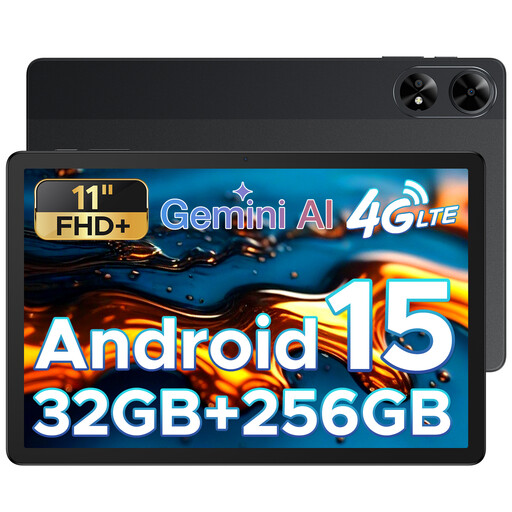 No image available
This Android tablet offers an 11-inch format to try with the hotel’s instruction layout.
The product title lists an 8000mAh battery; capacity does not establish runtime for a continuously displayed page. Confirm that this exact model works with the chosen kiosk-management provider, then test mounting and charging.
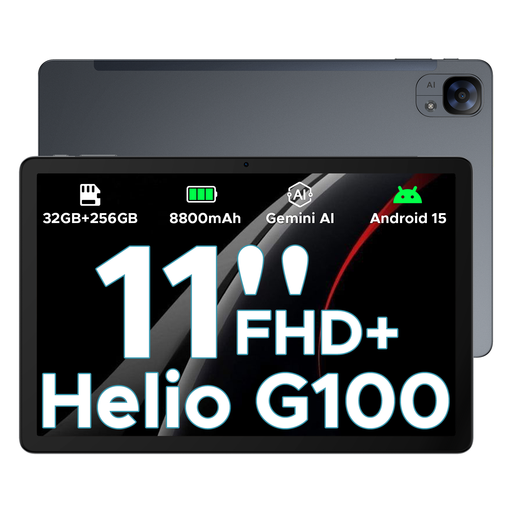 No image available
Try this model with the finished instruction page if an 11-inch Android screen suits the room layout.
The title lists an FHD+ 90Hz display and an 8800mAh battery. Check exact-model kiosk compatibility and test the installed power arrangement rather than treating battery capacity as continuous-display runtime.
 No image available
Consider this Android model where the instruction layout calls for an 11-inch screen.
The title lists an 8580mAh battery and a 90Hz IPS screen. Confirm management compatibility for this exact model, and test the mount and continuous-power setup in the intended room position.
Yes, if the tablet and deployment support the chosen managed controls. Android Enterprise describes dedicated devices locked to one or more apps; Apple App Lock can keep a selected app open on a managed iPad and reopen it after restart. Apple’s Guided Access is a temporary single-app restriction, not the same as central management across rooms.
Choose the size that makes the finished instructions readable at the installed distance. Samsung’s Galaxy Tab Active5 has an 8-inch display, while Apple’s iPad (A16) has an 11-inch display. Try both layouts if compact handling and space for several steps or diagrams compete.
No: the UK Office for Product Safety and Standards guidance excludes tablets without cellular-network capability from the consumer connectable-product security regulations, subject to its exception for devices designed exclusively for children under 14. Check the exact model and the supplier’s applicable obligations where cellular connectivity or the procurement arrangement changes the position. These rules do not replace the hotel’s own device-management plan.
For equipment supplied in Great Britain, ask the supplier for applicable conformity, marking and product-safety documentation for the exact tablet and charger. The Office for Product Safety and Standards explains that the Electrical Equipment (Safety) Regulations 2016 set requirements before covered equipment is placed on the Great Britain market; Northern Ireland has different provisions. Keep the model details and installation records with the procurement documents.