People comparing plans together
If two people will read provider pages and contract details at the same desk, screen readability and a secure viewing position matter more than features used only away from the desk.


For comparing broadband plans at a shared desk, choose a tablet with a screen both people can read and a stable way to position it. A keyboard or pen is more useful if you will frequently enter details or take notes; whichever tablet you use, check broadband availability at your address before choosing a plan, as Ofcom advises.
If two people will read provider pages and contract details at the same desk, screen readability and a secure viewing position matter more than features used only away from the desk.
If you expect to enter addresses, move between provider pages and record questions, consider how you prefer to type and take notes. Check keyboard or pen compatibility for the particular tablet and whether the accessory is included.
If the tablet will mainly be used for occasional browsing, concentrate on a readable screen and a workable desk position. Ofcom’s address checker, rather than the tablet model, is the starting point for finding which broadband services may be available.
Decide how the tablet will sit on the desk, then whether your comparison work calls for typing or handwritten notes. Check the whole setup you would use, including any separate accessories.
| Concern | What to check | Who this matters to |
|---|---|---|
| Shared viewing and desk placement | Check screen dimensions and how a stand or case holds the tablet at your desk. | If we will read provider pages together, I need both people to see the details without holding the tablet throughout. Around 36% of consumers would put shared viewing and stable placement first. |
| Typing and notes | Check compatibility with the exact keyboard or pen you want, and whether it is included. | When I am entering addresses and keeping track of questions for providers, touch input alone may not suit my workflow. Around 36% of consumers would make typing and note-taking their primary concern. |
| Proportionate setup | Check which accessories you would actually use and whether the tablet needs a separate stand or charging adaptor. | For an occasional comparison, I would rather keep the setup simple than add features I rarely use. Around 28% of consumers would prioritise a setup proportionate to that occasional task. |
A tablet’s ability to connect while away from Wi-Fi does not establish which fixed-broadband services reach your address.
Use Ofcom’s broadband checker for the address before narrowing down plans. Treat cellular connectivity as a separate tablet-use decision.
Apple presents the Magic Keyboard Folio as a separate accessory for the 11-inch iPad (A16). Samsung lists an S Pen, but no travel adaptor, in the cited Galaxy Tab S10 FE package.
Check the contents of the exact configuration you are considering, then decide whether you need a stand, keyboard, pen or compatible charging adaptor.
A plan page helps you compare offers, but selecting one is not the same as arranging a switch. Ofcom advises contacting the provider you want to join, which then manages the switch.
Before ordering, read the provider’s terms, ask about equipment and setup, and plan how the tablet will reconnect to the new Wi-Fi network.
The 11-inch iPad (A16) is worth considering if repeated typing and pointer input are part of your plan-comparison routine.
The Galaxy Tab S10 FE Wi-Fi model suits a workflow in which handwritten notes would help you keep track of offers.
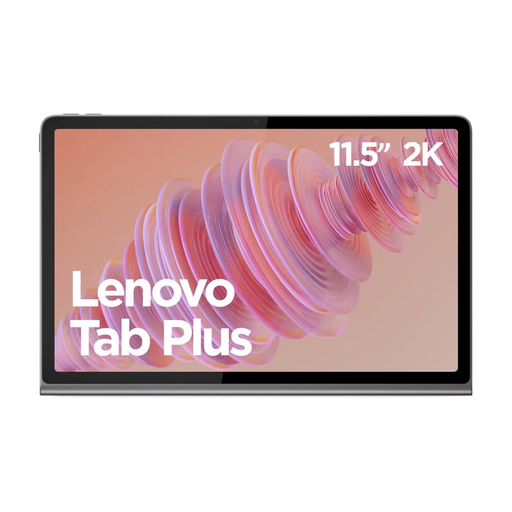
The Lenovo Tab Plus is relevant if you want a tablet that can stand on a shared desk without a separate stand.
These tablets offer different ways to approach shared-desk browsing: a larger screen, bundled input accessories or a simpler Wi-Fi setup. Check the exact variant and how you will position it before deciding.
 No image available
Consider its larger screen if two people will read comparison pages together; check how you would prop it securely on the desk.
The product name specifies a 12.7-inch 2K display, 256GB storage and an included stylus pen. It distinguishes 8GB physical RAM from 12GB virtual RAM.
 No image available
This Wi-Fi tablet is an option for browsing provider pages at the desk. Check how you would support it for shared viewing and whether you need separate typing accessories.
The product name specifies 8G RAM and 128GB storage.
 No image available
The named accessories may suit repeated address entry and notes. Its 10.1-inch screen is smaller than the roughly 11-inch size considered for two people viewing a page together.
The product name specifies 256GB storage and 24GB RAM expressed as 8GB plus 16GB; check which part is physical memory when comparing configurations.
 No image available
If you want to leave a tablet upright for shared browsing, check the stand arrangement on this 128GB version. Confirm any keyboard or charging accessories needed for your setup.
The product name identifies this as the 128GB variant, distinct from Lenovo’s cited 256GB configuration.
 No image available
This Wi-Fi model is an option for browsing plans at the desk. Check how it will be positioned for two viewers and which input accessories you would use.
The product name specifies 8GB RAM and 256GB storage. This is the Galaxy Tab A11+, not the Galaxy Tab S10 FE discussed in the brand section.
Yes. Ofcom’s broadband checker lets you check availability by postcode; use it for the address in question before comparing plans. A tablet makes pages easier to review but cannot establish that a provider serves your address.
Not if you have usable Wi-Fi at the desk. Cellular connectivity may matter when you use the tablet away from Wi-Fi, but it does not replace checking fixed-broadband availability at the address.
Use an Ofcom-accredited comparison site alongside the address availability checker, then read the provider’s terms before ordering. Ofcom says its accredited comparison sites undergo an audit.
Keep the tablet’s Wi-Fi connection details in mind for the new router. Ofcom advises contacting the provider you want to join to arrange the switch; ask that provider about equipment and setup, then check how to reconnect your tablet once the new connection is ready.