What matters when choosing?
Choose the operating system around essential apps before comparing displays or accessories. These routes differ in software and input options, but the exact model still determines what you can use together.
iPad
Consider it when: An essential creative app is iPad-only, as Procreate says its app is, or you want a supported Apple Pencil setup.
Trade-off: Apple Pencil and keyboard compatibility varies by iPad model and generation; accessories may be separate purchases.
Android tablet
Consider it when: You want Android apps for media and communication, with pen input if the chosen model provides the setup you need.
Trade-off: Google Play says app availability can depend on location, screen size and Android version, so check essential apps on the exact device.
Windows detachable
Consider it when: Your portable work needs Windows alongside touch, pen or detachable-keyboard input.
Trade-off: Software requirements and accessory fit still need checking; the form factor alone does not establish suitability for a required desktop program.
| Concern | What to check | Who this matters to |
|---|
| Essential apps |
Check each required app against the tablet, operating-system version and location; confirm any pen features the app needs. |
If drawing or editing depends on a particular app, I need it to work before display specifications matter. Around 36% of consumers put access to their required creative workflow first. |
| Everyday screen and portability |
Compare screen size and weight for how you will hold, carry or position the tablet; assess responsiveness for your usual apps. |
For streaming and calls on the move, I want enough viewing space without an awkward device to carry. Everyday viewing and communication come first for around 29% of consumers. |
| Pen and keyboard setup |
Check the exact stylus and keyboard models, supported features and what comes with the tablet. |
If I write long notes or sketch away from a desk, the input tools need to fit my tablet and routine. Around 21% of consumers primarily need a workable handwriting or typing setup. |
| Windows workflow |
Confirm the required app supports the exact Windows device and processor; check detachable-keyboard and pen compatibility separately. |
When my portable tasks rely on Windows, I need the application to run on the configuration I choose. That is the primary concern for around 14% of consumers, not a reason to assume every desktop-software requirement is covered. |
Joybuy tablet choices
These tablets cover iPad and Android choices for portable everyday use, with different possibilities for creative input. Choose by the apps you need, then check the display and accessory arrangement for the exact model; this selection does not represent the Windows detachable route.
 No image available
Apple 11-inch iPad Air (2026, M4), Wi-Fi, 128GB, Space Grey
Consider this iPad route if an iPad-only creative app is essential and you want an 11-inch tablet for everyday use.
Check which Apple Pencil and keyboard fit this exact model before choosing accessories; they are separate purchases.
View on Joybuy
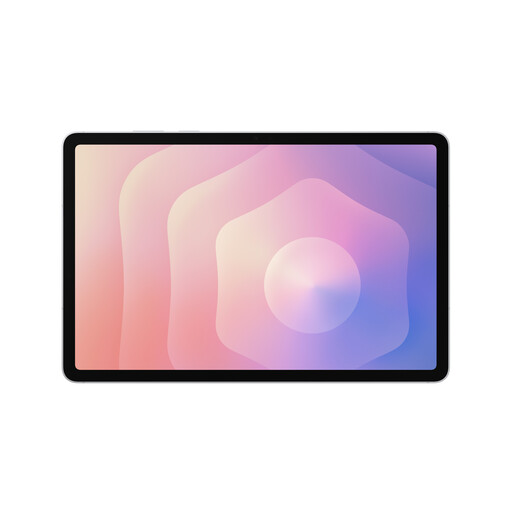 No image available
Samsung Galaxy Tab S11, Wi-Fi, 12GB RAM, 128GB, Silver
This Android option is worth considering for everyday use if your essential apps work on the exact Galaxy Tab S11.
If handwriting or longer typing matters, confirm the supplied items and compatible S Pen and keyboard options for this model rather than applying accessory details from other Galaxy Tabs.
View on Joybuy
 No image available
Apple iPad Air (2026, M4), listed as 13-inch, Wi-Fi, 256GB, Space Grey
Consider the larger-screen iPad Air route if workspace for an iPad app matters more to you than a smaller tablet.
The product information also describes the display as 14-inch, so confirm the exact screen size for this SKU. Check Apple Pencil compatibility for the precise model; accessories are separate purchases.
View on Joybuy
 No image available
TECLAST ArtPad Pro 2025 Edition, 12.7-inch, 256GB, with T-Pen
This Android tablet offers a larger canvas and a listed T-Pen for consumers considering handwriting or drawing; check that your required apps work on the device.
Its name specifies a 12.7-inch 2K display, Android 15 and 8GB physical RAM plus 12GB virtual memory. Do not treat the combined 20GB figure as physical RAM.
View on Joybuy
 No image available
Xiaomi Pad 7, Grey, 8GB RAM, 128GB
Consider this Android model for everyday viewing and communication if the apps you use are available for the exact device.
If pen input affects your decision, confirm whether a Focus Pen is included with this SKU and whether it is compatible before relying on a pen-based setup.
View on Joybuy
Frequently asked questions
Should I choose a tablet operating system before comparing hardware?
Yes, if an app is essential to your work: check its platform and device requirements before comparing processors or displays. Procreate describes its app as iPad-exclusive, while Google Play says Android app availability can depend on location, screen size and Android version.
Will any Apple Pencil, Galaxy Tab keyboard or Surface pen work with my tablet?
No; accessory compatibility depends on the exact tablet and accessory models. Apple specifies Pencil support by iPad model, Samsung lists compatible Galaxy Tabs for its keyboard covers, and Microsoft gives device-specific Surface Slim Pen charging guidance.
Do I need a keyboard for portable creative work?
A keyboard is worth checking if regular typing or pointer control is part of your workflow; drawing, handwriting and annotation instead call for checking a compatible pen. Confirm what is included and what fits the exact tablet, rather than assuming you need both accessories.
Can a Windows detachable replace a laptop required for particular software?
Do not assume it can. A Windows detachable may suit portable Windows tasks, but you must check the application’s system and processor requirements against the exact configuration; a course-specific desktop-software laptop replacement falls outside this tablet choice.


