Relaxed visual-puzzle players
If you spend a while reading crossword clues, finding objects or fitting jigsaw pieces, screen space may matter more to you than a tablet that fits in a pocket.


An around 11-inch tablet is a useful starting point for relaxed puzzle play: choose a screen you find comfortable and enough internal storage for the games you plan to install. A Wi-Fi model can suit a cottage with usable internet or a phone hotspot; consider cellular capability if you need mobile data and have checked coverage and plan costs. Choose between Android and iPadOS according to the games and operating system you prefer, rather than assuming casual puzzles require premium gaming hardware.
If you spend a while reading crossword clues, finding objects or fitting jigsaw pieces, screen space may matter more to you than a tablet that fits in a pocket.
If the cottage Wi-Fi is unknown or shared, decide whether games installed before departure will meet your needs, or whether you also want a way to use mobile data.
If puzzle games and streaming are your main holiday uses, concentrate on the screen, storage, connection and charging equipment you will actually need.
Start with the games you intend to play and the screen you will use to play them. Then check how those games behave without internet before deciding whether a Wi-Fi connection, a hotspot or a cellular tablet makes sense.
| Concern | What to check | Who this matters to |
|---|---|---|
| Screen comfort | Compare screen size and resolution on the exact model; consider reflections where you expect to sit. | For long crossword or jigsaw sessions, I want room to see clues and pieces without choosing a tablet mainly for pocketability; around 44% of consumers put screen comfort first. |
| Connection away from home | Check cottage Wi-Fi, each game’s offline requirements and local mobile coverage before choosing cellular hardware. | If the cottage connection is uncertain, I need to know whether my games will still work during the stay; around 33% of consumers make dependable access their primary concern. |
| Practical setup | Confirm internal storage for your games and the selected bundle’s charging equipment. | When I mainly play casual games, I want the tablet ready to use and charge on arrival without paying for features I will not use; around 23% of consumers put practical value first. |
Samsung says external memory on the Galaxy Tab A9/A9+ can store media but not applications. A card therefore does not replace sufficient internal storage for the games you want to install.
Check internal storage and your games’ installation requirements before treating expandable storage as a reason to choose a model.
A separately purchased microSD card would not resolve an app-storage shortfall on these models.
Samsung says the Galaxy Tab A9+ 5G needs an optimal connection in a 5G-enabled location. A cellular specification cannot establish reception at a particular cottage.
Check coverage at the property and whether an existing phone hotspot would meet your needs before arranging tablet mobile data.
A separate tablet data plan may mean an ongoing charge.
Samsung says the Tab A9/A9+ does not include a travel adapter, while Lenovo Tab M11 package contents vary by bundle. A charging cable and a mains adapter are not the same item.
Read the exact bundle contents and make sure you can bring a compatible charging setup.
The iPad (A16) is an 11-inch iPadOS option if you prefer Apple’s platform for games and other holiday use.
The 11-inch Galaxy Tab A9+ is an Android option for buyers considering a larger display and, in the relevant version, mobile connectivity.
The cited Tab M11 configuration offers an 11-inch Android route for casual games, reading and streaming.
These Android tablets offer different screen sizes and stated connection options for cottage puzzle play. Check the exact game, storage variant and mobile-network capability that matter to you; a SIM-slot claim or Wi-Fi specification alone is not a reason to assume a particular cellular service will work.
 No image available
Consider its larger screen if you prefer more physical space for puzzle boards while playing indoors.
The title lists a Helio G99 processor, 10,000mAh battery, dual-SIM 4G LTE and an included case. Its stated 20GB RAM combines 8GB physical and 12GB virtual memory; check mobile coverage and your games’ offline requirements before travelling.
 No image available
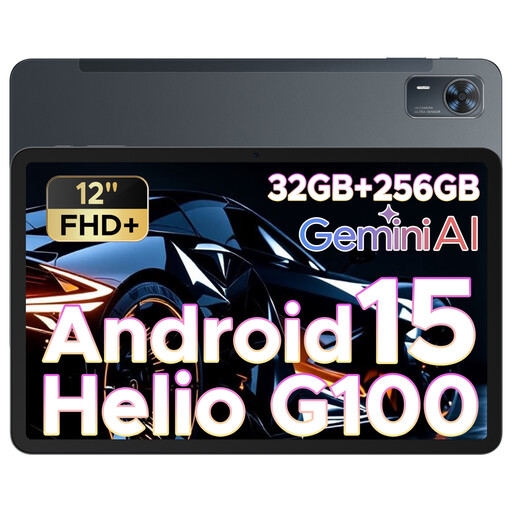
The 12-inch format is worth considering if puzzle-board space matters more to you than a smaller tablet.
The title lists a 90Hz display, Helio G100 processor, 8800mAh battery and SIM slot. Confirm the supported cellular network, coverage and exact charging equipment before relying on it away from Wi-Fi.
 No image available
Its 11-inch size may suit players who want room for clues without choosing the largest screen in this selection.
The title lists FHD+, an 8000mAh battery and a T7280 octa-core processor. It also claims a SIM slot, while the detailed wireless information lists Wi-Fi; confirm cellular operation before planning to use mobile data.
 No image available
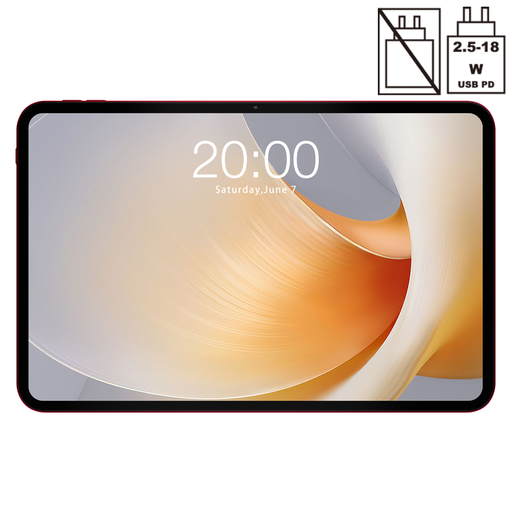
This 11-inch option may appeal if you want a puzzle screen without moving to a 12-inch or larger tablet.
The title lists a Helio G100 processor, 8800mAh battery and dual SIM slots, but presents storage as options. Confirm the selected storage configuration and supported cellular network: “5G WiFi” does not establish 5G mobile service.
 No image available
Consider the 13.4-inch screen if you expect to play mostly in one place and want a spacious puzzle board; check its carrying size if you will travel with it frequently.
The title lists Android 15, a Helio G99 processor and dual-SIM 4G LTE. Check local coverage if mobile data is important, and confirm the charging equipment you will bring.
It can be if the cottage has usable Wi-Fi or you have a usable phone hotspot, and your intended games work with that arrangement. Install and open the games before leaving, then check their offline, sign-in, update and cloud-save requirements individually.
Not without checking coverage and how you would obtain mobile data. Samsung says its Galaxy Tab A9+ 5G needs an optimal connection in a 5G-enabled location; compare a suitable tablet plan with using your phone as a hotspot.
Not necessarily: Samsung says external memory on the Galaxy Tab A9/A9+ cannot store applications. Check the model’s internal storage and the games you intend to install before relying on a memory card.
Check the exact package rather than assuming it will. Samsung says its Tab A9/A9+ does not include a travel adapter, and Lenovo Tab M11 contents vary by bundle; make sure you have a compatible charger for the trip.
Contact the seller and keep your order confirmation and evidence of the fault. Coventry City Council Trading Standards explains that goods should be as described, fit for purpose and of satisfactory quality; the appropriate remedy depends on the circumstances.