For reviewing plans and marking up PDFs by hand, choose a pen-capable tablet with enough screen space for your drawings. Choose a Windows 2-in-1 instead if your renovation work depends on desktop programs or substantial typing. Check your exact files and apps, pen compatibility and included accessories before buying: Autodesk supports DWG work on mobile devices, but that does not establish parity with a desktop workflow.
Who each format suits
Plan annotators and visual planners
If most sessions involve reading floor plans, comparing images and marking changes on PDFs, prioritise a screen you can comfortably use with a compatible pen. Autodesk offers mobile DWG tools, but check the particular files and editing steps your project requires.
Library-based project organisers
If you move between supplier information, notes, schedules and messages, consider how easily you can type and manage documents at a library table. A keyboard option and workable file-sharing process may matter more to you than sketching features.
Desktop-workflow renovators
If your planning depends on Windows applications, complex files or long documents, a Windows 2-in-1 is the more relevant format. Microsoft positions Surface Pro as a tablet-and-laptop device; check the keyboard and pen configuration alongside its carrying size.
What matters when choosing
Windows 2-in-1
Choose it when: Your essential renovation software runs on Windows, or your library sessions involve lengthy documents and laptop-style file management.
Bear in mind: A usable keyboard-and-pen setup depends on the exact configuration; compare what you would actually carry.
Pen-capable iPad
Choose it when: Plan annotation, visual references and handwritten notes take priority over desktop applications. Apple lists an 13-inch iPad Air option with Apple Pencil support.
Bear in mind: Apple Pencil and Magic Keyboard are selected separately, and your required apps and files must work on iPadOS.
Pen-capable Android tablet
Choose it when: You want a large touchscreen for plans and Android apps, particularly if the selected package supplies a pen. Samsung lists an S Pen with Galaxy Tab S10+, while Lenovo offers a named Idea Tab Pro pen configuration.
Bear in mind: Pen inclusion varies by model and bundle; confirm that your drawing app handles the work you intend to do.
| Concern |
What to check |
Who this matters to |
| Plans and handwriting |
Compare display size, the exact compatible pen and how your chosen PDF or drawing app handles your files. |
If I spend library sessions marking up plans and sketching changes, I need room to read drawings and a pen that works with the tablet. Around 36% of consumers put this need first. |
| Desktop work and typing |
List essential software and file types, then check the operating system and the selected keyboard configuration. |
When planning also means long documents or Windows-dependent software, I need more than a touch-first device. For around 29% of consumers, desktop-style work is the primary concern. |
| Carrying and table use |
Compare dimensions and weight with the case and other accessories you intend to bring. |
If I make repeated trips to the library, I want a device I can carry and set down comfortably, even if that means less drawing space. Portability comes first for around 21% of consumers. |
| Complete setup |
Check what the exact variant includes: pen, keyboard, charging equipment and access to required software. |
Before I choose a tablet, I want to know whether everything needed for notes, documents and drawing files is available in my setup. Around 14% of consumers make that their primary concern. |
Mistakes to avoid
-
Comparing tablets without checking the working setup
A pen or keyboard may be essential to your planning sessions without being part of the selected tablet package. Samsung lists an S Pen with Galaxy Tab S10+, whereas Apple offers Pencil and keyboard additions for iPad Air.
Check the contents of the exact storage and connectivity variant, then identify the accessories and software your work requires.
-
Assuming any stylus will do
Pen support depends on the device and pen model. Apple specifies Apple Pencil Pro and Apple Pencil (USB-C) support for iPad Air; that does not establish compatibility for other pens or tablets.
Match the pen generation to the exact tablet and confirm how it charges and whether it is supplied.
-
Equating mobile CAD access with a desktop workstation
Autodesk says its mobile tools can view, create, edit and share DWG drawings. That alone does not establish that your plug-ins, project files or desktop-only steps will work on a mobile tablet.
Ask collaborators which files, applications and export steps they require; choose a Windows 2-in-1 if those steps genuinely depend on Windows software.
-
Choosing screen size without considering the journey
A larger display can give plans more viewing room, but it also takes up more space in a bag and on a table. Apple lists both 11-inch and 13-inch iPad Air models, so the choice need not be based on drawing space alone.
Compare the complete device dimensions with your bag and usual workspace, ideally using a similarly sized device before deciding.
Brands to consider for these workflows
Apple
The iPad Air line offers 11-inch and 13-inch options for readers who mainly review plans and write or sketch with a pen.
- Apple specifies Apple Pencil Pro and Apple Pencil (USB-C) support for iPad Air.
- Select the Pencil and keyboard separately, and confirm that your required apps and files work on iPadOS.
Samsung
Galaxy Tab S10+ is a 12.4-inch Android option for plan viewing on a larger touchscreen.
- Samsung lists an S Pen in the Galaxy Tab S10+ box.
- Check the precise configuration and whether the Android apps you need handle your project files.
Microsoft
The 13-inch Surface Pro line is relevant when renovation planning calls for Windows applications as well as tablet use.
- Microsoft offers keyboard configurations with Slim Pen storage and charging.
- Confirm which keyboard and pen accompany the selected configuration rather than assuming they are included.
Lenovo
The specified Idea Tab Pro Matte 8GB/256GB configuration is a 12.7-inch Android option for buyers considering a pen package.
- Lenovo lists a 3K display and pen with that named configuration.
- Other Idea Tab Pro variants may differ; check the exact bundle, keyboard option and required apps.
Joybuy tablets for renovation planning
These tablets offer different screen sizes and pen arrangements for reviewing plans, taking notes and working at a library table. Check each selected configuration against your files and accessories; this selection should not be read as a list of Windows 2-in-1 options.
 No image available
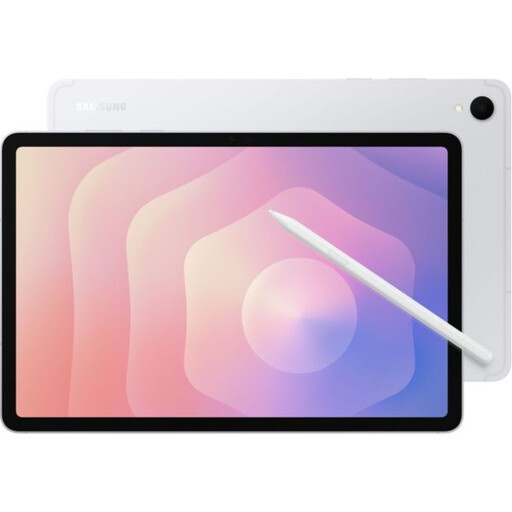
Samsung Galaxy Tab S11 10.9-inch, 256GB, Silver
Consider this 10.9-inch tablet if a smaller screen suits your library trips better than a larger plan-viewing display.
256GB storage. Check the compatible pen, what comes with this configuration and whether your drawing and PDF apps handle your files.
Joybuy
 No image available
Xiaomi Pad 7, 8GB RAM, 128GB, Grey, with Focus Pen
This pen-inclusive configuration is worth considering if handwritten notes matter more to you than the viewing area of a larger tablet.
Confirm how your chosen PDF or drawing app handles project files, and check the charging equipment in the selected package.
Joybuy
 No image available
TECLAST ArtPad Pro 12.7-inch 2K, 256GB, with stylus
The 12.7-inch display and listed stylus make this a candidate for viewing plans and making handwritten annotations at a table.
Android 15 and 256GB storage are specified. Check app and file compatibility, device dimensions and the keyboard option if you expect to type extensively.
Joybuy
 No image available
Apple iPad Air 13-inch (M4), Wi-Fi, 256GB, Space Grey
Consider this iPad Air for plan review and pen-based notes if your required apps and files work on iPadOS.
Apple lists compatible Pencil options separately. Confirm the display size before ordering: the product title says 13 inches, while its description also uses 14 inches.
Joybuy
 No image available
Xiaomi Pad 8 Pro, 12GB RAM, 512GB, Grey
Consider this tablet if you want to compare a smaller-screen Android option with the larger plan-viewing models.
If handwriting is essential, confirm the compatible Focus Pen and what the selected package includes. Check that your required drawing and PDF files work in your chosen apps.
Joybuy
Common questions
Can I open and edit renovation DWG drawings on a tablet?
Yes, Autodesk says its mobile tools can view, create, edit and share DWG drawings. Before relying on a tablet as your main device, check the complexity of your files, the app access you need and any desktop-only steps expected by collaborators.
Will the pen and keyboard come with the tablet?
That depends on the exact configuration. Apple offers Pencil and Magic Keyboard additions for iPad Air; Samsung lists an S Pen with Galaxy Tab S10+; Microsoft offers keyboard-and-Slim-Pen configurations; and Lenovo names a specific Idea Tab Pro package with a pen. Check the contents of the particular product you select.
What if a tablet I buy is faulty?
For a UK consumer purchase, the Consumer Rights Act 2015 requires goods to be of satisfactory quality, and remedies for faulty goods depend on the circumstances. GOV.UK explains that repair or replacement can apply. Keep your order record and product description, document the fault and contact the selling trader.


