Small-desk slide editors
People who build and revise ordinary decks at a compact workstation, where the space taken by the tablet, keyboard and stand matters as much as the screen size.


For routine slide drafting and revisions on a small desk, start with an approximately 11-inch tablet and a keyboard setup that fits the space. If you regularly edit complex PowerPoint decks, a Windows 2-in-1 is the more suitable route: Microsoft’s platform comparison shows that some desktop editing functions are unavailable in PowerPoint for iPad and Android. Whichever format you choose, check the complete typing setup and the connection to the display you will use.
People who build and revise ordinary decks at a compact workstation, where the space taken by the tablet, keyboard and stand matters as much as the screen size.
People working with supplied templates or decks that may require Slide Master editing or slide-size changes. Microsoft Support lists those functions as available on PC but unsupported in PowerPoint for iPad and Android.
People who revise slides by touch or pen and sometimes present from the tablet. Their choice also depends on the inputs and wireless connection methods available at the presentation venue.
Choose the software environment your most demanding deck needs, then check whether the typing and presentation setup fits both your desk and the rooms where you present.
Choose it when: Ordinary PowerPoint drafting, revisions and presenting cover your work, and a compact tablet body matters.
Keep in mind: Microsoft Support lists Slide Master editing and slide-size changes among the desktop functions unsupported on iPad; allow space for a compatible keyboard.
Choose it when: You want a 10.9-inch Android tablet for straightforward slide work and pen-led annotation.
Keep in mind: Android PowerPoint lacks some desktop editing functions, according to Microsoft Support; check the keyboard and display connection separately.
Choose it when: Your decks regularly need the Windows desktop PowerPoint environment.
Keep in mind: Its kickstand-and-keyboard layout needs desk depth, and Microsoft sells the Surface Keyboard and Slim Pen separately.
| Concern | What to check | Who this matters to |
|---|---|---|
| Desk space and typing | Measure the available depth for the tablet, keyboard and stand or kickstand; try the layout you would use for longer text edits. | If I need room to write slides and keep notes beside the device, the assembled footprint comes first. Around 42% of consumers put workspace and typing setup first. |
| PowerPoint compatibility | Try your most demanding deck on the intended software, particularly if it needs Slide Master editing or slide-size changes. | When I receive a complex template, I need to finish its edits without moving to another computer. For around 33% of consumers, desktop PowerPoint compatibility is the primary concern. |
| Presenting and annotation | Match the tablet’s connection method to the venue’s display, and check whether the intended pen and app support your annotations. | If I mark up slides and present from the same device, I need the deck to appear on the room’s screen. External presentation and annotation come first for around 25% of consumers. |
A deck may open on a tablet yet still need an edit that its app cannot perform. Microsoft Support marks Slide Master editing and slide-size changes as unsupported on iPad and Android.
Try the most demanding file you expect to edit. If those desktop tasks are routine, consider a Windows 2-in-1.
A keyboard and stand change how much desk space the setup uses. Microsoft states that the Surface Keyboard and Slim Pen are sold separately.
Check what comes with the exact device and lay out the tablet, typing accessories and charger within your available desk depth.
A separate keyboard, pen or display adapter may also need to be carried between workspaces.
The display’s supported connection methods and the wireless environment affect whether a planned presentation setup will work. Samsung notes that wireless DeX performance can depend on the display and Wi-Fi environment.
Ask which inputs and wireless methods the venue supports, then rehearse with the intended tablet, connection and deck.
GOV.UK advises that electrical waste and batteries should not go into household rubbish.
When replacing a tablet in the UK, take the old device to an appropriate electrical-waste collection point.
The 11-inch iPad Air is a compact-tablet option for ordinary PowerPoint work with a compatible typing setup.
The 10.9-inch Galaxy Tab S10 FE is an Android option for touch-and-pen slide work.
Surface Pro is a tablet-style Windows option when desktop PowerPoint workflows are a regular requirement.
These tablets offer approximately 10- to 11-inch options for preparing slides in limited desk space. Check each device’s typing setup and PowerPoint workflow against the files you actually edit.
 No image available
Consider this 11-inch iPad Air for routine slide edits where desk space is tight. Apple specifies a 247.6 mm × 178.5 mm body and 464 g weight for the 11-inch Wi-Fi model.
Plan for a compatible keyboard if you write substantial slide text. Microsoft Support lists Slide Master editing and slide-size changes as unsupported in PowerPoint for iPad; check the connection needed for your presentation display.
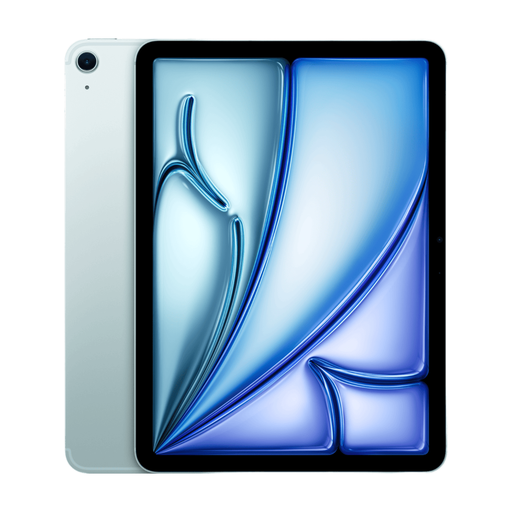 No image available
This 11-inch variant offers a compact format for ordinary slide preparation, with 256GB storage. Apple specifies a 247.6 mm × 178.5 mm body and 464 g weight for the 11-inch Wi-Fi model.
Check the compatible keyboard and the display connection you need. Microsoft Support lists Slide Master editing and slide-size changes as unsupported in PowerPoint for iPad.
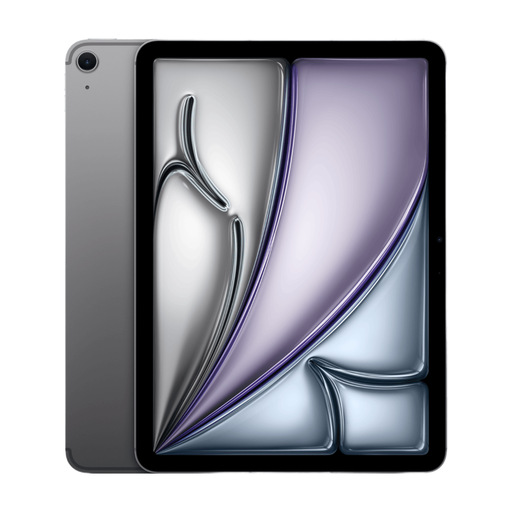 No image available
This 512GB variant keeps the 11-inch Wi-Fi iPad Air format for slide work on a small desk. Apple specifies a 247.6 mm × 178.5 mm body and 464 g weight for that model.
Check the keyboard arrangement and the connection to your intended display. For decks needing Slide Master editing or slide-size changes, Microsoft Support lists those functions as unsupported in PowerPoint for iPad.
 No image available
The 11-inch M3 model is another size option for ordinary slide edits on a small desk, with 256GB storage.
Check which keyboard fits this model and how it connects to your intended display. Microsoft Support lists Slide Master editing and slide-size changes as unsupported in PowerPoint for iPad.
 No image available
Consider this 10.1-inch, 256GB tablet if a keyboard, mouse and stylus in the listed bundle suit your slide-writing setup.
Confirm the device’s software version and PowerPoint requirements before choosing it. Check its external-display compatibility and the connection needed at your venue rather than assuming a particular presentation method will work.
For ordinary slide edits it may, but not for every existing deck. Microsoft Support lists Slide Master editing and slide-size or orientation changes as supported on PC but unsupported in PowerPoint for iPad and Android. Try a demanding file on the intended tablet before relying on it for those edits.
Some mobile PowerPoint features require an eligible Microsoft 365 subscription, according to Microsoft Support. Check the features you need against your account’s plan and the tablet you intend to use.
Confirm a connection method supported by both the tablet and the venue’s display. Microsoft Support describes HDMI-adapter, Bluetooth and Cast options for presenting from PowerPoint on an Android tablet; the method available to you depends on the devices and room. Test the actual deck on that setup beforehand.
Microsoft sells the Surface Keyboard and Slim Pen separately. If you expect to type substantial slide text, check the keyboard you plan to use and whether its working position fits your desk.
Take it to an appropriate electrical-waste collection point rather than putting it in household rubbish. GOV.UK advises separate collection for electrical waste and batteries.