A tablet is a reasonable choice when reading, streaming, video calls and handwritten notes make up most of your work, with only occasional typing. Choose a Windows tablet or laptop if required software, peripherals, lengthy writing or complex file work calls for a desktop-style setup; check the exact applications and accessories before buying, particularly with a Windows-on-Arm device.
Who is each setup for?
The dividing line is less about whether a device can play video or open a document, and more about how you take notes and whether your work requires particular software.
Readers and media-focused learners
If you mainly read course material, stream video and join calls, start with a tablet whose screen feels comfortable to use and whose size suits how you carry it. Which? includes everyday tasks such as email and video calls in its tablet testing; those tasks alone do not establish that a tablet can run your course software.
Handwritten-note users who also type
A tablet may suit annotation and short documents if a compatible pen and keyboard meet your needs. Check both accessories against the exact model: Apple lists Pencil compatibility by iPad model, while Samsung lists its Galaxy Tab S11 keyboard cover for that specific tablet.
Students with required desktop applications
Confirm your course applications, external devices and file workflow before choosing between a Windows tablet and a laptop. Microsoft warns that some manufacturer-supplied peripheral installers do not support Arm-based Surface devices, so a Windows label by itself is not a compatibility guarantee.
What should you check before choosing?
Start with the work you cannot compromise on, then compare the screen, carrying experience and accessories you will use day to day.
iPadOS or Android tablet
Consider it when: Reading, media, calls and touch or pen notes take priority over extended keyboard work.
Trade-off: Check required apps and model-specific pen or keyboard fit rather than assuming a tablet accessory makes it a laptop replacement.
Detachable Windows tablet
Consider it when: You want tablet use alongside a keyboard-and-touchpad setup for Windows work.
Trade-off: The keyboard must fit the exact device; Microsoft also advises checking applications and peripherals for Arm-based Surface models.
Laptop
Consider it when: Long typing sessions, specialist course software or desktop-style file work are routine.
Trade-off: If handheld reading or pen notes also matter, check whether the particular laptop provides a comfortable way to do them.
| Priority |
What to check |
Your needs |
| Screen and carrying |
Compare screen size with how you will hold and carry the device. Check readability and viewing comfort in your usual setting; Which? assesses tablet screens as part of its testing. |
I read or watch away from a desk, so a display needs to be comfortable without making the whole setup awkward to carry. |
| Notes and accessories |
Match the exact pen and keyboard to the tablet model, and check what comes with it. Apple publishes model-by-model Pencil compatibility; Samsung lists its Book Cover Keyboard Slim for Galaxy Tab S11 specifically. |
Handwritten annotation matters to me, but I also want to type short documents without buying an accessory that does not fit. |
| Typing and software |
List compulsory applications, external devices and the amount of keyboard work you expect. For Arm-based Surface devices, Microsoft says some peripheral installers may not support Arm. |
If I write for long periods or rely on course software, I need to confirm that the device handles the actual work—not just email and video calls. |
| Software support |
Find the update information for the exact model and operating-system version. Samsung says available updates depend on the device model; Google publishes a named support date for Pixel Tablet. |
I plan to keep the device for some time and want to know how its software support fits that plan. |
| Calls and time away from a socket |
Check the camera and connection you need for calls, then look for battery-life information relevant to your usage rather than relying on battery capacity alone. |
Video calls and streamed lessons need to fit around where I study, including days when I cannot leave the device plugged in. |
Which buying mistakes matter?
-
Assuming a keyboard case makes every tablet a laptop
A keyboard helps with typing, but it does not establish that required desktop applications, peripherals or file workflows will work. Microsoft and Samsung also list keyboard accessories for particular device models.
Write down your required software and devices, estimate how much sustained typing you do, and check the keyboard against the exact tablet before choosing the setup.
A keyboard or pen can be an additional item to carry, and its fit may be limited to one model range.
-
Choosing a stylus by brand or connector alone
Apple lists different compatible iPads for Apple Pencil Pro, Apple Pencil (USB-C) and earlier Pencil generations. Some pairings require an adapter.
Check the iPad generation and the full stylus model against Apple’s compatibility list before adding either to your basket.
-
Assuming every model gets the same updates
Samsung says available software updates depend on the device model, and Google gives a device-specific update date for Pixel Tablet. Neither statement sets the support period for a different tablet.
Look up the exact model’s update information and check required apps and peripherals separately if you are considering a Windows-on-Arm device.
-
Choosing screen size without considering how you use it
A larger display gives you more screen area but may be less convenient for handheld reading. Apple lists its 11-inch iPad Air Wi-Fi model at 464 g and its 13-inch Wi-Fi model at 616 g; accessories add to what you carry.
Decide whether you will mostly hold the device, prop it on a desk or carry it with a keyboard, then compare the complete setup.
Relevant brand references
These examples clarify accessory and software checks for particular product lines; a brand name alone cannot settle which device fits your work.
Apple
Apple’s iPad Air is an iPadOS option for reading, media and touch-first study. Apple specifies 11-inch and 13-inch versions and lists Pencil support for the current iPad Air.
- Apple lists the 11-inch iPad Air Wi-Fi model at 464 g and supports Apple Pencil Pro and Apple Pencil (USB-C) for the current model.
- Pencil generations do not work across every iPad. Check Apple’s compatibility list for the exact iPad and accessory.
Samsung
Samsung’s Galaxy Tab range offers Android tablet options, including models with S Pen and keyboard-cover features.
- Samsung says the Galaxy Tab S11 Ultra includes an S Pen.
- Samsung lists its Book Cover Keyboard Slim for Galaxy Tab S11 as a model-specific accessory, and says available software updates depend on the device model.
Microsoft
Microsoft’s Surface Pro line is a Windows detachable route for people who want a tablet form factor and a keyboard-based working option.
- Microsoft describes laptop-style use of Surface Pro 12-inch (1st Edition) with its matching detachable keyboard.
- That keyboard is a separate, model-specific accessory. Microsoft also advises checking software and peripherals for Arm-based Surface devices.
Joybuy options for study and media
These options include Android and iPadOS tablets for reading, media and notes, plus a Windows convertible laptop for those considering a more keyboard-focused setup. Check required software and accessories against the individual model.
 No image available
Samsung Galaxy Tab S11 Wi-Fi, 12GB/128GB, Silver
An Android tablet to consider if screen-based reading and handwritten notes are central to your study. The named configuration has 12GB RAM and 128GB storage; check pen and keyboard inclusion, accessory fit and the exact model’s update information before buying.
View on Joybuy
 No image available
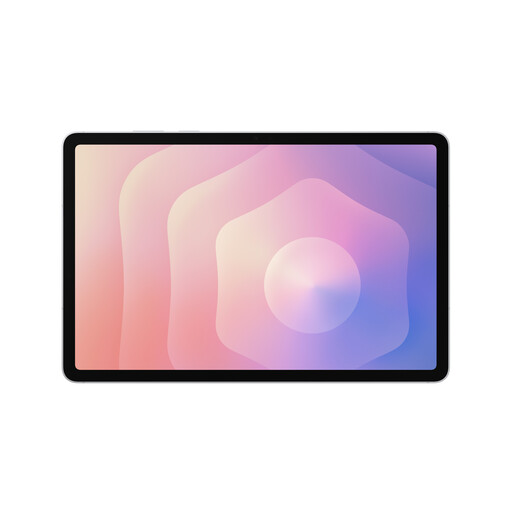
Xiaomi Pad 8 Wi-Fi, 8GB/128GB, Grey
Consider this Android tablet for reading and streamed media if you want an 8GB RAM and 128GB storage configuration. If handwritten notes are essential, confirm the compatible stylus and what is included; check model-specific update support for your intended ownership period.
View on Joybuy
 No image available
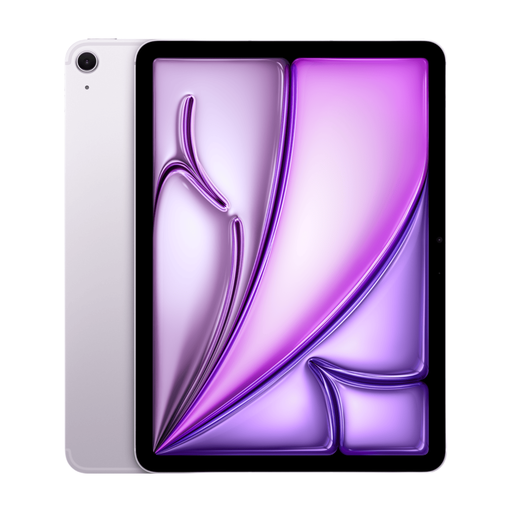
Apple 11-inch iPad Air (2026, M4) Wi-Fi, 256GB, Purple
An iPadOS option for reading, media and touch-first notes, with an 11-inch display and 256GB capacity. If a Pencil or keyboard is part of your study setup, check the exact compatible accessory against this iPad model and confirm what comes in the package.
View on Joybuy
 No image available
HP OmniBook X Flip 16-as0004na, Core Ultra 5 226V, 16GB/512GB
This 16-inch touchscreen Windows 11 Home convertible is a laptop-style alternative when regular typing matters more than handheld use. It lists an Intel Core Ultra 5 226V, 16GB RAM and a 512GB SSD; confirm required course software and any pen support before choosing it for notes.
View on Joybuy
 No image available
TECLAST P50T 11-inch Android 16, 4GB/128GB
Consider this Android tablet for reading and online media rather than assuming it covers pen-based or keyboard-heavy study. Its name specifies an 11-inch display, 4GB RAM, 128GB storage and a 7000mAh battery; check screen readability, accessory support and battery life under your expected use.
View on Joybuy
Frequently asked questions
When is a tablet enough for study instead of a laptop?
A tablet can fit study centred on reading, video calls, handwritten notes and short documents, provided the apps you need work on it. If your course requires desktop software, specialist peripherals or sustained keyboard work, confirm those requirements with the course provider and software publisher before choosing a tablet over a laptop.
How do I check which Apple Pencil works with an iPad?
Identify the exact iPad model and generation, then compare it with Apple’s Pencil compatibility list. Apple lists different supported iPads for Apple Pencil Pro, Apple Pencil (USB-C) and earlier generations; some first-generation Pencil pairings also require an adapter.
What should I check about Android tablet updates?
Check the manufacturer’s update information for the exact model. Samsung says available update types and versions depend on the device, while Google guarantees Pixel Tablet updates until June 2028; that Pixel Tablet date does not describe another Android tablet’s support.
Will a Windows tablet run my course software and peripherals?
Do not assume compatibility from the Windows name alone. Microsoft says some manufacturer-supplied peripheral installers may not support Arm-based Surface devices; check each required application, printer, dongle or specialist device with its publisher or manufacturer before choosing an Arm-based model.


