For reading long film criticism in bed, start with how you will use the tablet: a compact model makes more sense if you expect to hold it, while an 11-inch screen gives a propped-up reader more room for articles and notes. Apple specifies a 293 g Wi-Fi iPad mini with an 8.3-inch display; a larger screen offers more page area but may be less convenient to hold throughout a reading session. If you are considering a Fire tablet, check your essential reading apps first, as Amazon says Fire tablets do not support Google Play.
Who is each format for?
Readers who hold the tablet
If you read one long article at a time with the tablet in your hands, weight and a compact body may matter more to you than fitting more text on each screen. For reference, Apple UK specifies a 293 g Wi-Fi iPad mini with an 8.3-inch display.
Readers who compare sources
If you prop the tablet up while moving between criticism, interviews and notes, screen area becomes more useful. Lenovo UK specifies an 11-inch display for the Tab M11, while Samsung describes viewing up to three apps at once on the Galaxy Tab A9+.
Casual Fire tablet readers
If your reading is mainly in a browser, a Fire tablet may cover the task. Check any publication, library or note-taking apps you rely on before choosing one: Amazon says Fire tablets do not support Google Play.
What matters when choosing?
Decide whether you will usually hold the tablet or prop it up, then check that your regular reading services work on the device you prefer.
| Concern |
What to check |
Who this matters to |
| Comfort while holding it |
Compare the stated weight and screen size of the exact variant you would buy. |
If I hold the tablet through a long article, I want to avoid repeatedly shifting its weight, even if a smaller screen means more scrolling. Around 42% of consumers would put handheld comfort first. |
| Room for articles and notes |
Check display size and resolution, and confirm multi-window support if you need it. |
When I prop the tablet up, I want to see more of a review or keep notes alongside it rather than hold the device close. Roughly 33% of consumers would make viewing space their primary concern. |
| Access to reading services |
Check each essential app in the device’s app store or confirm that its browser version works for you. |
I need my publications or library service to remain accessible, not just a tablet that can open ordinary web pages. For about 25% of consumers, that access would be the first priority. |
What should you avoid?
-
Choosing by screen size alone
An 11-inch screen gives an article more room, but that does not establish whether you will enjoy holding the tablet for a full reading session.
Decide whether you will mostly hold it or rest it on a stand before comparing screen sizes and stated weights.
If you plan to prop it up, check whether you already have a suitable stand or folio case.
-
Assuming a Fire tablet has Google Play
Amazon says Fire tablets do not support Google Play, so a reading or note-taking app you need may require another way to access it.
Check your essential services in Amazon’s Appstore and decide whether their browser versions meet your needs.
-
Charging under bedding
Electrical Safety First warns against charging tablets under pillows or on soft furnishings such as beds, where heat can be trapped.
Charge on a hard, stable, flat surface with a compatible charger, away from the mattress and bedding.
-
Assuming every listing is the same regional variant
A Joybuy Galaxy Tab A9+ listing identifies its item as an HK Version. The model-family name alone does not tell you which regional version a particular listing supplies.
Before ordering, check the complete model number, regional version, included charger or plug, warranty provider and applicable return terms.
Brands to consider
Apple
The iPad mini is a compact option for readers who expect to hold their tablet.
- Apple UK specifies a 293 g Wi-Fi model with an 8.3-inch, 326 ppi display and anti-reflective coating.
- Its smaller display shows less of a page at once than an 11-inch screen.
Lenovo
The Tab M11 is worth considering when you normally prop the tablet up to read.
- Lenovo UK specifies an 11-inch, 1920 × 1200 IPS anti-glare display for the listed Tab M11 configuration.
- Screen size alone cannot tell you whether you will find it comfortable to hold for a long article.
Samsung
The Galaxy Tab A9+ addresses reading setups that also involve comparing material or taking notes.
- Samsung describes an 11-inch display and the ability to show up to three apps at once.
- Check the exact regional variant of any listing rather than assuming that every Galaxy Tab A9+ is supplied with the same accessories and support.
Amazon
The Fire HD 8 is an option for basic reading when your required services are available in its ecosystem.
- Amazon lists a Fire HD 8 configuration with an 8-inch display and 64 GB storage.
- Amazon says Fire tablets do not support Google Play; confirm app or browser access for each service you need.
Joybuy tablets for this reading setup
These tablets offer compact and larger-screen options for reading film criticism. Use the stated size and configuration to narrow your choice, then check the exact listing against how you plan to hold or support the device.
 No image available
Apple iPad Mini 7 (A17 Pro), 512GB, Space Grey
Consider this compact model if you expect to hold the tablet while reading one article at a time. Apple specifies an 8.3-inch display, anti-reflective coating and a 293 g weight for the Wi-Fi iPad mini; the smaller screen leaves less page area than an 11-inch model.
View on Joybuy
 No image available
DOOGEE U11 PRO, 11-inch tablet, Black
The 11-inch format is one to consider if you normally prop up the tablet for longer articles. Its product title specifies a 90 Hz IPS screen, 256 GB storage and an 8580 mAh battery; check the stated weight against your plans to hold it.
View on Joybuy
 No image available
TABWEE T20, 10.1-inch tablet with keyboard, mouse and stylus
This 10.1-inch option may suit reading with the device supported rather than held throughout. The product title specifies 256 GB storage; confirm the included accessories and exact Android version on the listing before ordering.
View on Joybuy
 No image available
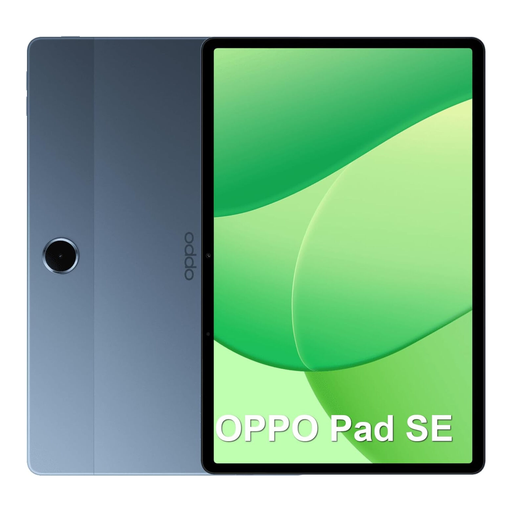
OPPO Pad SE OPD2419 EUN, 128GB, Twilight Blue
Consider this Wi-Fi tablet for article reading if its dimensions suit the way you will use it in bed. The product name specifies 4 GB memory and 128 GB storage; check its weight and exact display dimensions if handheld comfort or text layout will decide your choice.
View on Joybuy
 No image available
Teclast T65, 13.4-inch tablet
This large-screen option is more relevant if you plan to prop the tablet up than if you plan to hold it continuously. Its title specifies a 13.4-inch, 120 Hz display and 128 GB storage; check the weight and exact pixel resolution if either affects your reading setup.
View on Joybuy
Questions before you buy
Can I charge a tablet on the bed or under a pillow?
Do not charge it under a pillow or on bedding. Electrical Safety First warns that soft furnishings can trap heat around charging devices; use a hard, stable, flat surface and a compatible charger instead.
Will a Fire tablet run my reading apps?
Check each app before buying rather than assuming it will run. Amazon says Fire tablets do not support Google Play, so look for your publications and other essential services in Amazon’s Appstore or confirm that their browser versions work for you.
What should I check about returns and support?
Check who is selling the exact variant, the applicable return terms and who provides its warranty and regional support. A seller’s change-of-mind policy and remedies for faulty goods are different matters; Citizens Advice notes that a warranty adds to, rather than replaces, legal rights.
What should I do with an old tablet when replacing it?
Ask the retailer about its electrical-equipment take-back arrangements. UK government guidance covers retailer take-back responsibilities; confirm the arrangement available for your purchase rather than putting an old tablet in ordinary household waste.


