For reading mythology in bed, start with a screen you can hold or prop up comfortably, then check that it runs the book, library and reference apps you use. The iPad mini offers a stated 293 g Wi-Fi weight and iPad app access; the Galaxy Tab A9 offers an Android option with expandable media storage, while Fire HD 8 needs a particularly careful app check because Google Play is not supported. If falling asleep is a concern, the NHS advises trying to avoid screen use during the final hour before bed.
Who these devices suit
Readers of long chapters and PDFs
If you read mythology translations, footnotes or PDFs while reclining, consider both the screen and what you must support with your hand. Apple specifies a 293 g Wi-Fi weight and an 8.3-inch display for the current iPad mini; Samsung specifies an 8.7-inch display for the Galaxy Tab A9.
Readers who use reference apps
If you move between ebooks, a dictionary, library apps and notes, check the apps you need before choosing a platform. Amazon says Fire tablets do not support Google Play, while Samsung says the Galaxy Tab A9 can show up to two apps at once.
Readers protecting a sleep routine
If reading in bed is part of winding down, decide when screen reading will end as well as which device to buy. NHS Every Mind Matters advises trying not to use phones, tablets or computers for an hour before bed because screen blue light can make it harder to fall asleep.
What matters when choosing
For reading mythology in bed, choose a comfortable way to hold or prop up the device, then check access to your books and apps against your bedtime routine.
Apple iPad mini
Consider it when: You want a compact iPad with a stated 293 g Wi-Fi weight and access to the iPad apps you use.
Trade-off: Check whether its higher-spend route and any stand or folio you need suit your plans.
Samsung Galaxy Tab A9
Consider it when: You want an 8.7-inch Android tablet with expandable media storage and occasional two-app use.
Trade-off: Check the exact storage variant; Samsung says a travel adapter is not included.
Amazon Fire HD 8
Consider it when: Your reading services and other essential apps are available through Amazon’s Appstore or work adequately in a browser.
Trade-off: Amazon says Fire tablets do not support Google Play, and its Fire HD 8 listing says no power adaptor is included.
| Concern |
What to check |
Who this matters to |
| Comfort while reclining |
Compare the exact model’s stated weight and screen size, and check whether a suitable stand or folio is available. |
Long chapters become harder to enjoy if I have to keep supporting an awkward screen; around 50% of consumers put handling comfort first. |
| Books and app access |
Confirm your required reading, library, PDF and reference apps on the device’s platform; choose storage for files you intend to keep offline. |
If my mythology books and notes depend on particular apps, a compact screen alone will not meet my needs. Around 30% of consumers make content and app access their primary concern. |
| Bedtime routine |
Decide whether you will stop screen reading before the final hour of the night and have a non-screen option available. |
I want to read without pushing screen use into the time I have set aside for sleep; roughly 20% of consumers prioritise that routine above the device choice. |
Buying pitfalls
-
Assuming a Fire tablet runs every Android reading app
Amazon says Fire tablets do not support Google Play. An app you use for library loans, PDFs or notes may not be available through your usual route.
Check each essential app in Amazon’s Appstore, or confirm that its web version meets your reading and download needs.
-
Forgetting the bedside setup
Amazon’s Fire HD 8 listing says no power adaptor is included, and Samsung says the Galaxy Tab A9/A9+ does not include a travel adapter. A stand or folio may also change how comfortable the device is to use while reclining.
Check the box contents, charging connection and case or stand compatibility for the exact model.
A compatible power adaptor, case or stand may be an additional purchase.
-
Relying on a display setting to settle the sleep question
NHS Every Mind Matters says screen blue light can make it harder to fall asleep and advises trying to avoid phones, tablets and computers for an hour before bed.
If falling asleep is a concern, set a screen-reading cut-off and keep a non-screen book for the final hour.
Brands to consider for this reading setup
Apple
The iPad mini is a compact iPad option for readers weighing handheld comfort and app access.
- Apple specifies an 8.3-inch, 326-ppi display and a 293 g Wi-Fi weight for the current iPad mini.
- This is a higher-spend route; check whether you also need a folio or stand for reading in bed.
Samsung
The Galaxy Tab A9 is an 8.7-inch Android option for reading alongside other apps.
- Samsung lists 4 GB/64 GB and 8 GB/128 GB configurations, microSD support up to 1 TB for media, and up to two apps on screen at once.
- Check the exact configuration, usable storage and app behaviour. Samsung says the Galaxy Tab A9/A9+ box does not include a travel adapter.
Amazon
Fire HD 8 is an 8-inch option when your reading services work through Amazon-supported apps or the browser.
- Amazon’s Fire HD 8 listing gives 32 GB and 64 GB options and microSD expansion up to 1 TB.
- Amazon says Google Play is not supported and that the device does not include a power adaptor; check both app access and charging needs.
Joybuy product choices
These choices cover compact general-purpose tablets for reading in bed alongside E Ink devices for readers considering a more book-focused screen. Check the screen size, required apps and bedside lighting against how you read mythology.
 No image available
Apple iPad Mini 7 (A17 Pro), 512 GB, Space Grey
Consider this compact iPad if you expect to hold the device while reading and use iPad apps alongside your books.
Apple specifies an 8.3-inch display and a 293 g Wi-Fi weight for this iPad mini model. Check that your particular library and annotation apps meet your needs.
Joybuy
 No image available
Bigme B6 6-inch E Ink e-reader, white
Consider the smaller reading screen if your mythology books fit a 6-inch page; check whether it is large enough for your PDFs and maps.
The product title specifies a 36-level front light, Android 14, 4 GB of memory and 64 GB of storage, and describes built-in Google Play. Confirm that each reading or library app you need works on this device.
Joybuy
 No image available
iFLYTEK AINOTE 2 10.65-inch E Ink tablet with protective case
Its larger page may be worth considering if you read documents as well as books, but decide whether a 10.65-inch device suits the way you hold or prop up a screen in bed.
The product title identifies an E Ink tablet with a protective case. The listing says there is no reading light, so plan for sufficient ambient light; check compatibility with your required library and reference apps.
Joybuy
 No image available
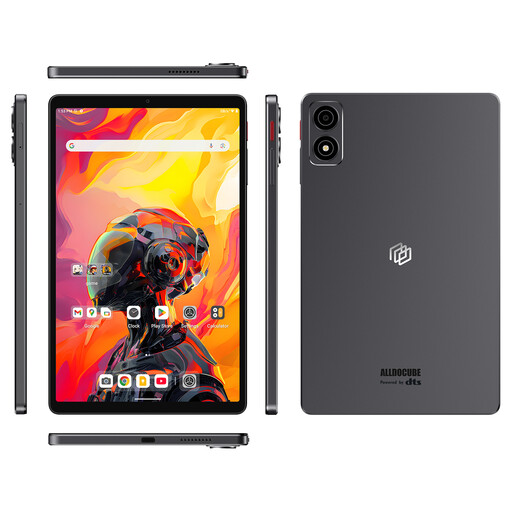
ALLDOCUBE iPlay 70 Mini Ultra, 8.8-inch, 12 GB/256 GB
Consider this compact-screen Android tablet if you want space for books and apps on the device. Check its weight for extended handheld reading and confirm your required apps.
The product title specifies Android 14, a 7300 mAh battery and no charger. Check what charging equipment you will need.
Joybuy
 No image available
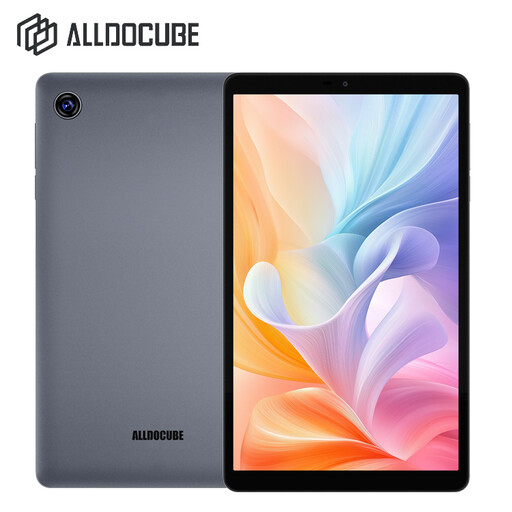
ALLDOCUBE iPLAY60 Mini, 8.68-inch, 4 GB/64 GB
The compact screen may suit bedside reading if this tablet runs the books and apps you use. Check its weight before choosing it for long periods of handheld use.
The product title specifies Android 15, a 4000 mAh battery and no charger. Confirm the charging equipment you need.
Joybuy
Common questions
Should I read on a tablet during the final hour before sleep?
If falling asleep is a concern, try to finish screen reading earlier. NHS Every Mind Matters advises avoiding phones, tablets and computers for an hour before bed because screen blue light can make it harder to fall asleep; that advice applies regardless of which tablet you choose.
Do these compact tablets include a power adaptor?
Do not assume one is included: Amazon’s Fire HD 8 listing says there is no power adaptor, and Samsung says the Galaxy Tab A9/A9+ does not include a travel adapter. Apple lists a USB-C charge cable in the iPad mini box; check the exact product listing and your charging equipment before ordering.
What should I do with an old tablet when replacing it?
Use an appropriate electrical-product recycling route rather than household rubbish. GOV.UK describes collection points and like-for-like retailer take-back when buying a new electrical product; check the retailer’s arrangements for handing over your old device.


