Carry-on minimalists
If you want to take out a tablet for a short wait and hold it rather than set it on a table, compare compact 8–9-inch models. Apple lists an 8.3-inch iPad mini, while Samsung lists an 8.7-inch Galaxy Tab A9.


For number puzzles during short airport waits, start by comparing compact tablets of around 8–9 inches; consider an 11-inch model if you expect to play mostly while seated and want more room for the grid. Before choosing either size, check that your particular game is available on the tablet, works as you need it to without a connection, and fits your travel and charging plans.
If you want to take out a tablet for a short wait and hold it rather than set it on a table, compare compact 8–9-inch models. Apple lists an 8.3-inch iPad mini, while Samsung lists an 8.7-inch Galaxy Tab A9.
If you already have a particular Sudoku, crossword or logic-game app in mind, check its availability on the tablet's app store before choosing hardware. This matters especially for Fire tablets: Amazon says they do not support Google Play.
If you expect to play while seated and prefer more space for digits and touch controls, compare 11-inch models with a compact tablet. Lenovo lists an 11-inch display for its Tab M11; the larger format also takes up more room in a bag.
Start with the game you want to play, then decide whether you will usually hold the tablet or use it while seated. Check the exact device variant and what you need to take with it.
| Concern | What to check | Who this matters to |
|---|---|---|
| Compact handling | Compare the exact variant's dimensions and weight, and consider whether you will hold it or set it down. | I want to take a tablet out for brief waits without giving over much bag space to it; around 31% of consumers put compact handling first. |
| Game access | Find the exact game in the tablet's app store and test any offline mode after setup. Amazon says Fire tablets do not support Google Play. | My preferred puzzle game needs to open when I cannot connect, rather than merely appear in a store listing; for around 31% of consumers, game access is the primary need. |
| Grid readability | Compare screen size and the game's grid and control layout, ideally on a similarly sized display. | Small digits and frequent taps matter more to me when I settle in for a longer session; around 23% of consumers prioritise a comfortable grid. |
| Travel setup | Check whether the chosen variant includes a charging adaptor and whether the game needs an account or content download before travel. | I want the tablet and game ready to use when I leave, without discovering that I need another essential item; roughly 15% of consumers make setup readiness their first concern. |
Amazon says Fire tablets do not support Google Play, so a game's Google Play listing does not establish that you can use it on a Fire HD 8.
Look for the exact title in Amazon's Appstore. Check its login and offline requirements before committing to that platform.
An 11-inch screen gives a number grid more physical space, but a larger tablet occupies more bag space than an 8–9-inch model.
Compare a larger model if you will usually play seated; compare compact models if you expect to hold the tablet during short waits.
Amazon's Fire HD 8 listing says it does not include a power adaptor. Box contents can affect whether a tablet is ready for your journey.
Check the contents of the exact variant and whether you already have a compatible adaptor.
Heathrow says tablets can remain in cabin baggage through security in all its terminals, but advises travellers to check the rules at other departure airports.
Check your departure airport's instructions before travelling and follow staff directions at the checkpoint.
The iPad mini is a compact iPadOS option for travellers who want to check a particular game in the App Store.
The Galaxy Tab A9 line offers compact and larger Android formats for different ways of playing.
The Fire HD 8 is an 8-inch option to consider only after confirming that your chosen game is in Amazon's Appstore.
The Tab M11 is a larger Android option to compare if you expect to play mainly while seated.
These choices include compact tablets for short, hand-held sessions and larger tablets to compare for seated puzzle play. Check your intended game and the exact variant before choosing.
 No image available
Consider this compact iPad if your chosen puzzle game is available for it. Check the game's offline behaviour before travel.
512GB storage; Space Grey variant.
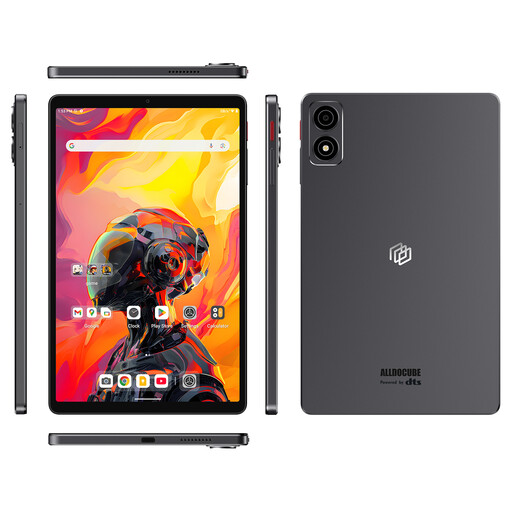 No image available
The 8.8-inch format is worth comparing for short airport puzzle sessions. Confirm that your game is available and works offline as needed.
Android 14; 7300mAh stated battery capacity, which does not establish playing time. No charger is included, so check that you have a compatible one.
 No image available
Consider this tablet for seated play if its screen and your chosen game suit the way you use number grids. Check offline operation before travel.
8GB memory and 256GB storage; Wi-Fi variant. Check whether you have a compatible charging adaptor.
 No image available
Compare this Wi-Fi tablet if you expect to play mostly while seated; check that its display and your puzzle app meet your needs.
8GB RAM and 128GB storage. Test the game's offline mode before relying on it during a journey.
 No image available
The 11-inch screen is a larger-format choice to consider for puzzles played while seated. Check your game's availability and offline behaviour.
Android 15 and a stated 8800mAh battery capacity; capacity alone does not establish playing time. Confirm what the advertised 32GB+256GB/2TB storage notation means for the exact variant offered.
At Heathrow, tablets can remain in cabin baggage while passing through security in all terminals, according to the airport. Check your departure or transfer airport's instructions rather than assuming Heathrow's procedure applies elsewhere, and follow staff directions on the day.
Check the operating airline's current instructions for your tablet, its battery and any spare batteries or power bank. For example, easyJet says spare lithium-powered batteries for electronic devices must be kept in cabin luggage and limits passengers to two spares; do not assume another airline uses the same conditions.
Prepare the game to work without Wi-Fi if you want to play regardless of the connection available. Download the app and any required content beforehand, then check whether it opens and saves progress offline, particularly if it uses an account or subscription.
Compare 8–9-inch models if you expect to hold the tablet during short waits; compare 11-inch models if you will usually play seated and want more physical space for the grid. Check how your particular game displays digits, notes and controls at the size you prefer.
A Google Play listing does not confirm that the game will work on a Fire tablet: Amazon says Fire tablets do not support Google Play. Check for the exact game in Amazon's Appstore and review any account or offline requirements before choosing one.