What matters when choosing
Start with the PDF and pen workflow you need, then decide whether carrying comfort, research software or focused reading is the main constraint. For hotel use, check charging and access to papers before leaving.
| Concern |
What to check |
Who this matters to |
| Handwritten PDF annotation |
Confirm the exact tablet–pen pairing and whether your PDF app saves or exports marked documents in the format you need. |
If I send annotated papers to colleagues, I need my comments to remain usable outside the app in which I wrote them. Around 33% of consumers put the handwritten PDF workflow first. |
| Travel and hotel-room readiness |
Compare the size and weight of the actual variant, and check its connectivity and charger arrangements. |
When I work at a hotel desk after a day of travel, a manageable device and a way to charge it matter more than extra software features. Carrying and charging are the primary concern for around 25% of consumers. |
| Research software and typing |
Check your required applications, offline files and keyboard arrangement before choosing a tablet operating system. |
If I need to move between marked PDFs, typed notes and desktop research tools, handwriting alone will not cover the session. Around 25% of consumers prioritise that wider workflow. |
| Focused long-form reading |
Check whether a narrower app environment suits your work, and read battery claims alongside their lighting and Wi-Fi conditions. |
For a long reading session, I would rather minimise app distractions and charging interruptions than run several tools at once. That reading-first need leads for around 17% of consumers. |
Joybuy products for the iPad route
These iPad Air and iPad Pro options are for consumers considering an 11-inch iPad for hotel-room PDF markup. Before choosing a variant, confirm its compatible Apple Pencil, what comes in the bundle and how your chosen app saves annotated papers.
 No image available
Apple iPad Air 11-inch (M3), 256GB, Blue
Consider this 11-inch option if you want to mark up research PDFs on an iPad while travelling. Apple Support describes PDF annotation in iPad Notes; check which Apple Pencil works with this M3 model, whether it is included and how your chosen app exports marked files.
View on Joybuy
 No image available
Apple iPad Air 11-inch (2026, M4), Wi-Fi, 128GB, Space Grey
This 11-inch Wi-Fi variant is an option for annotating PDFs in an iPad workflow. Apple Support describes markup in iPad Notes; check the precise compatible Pencil, offline access to your papers and the annotation format needed for sharing.
View on Joybuy
 No image available
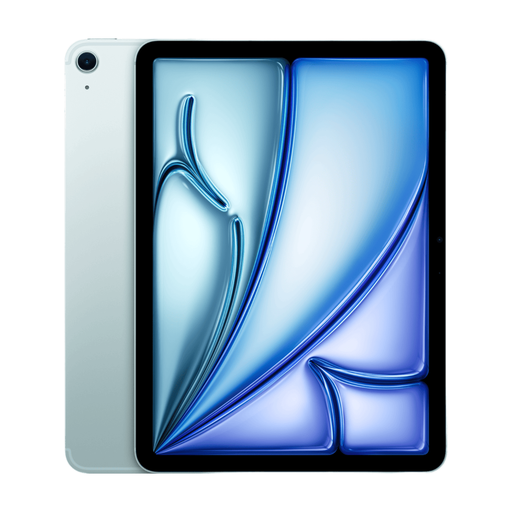
Apple iPad Air 11-inch (2026, M4), Wi-Fi, 256GB, Blue
Consider the 256GB Wi-Fi variant if that storage configuration fits the papers and other files you plan to keep on the iPad. For handwritten work, confirm the compatible Pencil and bundle contents, then check how your PDF app saves annotations.
View on Joybuy
 No image available
Apple iPad Pro 11-inch (M5), Wi-Fi, 256GB, Standard Glass, Silver
This 11-inch iPad Pro is another route for consumers who want an iPad for travel annotation. Confirm the exact compatible Pencil and bundle contents rather than assuming accessories carry over from another iPad, and check your PDF app’s export workflow.
View on Joybuy
Common questions
Is an 11-inch tablet large enough to annotate research papers?
An 11-inch tablet can suit portable reading and handwriting, but page layouts with small figures or tables may require zooming. If you regularly view two documents together, assess the workspace on a larger screen before choosing an 11-inch model.
Can I annotate PDFs without a separate PDF app?
Yes, the documented built-in or manufacturer workflows differ by device. Apple Support describes PDF markup in iPad Notes, Samsung describes PDF annotation with S Pen in Samsung Notes, and Microsoft says Journal inserts a copy of a PDF for markup. Check how each workflow saves the document you need to share.
What should I bring for hotel-room annotation?
Bring your confirmed compatible writing tool, the charging equipment your exact device needs and accessible copies of your papers. Samsung UK says the Galaxy Tab S10 FE does not include a travel adapter; Microsoft UK says the 12-inch Surface Pro does not include a power supply.
Does an Apple Pencil come with iPad Air?
Do not assume it does. Apple UK presents Apple Pencil options as additions when purchasing iPad Air; check the contents of your exact bundle and the Pencil compatibility of the model you choose.
What does reMarkable Paper Pro’s two-week battery claim cover?
It is a conditional manufacturer estimate, not a promise for every reading session. reMarkable bases its up-to-two-week figure on roughly one hour of daily reading and note-taking with occasional Wi-Fi transfers, excluding use of the reading light.


