
24/7 Customer Support

Free returns

Same-day & Next-day Delivery

Quality Guaranteed

Unlock Your Welcome Offers: FREE Delivery | Up to 80% OFF | Free 30-day JoyPlus trial
Download the APP
Choosing between Android tablets, an iPad and specialist models can be surprisingly difficult. Product pages often lead with large RAM figures, high refresh rates or impressive battery capacities, while leaving out details that affect everyday use.
UK shoppers should pay particular attention to three common traps:
An 8–9-inch tablet is easy to carry, but an 11-inch display is generally more practical for split-screen work, reading and video calls. Larger 12–13-inch tablets provide more room for drawing, spreadsheets and documents, although they add weight to a bag.
Screen resolution also matters. A 2K or 3.2K panel produces sharper text and illustrations than a basic HD display. For smooth scrolling and gaming, check the refresh rate: 90Hz, 120Hz and 144Hz screens can appear more fluid than standard 60Hz panels.
Panel type affects the viewing experience:
Processor type is more useful than a headline RAM number. Entry-level chips are appropriate for browsing, streaming and schoolwork, while higher-tier processors are more suitable for video editing, 3D applications and demanding games.
For storage, 128GB is workable for everyday use, but 256GB gives more room for downloaded films, games, photographs and creative files. A microSD slot can reduce storage pressure, although some apps and games may still need internal storage.
When comparing iPad and Android tablets, remember that their operating systems and app stores differ. An iPad may suit users already invested in Apple devices, while Android tablets offer a broader range of prices and expandable-storage options.
Battery capacity is measured in mAh, but real running time also depends on screen brightness, processor efficiency, mobile connectivity and the apps being used. A 10,000mAh battery may be useful for long study sessions, travel or streaming, but charging speed and charger availability matter too.
For drawing tablets with stylus support, check whether the pen is included, what pressure sensitivity is supported and whether replacement nibs are available. For tablets with keyboard support, confirm whether the keyboard is supplied or an optional accessory.
Finally, review the seller’s returns process and warranty terms. A tablet with an official warranty can offer clearer manufacturer support, but verify the exact coverage, duration and responsible seller before purchase.
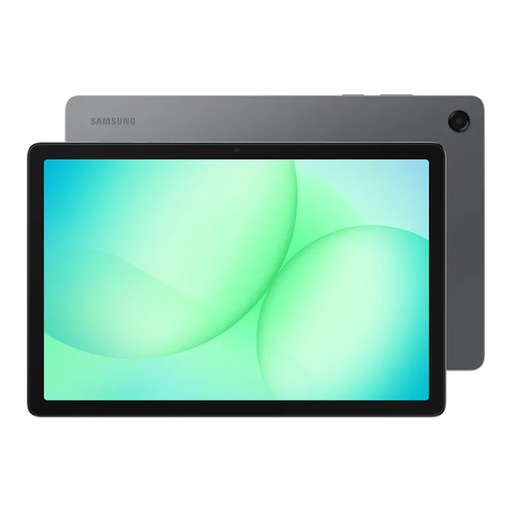
Why This Fits Their Persona: A practical choice for browsing, streaming, reading and light productivity at home, school or university.
Its specification clearly identifies 6GB RAM, 128GB storage and microSD expansion, avoiding an inflated virtual-memory headline.
11-inch 90Hz display, expandable storage up to 2TB and a 7,040mAh battery.
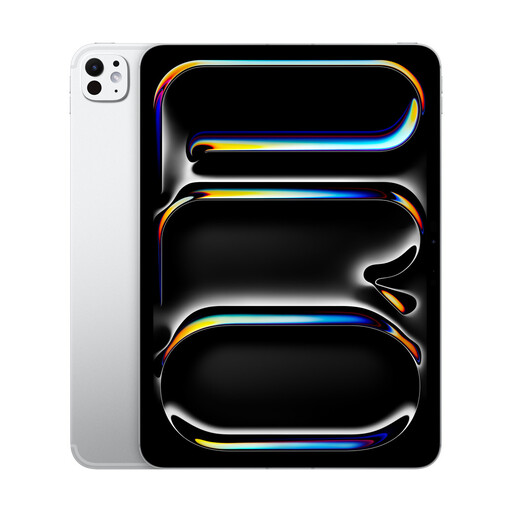
Why This Fits Their Persona: Suits professionals and creatives who need a compact tablet for editing, design, multitasking and premium apps.
The listing specifies 256GB internal storage, Wi-Fi connectivity and Apple Pencil and keyboard compatibility, so accessory costs can be assessed separately.
11-inch OLED display with P3-wide colour and an M5 chip for demanding creative workflows.

Why This Fits Their Persona: Designed for note-taking, sketching and mobile productivity where a large display, pen and keyboard are useful.
The specification separates 8GB physical RAM from 12GB virtual memory and states that the stylus and Bluetooth keyboard are included.
12.7-inch 2K display, 4,096 pressure levels, 256GB storage and dual-SIM 4G LTE connectivity.
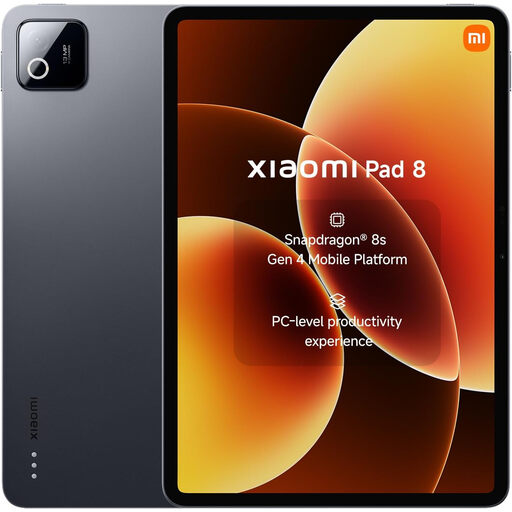
Why This Fits Their Persona: A suitable match for users who prioritise a sharp screen, responsive games, streaming and portable everyday work.
Its listing states the actual 8GB RAM and 128GB storage, while also specifying the charger arrangement so buyers can budget for accessories.
11.2-inch 144Hz display, Snapdragon 8s Gen 4 processor, 9,200mAh battery and 45W charging.
We have compiled a complete, real-time list of products that fully satisfy these strict selection criteria and UK safety regulations.
Yes. Tablets for students can handle notes, PDFs, video calls and online learning. For typing-heavy courses, choose a model with keyboard support or budget for a compatible keyboard. A stylus is useful for annotating lecture slides, but check whether it is included.
There is no single figure for every user. Streaming, gaming, maximum brightness and mobile data use power faster than reading or word processing. Compare the stated battery capacity, charging speed and manufacturer usage estimates, then allow for real-world variation.
A genuine 5G tablet can be useful for commuters and people who work away from fixed broadband, but it usually costs more and requires a compatible mobile data plan. If you mainly use a tablet at home, Wi-Fi may provide the more practical setup.