What matters when choosing
For opening-hours checks on a coach, settle how the tablet will get online before deciding how much screen you want to hold and stow.
| Concern |
What to check |
Who this matters to |
| Independent internet access |
Confirm that the exact tablet is a cellular version, then check its data-plan requirements and your intended network's coverage at likely stops and destinations. |
If I need current opening hours without borrowing a phone connection, the tablet must be able to use mobile data where there is signal. Around 42% of consumers would put that independent access first. |
| Handheld reading |
Compare screen size and the listed weight of the exact Wi-Fi or cellular variant; consider whether you usually read one page or keep a map and website in view together. |
When I am checking a page in a coach seat, I want text I can read on a device I can comfortably put away. For around 33% of consumers, that balance is the main priority. |
| Occasional-use essentials |
Decide whether an existing hotspot is sufficient, and check the exact box contents for charging equipment you need. |
If I only make occasional itinerary checks, I would rather use a connection and accessories I already have than choose features I will seldom use. Roughly 25% of consumers would make that their primary concern. |
Tablet options on Joybuy
These tablets cover different ways to check information on the move: cellular-labelled models for direct mobile data, a compact iPad mini for brief handheld checks, and a larger Wi-Fi tablet for use with an existing connection. Confirm the exact connection requirements before choosing.
 No image available
OPPO Pad SE OPD2420 EUN LTE, 128GB, Twilight Blue
Consider this LTE-labelled tablet if you want to check opening hours without depending on coach Wi-Fi. The listed configuration has 6GB memory and 128GB storage; check compatibility with your intended UK network, the data-plan requirements and whether its size suits handheld use.
View on Joybuy
 No image available
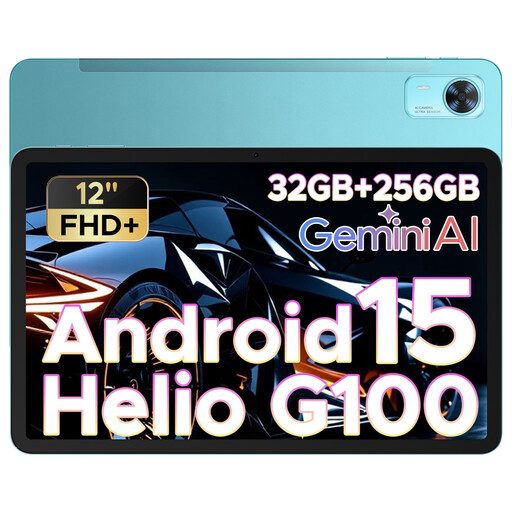
DOOGEE Tab E3+, 12-inch, 256GB, Blue
This SIM-labelled, 12-inch tablet is a choice to examine if you want a larger page view and mobile data on the journey. Its title lists Android 15, an FHD+ display and 256GB storage; confirm UK network compatibility, plan requirements and handling comfort for the exact tablet.
View on Joybuy
 No image available
Apple iPad mini 7 (A17 Pro), 512GB, Space Grey
Its compact format suits brief handheld checks if you have a Wi-Fi connection available. Apple specifies an 8.3-inch display and a 293 g weight for the Wi-Fi iPad mini; this Wi-Fi product needs a hotspot or another Wi-Fi source for live opening hours.
View on Joybuy
 No image available
Xiaomi Pad 8 Wi-Fi, 8G RAM, 128GB, Grey
Consider this Wi-Fi tablet if you can use a phone hotspot or another connection and prefer a larger screen for museum pages. The listed configuration has 8G RAM and 128GB storage; live checks still require an available Wi-Fi connection.
View on Joybuy
 No image available
Apple iPad Pro 13-inch (M5) Wi-Fi + Cellular, 1TB, Standard Glass, Silver
This 13-inch Wi-Fi + Cellular model is worth considering if a large page view and a direct mobile-data connection both matter to you. Its title specifies 1TB storage and standard glass; check the intended network, data-plan requirements and whether the tablet is comfortable to handle in a coach seat.
View on Joybuy
Frequently asked questions
Will a Wi-Fi tablet let me check opening hours on a coach?
Yes, if it can connect to coach Wi-Fi, a phone hotspot or another available Wi-Fi source. If you need the tablet to connect independently, choose a suitable cellular version with a data plan, then check your intended network's coverage along the journey.
Should I choose an 8.3-inch or an 11-inch tablet?
Choose the smaller format if brief handheld checks and easy stowing matter most; choose the larger format if you want more room for pages and maps. Apple lists its Wi-Fi iPad mini at 8.3 inches and 293 g, and its Wi-Fi iPad 11-inch at 11 inches and 477 g, so compare the weight of the exact version you intend to buy.
Will I need a charging adapter?
Check the box contents of the exact tablet. Samsung states that a travel adapter is not included with the cited UK Galaxy Tab A9 and A9+ range, so confirm that you have a suitable adapter and cable before travelling.
Can I use a tablet while seated on a UK coach?
Keep using your seat belt while handling the tablet. THINK! Road Safety states that passengers aged 14 and over must use a seat belt in a coach if one is available; keep the tablet and charging cable clear of the belt and aisle.


