A tablet is worth considering if your household wants a larger screen than a phone that can move between rooms for streaming, browsing, casual games and video calls; it is not the choice here for specialised laptop work. Choose the operating system around how people will share the device and which apps they need: Android's separate users depend on the model, Apple Family Sharing works across individual Apple Accounts, and Fire tablets have switchable profiles but do not support Google Play. Then compare the exact tablet's screen, battery, speed and update commitment rather than assuming that screen size settles the decision.
Who is a shared tablet for?
The case for another screen depends on where and how the household will use it, not simply on owning several devices.
Households wanting a screen that moves between rooms
A tablet offers space for viewing, browsing and casual games without making a laptop the default device for relaxed use. For this household, screen visibility, battery endurance and straightforward setup deserve attention. Which? assesses screen quality and ease of use separately in its tablet tests.
Families with regular users of the same device
Account separation may matter more than an extra inch of screen. Google documents personal spaces for Android users where the device supports them; Apple's Family Sharing connects eligible content across individual Apple Accounts; and Amazon documents switchable Fire tablet profiles. These are different ways of sharing, so decide which arrangement the household needs.
Streaming-first households that also make calls
Consider where people will sit, whether they can hear dialogue and how the front camera will frame a call when the tablet is propped up. Amazon's Fire HD 10 and Samsung's Galaxy Tab A11+ product information illustrate specifications to check, but their stated features do not replace a screen, audio or battery test of the model you plan to buy.
What should you check before choosing?
Settle the household's account and app requirements before comparing individual tablets. Accessories are a separate choice: a stand can help with hands-free calls, but its fit must match the tablet.
Android tablets
Consider when: Several people need their own accounts, apps and settings on one physical tablet, and the exact device offers Add user, as described by Google Android Help.
Check first: Google says a device without Add user cannot add users; Samsung also says available software updates depend on the device model.
iPadOS tablets
Consider when: Family members use their own Apple Accounts and want to share eligible Apple services or purchases through Family Sharing.
Check first: Apple says some purchases cannot be shared, and Purchase Sharing can charge the organiser's payment method unless the applicable settings or another adult's payment method change that arrangement.
Amazon Fire tablets
Consider when: Switchable profiles suit the household and every essential app is available through the Fire tablet's supported app options.
Check first: Amazon says Fire tablets do not support Google Play; check the precise video-call, streaming and game apps before choosing one.
| Priority |
What to check |
Your needs |
| Screen and calls |
Look beyond diagonal size to tested sharpness, brightness and viewing angles. Check front-camera placement, sound and whether the tablet can stand securely in the position used for calls; Which? assesses screens and video-call setup separately. |
We watch together or call from a table, so people need to see the picture and fit comfortably in the frame. |
| Battery and speed |
Compare battery results for video playback or browsing where comparable tests are available, alongside responsiveness in the apps you use. Treat stated battery hours as claims for that model under its stated conditions. |
I want to move between rooms without planning every viewing session around a socket, while keeping browsing and casual games comfortable to use. |
| Sharing setup |
On Android, confirm Add user on the exact device. For iPadOS, check Family Sharing eligibility and purchase settings; for Fire tablets, check how profiles switch. Google, Apple and Amazon describe these as distinct arrangements. |
Different people use the tablet regularly, and we need to know whether accounts stay separate or eligible purchases can be shared. |
| Apps and updates |
Check each required streaming, calling and game app on the chosen platform, plus the exact model's published update policy. Amazon says Fire tablets do not support Google Play; Samsung says available updates depend on the model. |
Our regular apps need to work, and I want to understand the software-support commitment before choosing a device for ongoing use. |
| Setup and fit |
Check the listing's supplied charging equipment and match any case or stand to the complete model and generation. Amazon specifies that its cited Fire HD 10 cover fits the 13th-generation tablet. |
For hands-free calls or viewing, we need a stand that fits the tablet and a charging setup we can use from the start. |
What can catch buyers out?
-
Choosing by screen size alone
A larger diagonal does not tell you how the screen looks from different seats or in a bright room, nor how long the tablet runs between charges. Which? tests screen characteristics, battery endurance and ease of use as separate factors.
Compare tests of the exact model where available, then check its camera position and audio arrangement for your usual viewing and call setup.
-
Assuming every Android tablet has separate users
Google Android Help says that a device without an Add user option cannot add users. That matters if different household members need their own accounts, apps and settings on the same tablet.
Check the exact model's settings or instructions for Multiple users and Add user, or ask the manufacturer to confirm the feature for that variant.
-
Buying a Fire tablet before checking apps and charging
Amazon says Google Play is not supported on Fire tablets. Its cited Fire HD 10 listing also states that a power adaptor is not included.
Check each essential app in the Fire tablet's supported ecosystem and confirm the charging equipment supplied with the exact listing.
Where a power adaptor is not included, a compatible one may be needed separately.
-
Matching a case by screen size
An accessory intended for another generation may not fit correctly. Amazon specifies that its cited Fire HD 10 cover is for the 13th-generation Fire HD 10.
Match a case, stand or keyboard to the tablet's complete model and generation, rather than relying on its screen size or shortened name.
Which tablet brands and systems are relevant?
These references describe particular tablet lines and platform features; they do not mean that every model has the same hardware, sharing options or update period.
Apple
iPadOS is relevant when household members already use individual Apple Accounts and want to share eligible services or purchases.
- Apple says Family Sharing can include up to six people while members retain their own Apple Accounts.
- Some purchases are ineligible for sharing; check Purchase Sharing payment settings and the update commitment of the particular iPad.
Samsung
Samsung's Galaxy Tab range offers Android tablet models to consider for household viewing and calls.
- Samsung UK lists an 11-inch 90Hz display, quad speakers and a 5MP front camera for the Galaxy Tab A11+ Wi-Fi model.
- Samsung says the type and version of available updates depend on the device model; check separate-user availability on the exact tablet too.
Amazon Fire
Fire tablets suit households willing to use Amazon's supported apps and switchable tablet profiles.
- Amazon describes customisable Fire tablet profiles and lists a 10.1-inch 1080p screen and 5MP front camera for its cited Fire HD 10.
- Amazon says Fire tablets do not support Google Play, and its cited Fire HD 10 listing excludes a power adaptor.
Google Pixel
The Pixel Tablet is an Android reference for households comparing device users and a published update horizon.
- Google Pixel Tablet Help guarantees OS and security updates for the Pixel Tablet until June 2028.
- Google Android Help says separate users require the Add user option to be present on the device; confirm the sharing setup you need.
Android tablet options on Joybuy
These Android tablet listings offer different screen sizes, storage configurations and connection options for shared viewing and calls. They are choices within the Android route, not a product comparison with iPads or Fire tablets; confirm account features and app compatibility on the exact model.
 No image available
Samsung Galaxy Tab A11+ 11-inch 128GB Wi-Fi, Grey
For a movable screen used around the home, this Galaxy Tab A11+ listing specifies an 11-inch display, Wi-Fi and 128GB storage. If separate household accounts or a particular period of software support matter, confirm those features for this exact model before choosing it.
Joybuy
 No image available
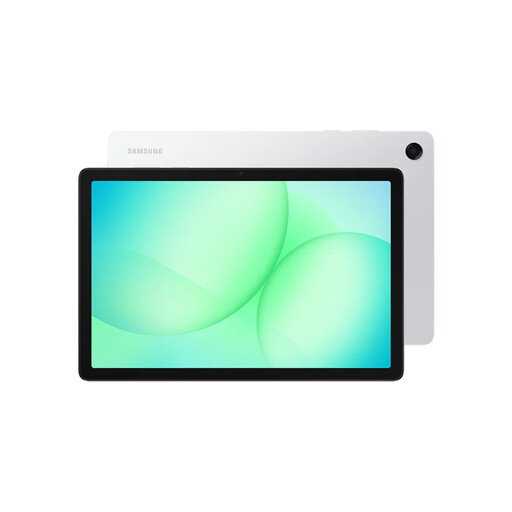
Samsung Galaxy Tab A11+ 5G X236 6GB 128GB, Silver
The 5G version is worth considering if the tablet needs a cellular connection away from home Wi-Fi; its listing identifies 6GB RAM and 128GB storage. Check the exact model's separate-user option, software-update commitment and supplied charging equipment before deciding.
Joybuy
 No image available
TABWEE T20 10.1-inch 256GB tablet with keyboard, mouse and stylus
This 10.1-inch bundle is an option if the shared screen will also be used with a keyboard, mouse or stylus; the title lists 256GB storage. Confirm how the advertised 24GB (8+16) RAM figure is divided, which Android version is supplied, and whether separate users are available. Check battery endurance for your intended viewing sessions rather than relying on capacity alone.
Joybuy
 No image available
Samsung Galaxy Tab A11+ 8GB 256GB Wi-Fi, Grey
For a household planning to keep more apps or downloaded media on the tablet, this Wi-Fi variant lists 8GB RAM and 256GB storage. Confirm its battery endurance, separate-user option and update commitment if those affect your choice; the listing describes a compatible charging adaptor as sold separately.
Joybuy
 No image available
TECLAST T70 2025 Edition 14-inch 256GB tablet
The listed 14-inch 1920 × 1200 display gives households a larger screen to consider for shared viewing, but the stated 960g weight is worth factoring into room-to-room use. The listing gives conflicting Android-version and battery details, so confirm the supplied version and expected endurance; also check separate-user support on the exact device.
Joybuy
Common questions
When does a tablet add something to phones and computers at home?
A tablet makes sense as an additional device when a larger portable screen would make shared viewing, browsing or hands-free calls easier to arrange around the home. It is not a substitute for specialised laptop work in this decision. Compare the exact tablet's screen, battery, responsiveness and call setup; Which? tests these as distinct aspects of tablet use.
Can everyone have a separate space on one tablet?
That depends on the platform and device. Google Android Help describes separate users with their own accounts, apps and settings, but says a device without Add user cannot add users. Apple Family Sharing instead connects eligible content across individual Apple Accounts, while Amazon documents switchable profiles on Fire tablets.
Will our existing apps work on an Amazon Fire tablet?
Check each essential app before buying rather than assuming it will work. Amazon says Fire tablets do not support Google Play, so confirm that the particular streaming, calling and game apps your household uses are available through supported Fire tablet app options.


