
24/7 Customer Support

Free returns

Same-day & Next-day Delivery

Quality Guaranteed

Unlock Your Welcome Offers: FREE Delivery | Up to 80% OFF | Free 30-day JoyPlus trial
Download the APP
Shopping for tablets for sale can quickly become confusing. Screen size, storage, processor names, refresh rates and mobile connectivity all affect the price, but a longer specification list does not automatically mean a better fit for your needs.
The right choice depends on how you plan to use the tablet: streaming on the sofa, taking notes at university, managing work documents, playing games, drawing, travelling or sharing a device with children. This guide explains the key specifications to check and highlights suitable options available through Joybuy.
Some Android tablets advertise large memory figures such as “32GB RAM”. This may combine physical RAM with storage temporarily allocated as virtual memory. Virtual RAM can support certain multitasking situations, but it is not equivalent to having 32GB of physical memory.
When comparing Android tablets, check whether the listing clearly separates physical RAM, virtual memory and internal storage.
Charger contents vary between models. For example, the Lenovo Tab Plus includes a USB-C cable but no charging adaptor and requires a compatible 18W to 45W USB Power Delivery charger. Some other models in this guide include a charger, while others are listed without one.
A missing adaptor may add to the real purchase cost, particularly if you need a suitable USB-C charger for fast charging.
Wi-Fi tablets are usually suitable for home, office, school or university use where a wireless network is available. 4G LTE tablets and 5G tablets can connect through a mobile network, but you will need a compatible SIM plan and may pay more for the device.
Check whether the tablet supports the mobile bands used by your UK network before purchasing. A SIM slot alone does not guarantee compatibility with every carrier.
A tablet between 10 and 12 inches offers a practical balance for streaming, reading, video calls and light work. Larger screens provide more room for split-screen apps and creative software but may be less comfortable to hold for long periods.
For films, documents and web pages, look for at least 1920 × 1200 resolution. A 90Hz refresh rate can make scrolling and compatible games appear smoother than a standard 60Hz panel. Brightness is also important if you use a tablet near windows or outdoors. However, quoted brightness figures can vary by mode, so treat peak brightness as a specification rather than a guarantee of outdoor visibility.
The processor influences app loading, gaming performance and multitasking. Entry-level tablet computers are generally suitable for browsing, streaming and simple apps, while higher-performance chips are more appropriate for video editing, 3D work and demanding games.
For everyday Android use, 6GB to 8GB of physical RAM is a sensible starting point. Creative users and professionals may prefer 12GB or more, although app optimisation and operating system support also affect real-world performance.
Storage determines how many apps, downloaded films, photos and documents you can keep locally. 128GB is a practical starting point for general use. Consider 256GB or more for large games, video projects or offline media.
Some Android models are tablets with expandable storage, using a microSD card. This is useful for photos, music and video files, but not every app can be moved to removable storage. iPad tablets generally use fixed internal storage, so choose the capacity carefully at checkout.
Battery capacity is measured in mAh, but actual use depends on brightness, apps, network strength and processor efficiency. “Up to” figures for streaming or standby should not be treated as a guaranteed daily runtime.
Also check the charging standard, whether an adaptor is included and the port type. A USB-C port is now common, but charging speed and data-transfer capability differ between models.
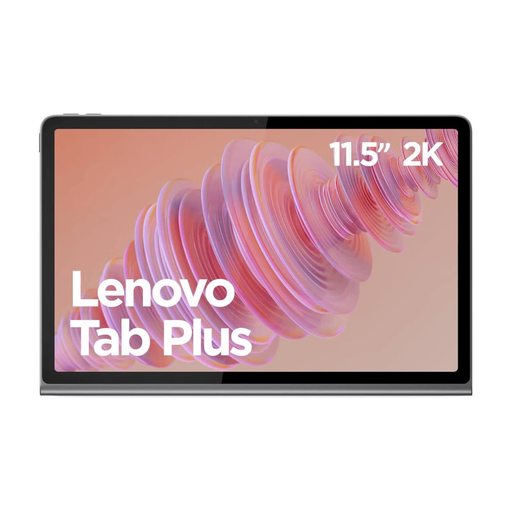
Why This Fits Their Persona: A practical Wi-Fi tablet for streaming, browsing, reading and family use without paying for mobile data connectivity. Its integrated kickstand is useful on a kitchen table or bedside cabinet.
The listing states clearly that the charging adaptor is not included. Buyers can budget for a compatible 18W–45W PD charger rather than discover this after delivery.
11.5-inch 2K IPS display, 8GB RAM, 128GB storage, microSD expansion up to 1TB and eight JBL speakers.
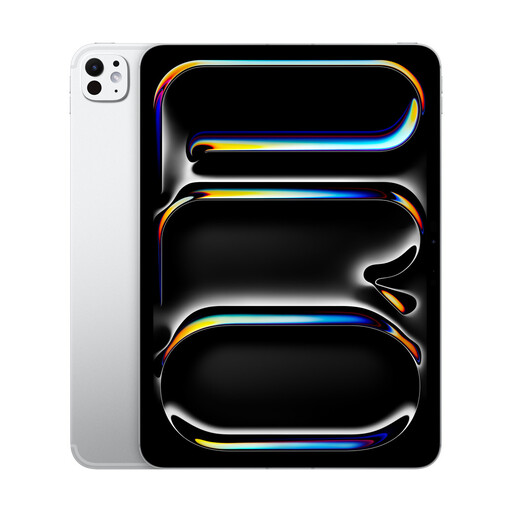
Why This Fits Their Persona: Suitable for users already invested in Apple services or seeking a compact tablet for creative applications, intensive multitasking, gaming and professional workflows.
The 256GB capacity is specified, helping buyers assess whether fixed storage is sufficient before purchase. Apple Pencil and keyboard accessories are optional, so their cost can be included in the budget.
M5 chip, 11-inch OLED display, 256GB storage and support for Apple Pencil and keyboard accessories.
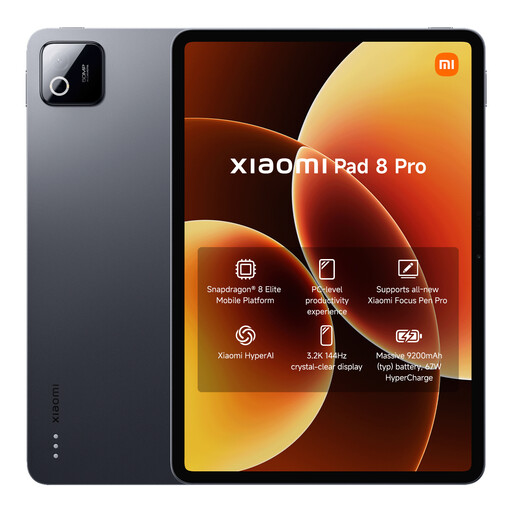
Why This Fits Their Persona: A strong match for work, creative applications, large local files and demanding multitasking where fast storage and a high-performance processor are priorities.
The 512GB configuration provides clearly stated internal capacity, avoiding reliance on virtual RAM or removable storage for large projects.
Snapdragon 8 Elite processor, 12GB RAM, 512GB UFS 4.0 storage, 11.2-inch 3.2K display and USB-C video output.
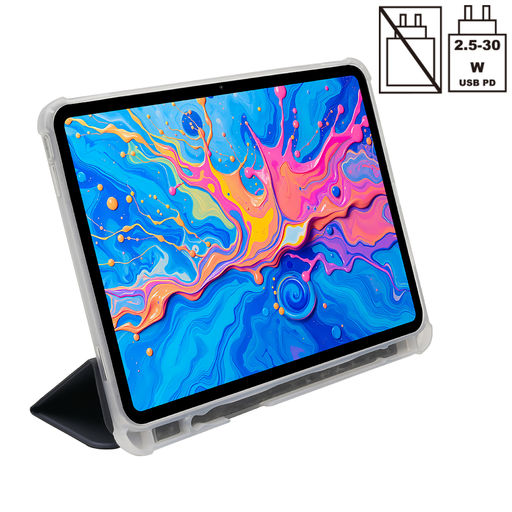
Why This Fits Their Persona: Useful for students, commuters and digital artists who need a larger screen, SIM connectivity and compatibility with a pressure-sensitive pen.
The listing identifies the physical 8GB RAM separately from 12GB virtual memory and states that the charger is not included, making the specification and extra-cost checks clearer.
12.7-inch 2K display, 256GB storage, dual-SIM 4G LTE, 10,000mAh battery and support for 4,096 pressure levels with a compatible T-Pen.
We have compiled a complete, real-time list of products that fully satisfy these strict selection criteria and UK safety regulations.
Usually, Wi-Fi tablets avoid mobile data costs, provided you have access to home, work or public Wi-Fi. Cellular models require a SIM and data plan, but they can be more convenient for commuting, travel or outdoor work. Check contract terms and network compatibility before buying.
A tablet’s useful lifespan depends on software support, battery condition, storage space and how demanding your apps become. Keeping the operating system updated, using a suitable charger and avoiding extreme heat can help maintain everyday usability. Before ordering, check the manufacturer’s warranty and update policy.
A 10- to 12-inch model is generally practical for lecture notes, reading PDFs, video calls and online learning. A smaller model is easier to carry, while a 12-inch-plus display can be more comfortable for split-screen work. Students should also check keyboard and pen compatibility, storage capacity and whether mobile connectivity is genuinely necessary.