
24/7 Customer Support

Free returns

Same-day & Next-day Delivery

Quality Guaranteed

Unlock Your Welcome Offers: FREE Delivery | Up to 80% OFF | Free 30-day JoyPlus trial
Download the APP
Buying a tablet can look straightforward until you compare processor labels, storage tiers, stylus compatibility and mobile connectivity. Many UK shoppers end up paying for features they do not use, or choosing a device that feels unsuitable after a few months.
As the Joybuy Product Recommendation Officer, I focus on practical differences rather than promotional wording. This guide covers the main buying traps, the specifications worth checking and a selection of tablets matched to different user profiles.
Some Android tablet listings display a large memory figure that combines physical RAM with virtual memory borrowed from storage. For example, a tablet advertised with 20GB RAM may contain 8GB physical RAM plus 12GB virtual memory. Virtual memory can support multitasking, but it is not identical to having 20GB of physical RAM.
When comparing an Android tablet with an Apple iPad, check the specification breakdown rather than relying on the largest number in the headline.
A tablet may support a stylus without including one in the box. Apple Pencil Pro compatibility, for example, does not necessarily mean the accessory is supplied. Also check whether the tablet supports pressure sensitivity and whether the correct pen is included.
For digital artists, a tablet with stylus support should be assessed by more than compatibility. Pressure levels, palm rejection, screen size and compatible drawing applications all affect the experience.
A tablet with 2TB storage can be useful for large video files, design projects and offline media libraries, but it may be unnecessary for web browsing, documents and streaming. Similarly, a 5G tablet or 4G LTE model is useful for commuting and mobile work, but a Wi-Fi tablet may be more economical if you mainly use it at home or in an office.
Remember that cellular models may require a suitable SIM or data plan. Confirm network compatibility, contract costs and whether the device is Wi-Fi only before ordering.
An 8.3-inch display, such as the one on the Apple iPad Mini 7, is convenient for reading, travel and handheld gaming. A 10.9- or 11-inch screen gives more room for split-screen work, handwriting and video editing. Larger displays, such as the 12.7-inch panel on the Teclast ArtPad Pro, can be more comfortable for drawing and viewing documents but take up more space in a bag.
For creative work, look for resolution, colour support and stylus features rather than screen size alone. A 2K display can provide useful detail, while P3 wide colour and True Tone are relevant to users who edit images or watch colour-rich content.
The processor affects app loading, multitasking, gaming and creative software. Apple models in this selection use the A17 Pro, M3 or M5 chip, while the Teclast models use the Helio G99 octa-core processor and Android 15.
An Apple iPad may suit users already invested in iPadOS applications and Apple accessories. An Android tablet may offer broader hardware choice, expandable workflows through OTG and a different selection of apps. Check the applications you rely on before choosing an operating system.
Choose storage according to the files you expect to keep locally:
A tablet with keyboard support can make email and document work more comfortable, but confirm whether the keyboard is included or sold separately. The Teclast ArtPad Pro listing selected below includes a stylus, case and Bluetooth keyboard, while Apple Pencil and keyboard accessories for iPad models may be additional purchases.

Why This Fits Their Persona: A practical option for students and first-time tablet buyers who want a large screen, Android flexibility and several accessories without assembling a separate setup.
The listing identifies 8GB physical RAM plus 12GB virtual memory, rather than presenting the combined figure without explanation. It also states that the stylus, case and Bluetooth keyboard are included.
12.7-inch 2K display, 256GB storage, Android 15 and a 10,000mAh battery. The included keyboard supports document-focused use.

Why This Fits Their Persona: Suits professionals, students and home users wanting a portable Apple device for multitasking, creative apps, video calls and entertainment.
Its 256GB capacity is clearly stated, and accessory support is separated from the device specification. Apple Pencil Pro and Magic Keyboard compatibility does not indicate that either accessory is included.
M3 chip, 11-inch Liquid Retina display, 8GB RAM, Wi-Fi 6E and support for external displays up to 6K.
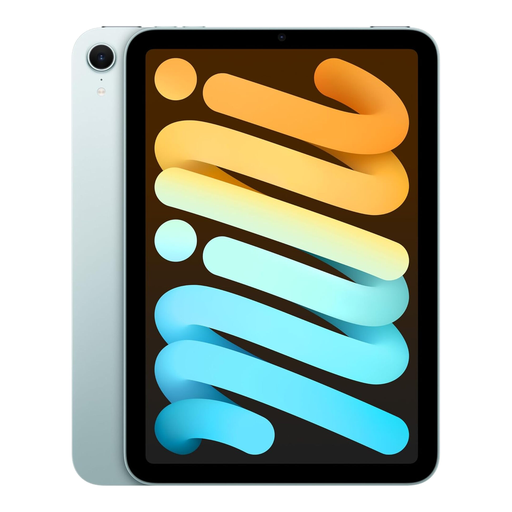
Why This Fits Their Persona: Its 8.3-inch format is suited to commuters, travellers and anyone who values one-handed portability for reading, notes, navigation and gaming.
The compact display is clearly specified, helping buyers avoid expecting a laptop-sized workspace. Apple Pencil Pro support is listed separately from the tablet itself.
A17 Pro chip, 293g weight, 8.3-inch Liquid Retina display, 128GB storage and Wi-Fi 6E. Selected versions offer 5G connectivity.
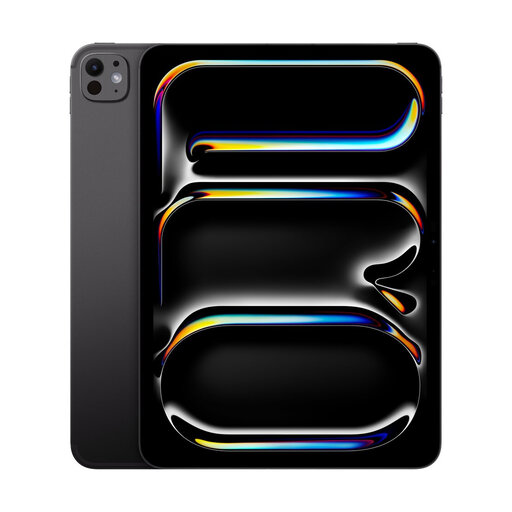
Why This Fits Their Persona: Designed for users handling large creative files, intensive multitasking, professional applications, gaming or high-resolution video projects.
The listing identifies the exact 2TB storage tier and Wi-Fi configuration, reducing confusion between cellular and Wi-Fi models. Keyboard and Apple Pencil accessories are specified as sold separately.
M5 chip, 11-inch OLED display, P3 wide colour, True Tone and 2TB storage for substantial local project files.
We have compiled a complete, real-time list of products that fully satisfy these strict selection criteria and UK safety regulations.
For email, browsing, note-taking and documents, a tablet with keyboard support can provide a compact alternative. However, check the operating system, application compatibility, file management and accessory cost before treating it as a full laptop replacement.
Battery life varies with screen brightness, gaming, video playback, mobile data and background applications. The Apple iPad Mini 7 specification lists up to 10 hours for web browsing or video playback. Larger batteries, such as the Teclast ArtPad Pro’s 10,000mAh unit, do not guarantee a fixed runtime because processor efficiency and usage also matter.
For most students and casual creators, 256GB storage provides room for applications, references and a reasonable number of projects. Users working with large video files, extensive image libraries or multiple offline projects may prefer 512GB or a tablet with 2TB storage. Also check whether cloud storage or external USB-C storage fits your workflow.