What matters when choosing
Decide whether the tablet will mostly stay in a clean indoor workspace or accompany maintenance work, then check its record-keeping setup and how it will share limited charging space.
| Concern |
Buying checks |
Who this matters to |
| Charging with limited sockets |
Check the exact box contents and charger compatibility. If using an extension lead, follow its marked rating and never daisy-chain leads. |
When sockets are already occupied, I need the tablet ready for an occasional job without creating an unsafe charging arrangement. Around 46% of consumers put charging practicality first. |
| Records and reading space |
Check screen size, internal storage and support for the PDF, photo and record-keeping apps you intend to use; check microSD support if removable storage matters. |
I want to read a manual and find earlier repair photos without making the log awkward to maintain. For around 36% of consumers, that record-keeping workspace is the primary concern. |
| Use in messy areas |
Match the exact model’s ingress-rating conditions and warranty terms to likely dust, splash or drop exposure. |
If I regularly log work where the tablet could get wet, dusty or knocked, protection matters more to me than a spacious screen. Durability comes first for around 18% of consumers. |
Joybuy tablets for maintenance records
These tablets offer different screen sizes and storage configurations for keeping home-maintenance records. Check the charging arrangement for the exact model you choose; this selection should not be taken as a list of rugged tablets.
 Image unavailable
DOOGEE U11 PRO 30GB RAM / 256GB, Black
Consider this full-size tablet if you want to keep repair photos and documents on the device.
The product name lists an 11-inch screen, 256GB storage and an 8580mAh battery. Check the box contents and compatible charging equipment before buying.
View on Joybuy
 Image unavailable
Xiaomi Pad 8 8G RAM / 128GB Wi-Fi, Grey
This Wi-Fi model is an option for a home-based log if you want to read manuals and organise records on a tablet.
Its product name identifies 128GB storage. Check whether your intended apps and the supplied charging equipment fit your setup.
View on Joybuy
 Image unavailable
TECLAST ArtPad Pro 2025 12.7-inch 256GB 4G LTE with Stylus
Consider the larger screen and included stylus if reading manuals and writing maintenance notes matter more to you than carrying a compact tablet.
The product name lists a 12.7-inch 2K display, 256GB storage, a 10,000mAh battery and 18W input. Check its charging connector, adapter compatibility and exact box contents.
View on Joybuy
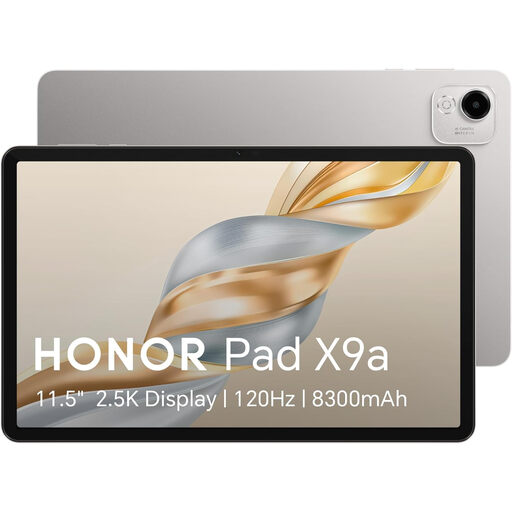 Image unavailable
HONOR Pad X9a 11.45-inch Wi-Fi 128GB, Grey
This Wi-Fi tablet is an option for reading manuals and reviewing maintenance photos indoors.
The product name lists an 11.45-inch screen and 128GB storage. Keep it away from humid or dusty work areas and liquid spills, and confirm its charging connector and box contents.
View on Joybuy
 Image unavailable
Apple 11-inch iPad Air (2026, M4) Wi-Fi 128GB, Starlight
This 11-inch Wi-Fi model suits a home-maintenance log if the apps you use for photos, documents and checklists work on iPadOS.
The product name specifies 128GB storage. Check power-adapter compatibility and box contents; the product information lists Apple Pencil and keyboard accessories separately.
View on Joybuy
Frequently asked questions
Do I need cellular connectivity to track maintenance at home?
A Wi-Fi tablet is generally enough if you can access your records at home or update them after a job. Consider a cellular model if you need to retrieve manuals, send photos or contact contractors where Wi-Fi is unavailable, and check the mobile-data arrangement separately.
Can I use a charger I already own?
Use an existing charger only if it is compatible with the exact tablet and in good condition. Electrical Safety First advises choosing a compatible charger from the manufacturer or a reputable retailer and checking plugs, sockets and cables for damage or scorch marks.
Will an extension lead solve a shortage of sockets?
An extension lead must be used within its marked rating, and one lead must not be plugged into another. Electrical Safety First warns against overloaded and daisy-chained extension devices; if you regularly need more fixed sockets, consult a registered electrician.
When is a rugged tablet worth considering?
Consider one when the tablet will regularly accompany work involving dust, splashes, gloves or likely drops, rather than mainly handling paperwork indoors. For example, Samsung specifies IP68 and MIL-STD-810H compliance for the Galaxy Tab Active5, but its IP68 claim has defined test conditions and water or dust damage is excluded from its warranty.
How should I dispose of a tablet at the end of its life?
Use an appropriate electrical-equipment collection or recycling route rather than treating the tablet as ordinary household waste. UK government guidance describes the Waste Electrical and Electronic Equipment framework as supporting recovery, reuse and recycling; check the collection options available where you live.


