Handwritten-card makers
If you turn notes or diagrams into cards by hand, check the pen supplied with the exact bundle and whether your intended apps support the writing features you need.


Choose the Samsung Galaxy Tab S10 FE route if handwriting is central and you want an S Pen listed in the box; consider the larger Lenovo Idea Tab Plus pen bundle if space for PDFs and slides matters more than carrying a smaller tablet. The 11-inch iPad (A16) suits students who prefer iPadOS, but a compatible Apple Pencil is a separate setup decision. For study away from a socket, compare battery claims under their stated conditions and check the exact bundle and charging equipment.
If you turn notes or diagrams into cards by hand, check the pen supplied with the exact bundle and whether your intended apps support the writing features you need.
If you prepare cards while travelling or studying on campus, plan around the manufacturer’s battery-test conditions, suitable charging equipment and access to your materials offline.
If you carry books as well as a tablet, weigh the space you need for source material against the tablet’s size and the accessories you will take with it.
For revision cards made away from mains power, establish your writing workflow and charging plan before deciding how much screen space to carry.
| Concern | What to check | Who this matters to |
|---|---|---|
| Handwriting setup | Check pen inclusion for the exact bundle and compatibility with your card-making app. | If I make cards from handwritten notes or diagrams, I need the pen workflow settled before choosing a tablet; around 34% of consumers put that need first. |
| Time between charges | Compare stated battery-test activities and confirm suitable charging equipment. | When a socket will be out of reach during study, I need to plan how long I can work and when I can recharge. Roughly 33% of consumers prioritise unplugged study time. |
| Workspace and carrying | Compare display size and model-specific weight, including the accessories you will carry. | I need enough room to read source material while making cards, without making my bag cumbersome; around 20% of consumers make that balance their primary concern. |
| Complete setup | Check the selected variant for a pen, charger and other accessories you require. | If I want to start writing cards straight away, I need to know which accessories come with my chosen tablet. For roughly 13% of consumers, that is the first consideration. |
Samsung lists an S Pen with the Galaxy Tab S10 FE but says a travel adapter is not included. Apple lists compatible Pencil options for the iPad (A16); compatibility alone does not establish that a Pencil comes with the tablet.
Check the contents of the exact tablet or bundle, along with the pen and charging equipment your workflow requires.
You may need to obtain a compatible pen or travel adapter separately.
Lenovo states a 10,200mAh capacity for its Idea Tab Plus bundle, while Apple rates particular Wi-Fi browsing and video tasks in hours. Those figures cannot establish how long either device will run your revision-card app.
Read the conditions behind a manufacturer’s rating, then check your own app, brightness and syncing routine during any applicable return period.
Equipment support depends on an individual needs assessment. GOV.UK advises applicants not to buy equipment before assessment because an earlier purchase will not be reimbursed.
If Disabled Students’ Allowance applies to you, follow your assessment and entitlement instructions before buying a tablet or accessories.
London Fire Brigade warns about risks from damaged batteries and unsuitable charging practices.
Use an appropriate charger from a trusted supplier, keep the device uncovered while charging and stop using it if the battery becomes swollen or damaged.
The Galaxy Tab S10 FE is a compact Android route for students who want a 10.9-inch display and an S Pen listed with the tablet.
The Idea Tab Plus 12.1-inch pen bundle is a larger-screen Android option for preparing cards alongside PDFs or slides.
The 11-inch iPad (A16) is an iPadOS route for students choosing their own compatible writing accessory.
These tablets offer different starting points for preparing or viewing revision material: models with a pen named in the listing, a compact tablet for checking a separate writing setup, an E-Ink notebook and a tablet for viewing study files. Check your intended card-making app and exact accessories before choosing.
 No image available
Consider this listing if a named pen is important to your card-making setup. Confirm its bundle contents and how the Focus Pen works with your intended app.
8GB RAM and 128GB storage are stated in the product name.
 No image available
The larger screen may suit work from slides or PDFs; check whether T-Pen writing works as needed in your revision app.
The product name states a 12.7-inch 2K display, 256GB storage and a 10,000mAh battery. Its stated pressure sensitivity concerns drawing, not every note-taking app.
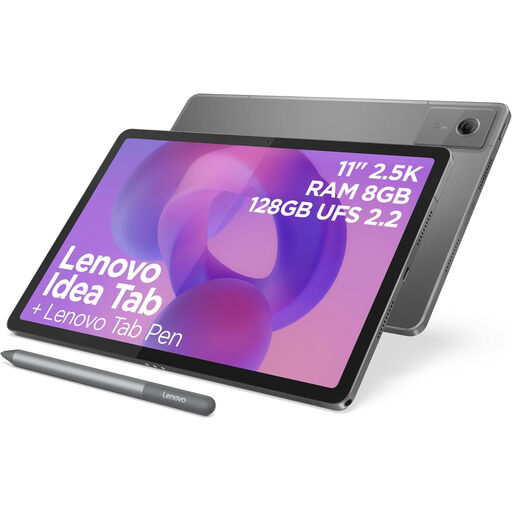 No image available
Consider the 11-inch format if you want room for source material without choosing a 12.7-inch model. For handwritten cards, confirm the compatible pen and whether it comes with the selected offer.
The product name states a 2.5K display and 128GB storage.
 No image available
Consider this writing-focused format if you prepare notes before turning them into cards. Check that your card-making app, offline workflow and study-area lighting suit an E-Ink device.
The product name specifies a 10.65-inch E-Ink screen.
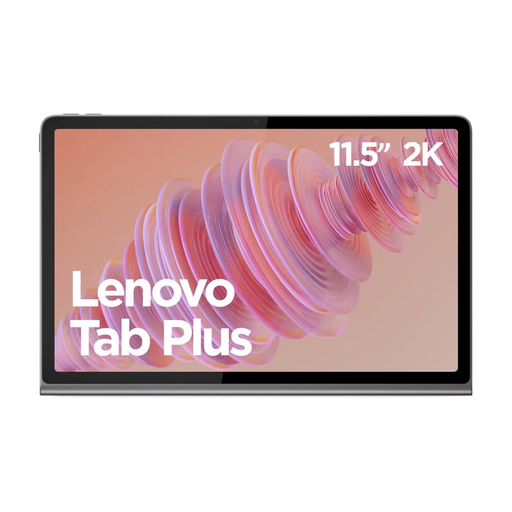 No image available
This is a tablet to consider for viewing study material; if you intend to handwrite revision cards, check stylus compatibility and your card-making app before choosing it.
The product name states 128GB storage. Confirm suitable charging equipment for your study routine.
Use a manufacturer’s rating only for the activities it describes. Apple rates the 11-inch iPad (A16) for up to 10 hours of Wi-Fi web browsing or video watching, while Lenovo states a 10,200mAh capacity for its named Idea Tab Plus bundle; neither figure gives a measured runtime for your particular card-making app.
That depends on the exact model and bundle. Samsung lists an S Pen with the Galaxy Tab S10 FE, and Lenovo names a pen in its Idea Tab Plus bundle; Apple specifies compatible Pencils for the iPad (A16), so check the contents of any iPad offer rather than treating Pencil support as inclusion.
A Wi-Fi model may meet your needs if you can download your cards and source files beforehand. If your workflow requires live access away from Wi-Fi, check both the cellular variant and the app’s syncing requirements; Apple rates cellular iPad web browsing on mobile data for up to 9 hours, under a different condition from its Wi-Fi rating.
In England, equipment support depends on eligibility and an individual needs assessment, so a tablet is not automatically covered. GOV.UK advises you not to buy equipment before assessment because an earlier purchase will not be reimbursed.
Use suitable charging equipment from a trusted supplier and keep the device uncovered while charging. London Fire Brigade advises stopping use if a battery becomes swollen or damaged.