First-time online-service user
You want to read and use everyday services on a screen with controls you can manage; age alone does not determine which controls will suit you.


Start with where the person will use the device and what they want to do: a tablet suits home-based reading and video calls when a larger viewing area matters more than portability, while a smartphone suits contact on the move. Try the actual service pages, controls and calling app before buying; a simplified interface or charging dock helps only if its apps, setup and exact-device compatibility fit.
You want to read and use everyday services on a screen with controls you can manage; age alone does not determine which controls will suit you.
You mainly want convenient access to the calling or messaging tools your contacts use, whether you are at home or out.
You are helping someone choose apps, adjust controls and arrange trusted ongoing help while keeping the device suited to its user.
Consider one when: reading service pages or making video calls at home matters more than carrying the device in a pocket.
Trade-off: a larger device takes more space to hold or prop up, and a Wi-Fi-only model needs Wi-Fi for online tasks.
Consider one when: staying in contact while out is the priority and the user prefers that phone’s menus or physical controls.
Trade-off: a phone is portable but offers less room for lengthy forms; check the required apps and the provider’s current service and coverage.
Decide which need would determine the choice first, then check the actual device and apps against it. The percentages below describe consumers by their primary purchasing concern.
| Concern | What to check when buying | Who this matters to |
|---|---|---|
| Reading and controlling services | Try a real service page after adjusting text and display settings; check that its controls remain manageable. | If I need to read service pages and use their controls comfortably, I would test those tasks rather than judge the home screen alone. Around 28% of consumers put service readability first. |
| Setup and ongoing help | Agree who will set up the user’s account, provide trusted help and handle updates; try the interface together. | If choosing apps and keeping settings up to date will be difficult to manage alone, I would plan who can provide continuing support. Around 22% of consumers prioritise setup and ongoing help. |
| Calls and messages | Make a trial call with the intended app and contacts; check sound, microphone, camera position and connection. | If staying in touch with particular people is my main reason for buying, I would test the calling or messaging service we actually use. Around 22% of consumers put contact first. |
| Use away from home | Check whether the exact model is Wi-Fi-only or mobile-capable, and confirm the provider’s current service where it will be used. | If I need online access or calls while away from Wi-Fi, I would check the device variant and the service available in the places I go. Around 17% of consumers prioritise access away from home. |
| Charging and accessory fit | Identify the specific handling difficulty, then check accessory compatibility with the exact device and what the box includes. | If connecting a charging cable or holding a device during calls is difficult, I would check whether a compatible stand, dock or headset addresses that need. Around 11% of consumers prioritise charging or accessories. |
A label does not establish whether the controls, apps or screen will suit the intended user. Age UK’s device guidance focuses on what someone wants to do and where they will use the device; digital familiarity varies between people.
Try the actual tasks and settings, then compare a standard tablet or phone with a simplified model.
Apple says apps can be added to Assistive Access in their original form and that installing software updates requires leaving that mode.
Test the required service and calling apps in the proposed setup, and agree who will maintain it.
A supporter may need to configure apps and permissions and help with updates.
Accessory compatibility can be specific to particular phone models. Doro lists its Aurora wireless charger for the A10, A20 and A30, rather than for phones generally.
Match the exact phone model to the charger’s stated compatibility before ordering.
An incompatible accessory may need to be returned or replaced.
Ofcom’s August 2026 guidance says UK 3G networks have switched off and 2G networks are being withdrawn. Age UK also notes that video calls can use mobile data.
Check the provider’s current calling service and coverage, and review the data plan for calls made away from Wi-Fi.
Apple’s iPad range includes larger-screen tablets, and Assistive Access is an optional setup for users whose needs fit its focused interface.
Samsung Galaxy Tab tablets include larger-screen options for online services and video calls.
Doro offers Aurora smartphones with a simplified Android interface and a Doro-specific wireless charging stand.
Emporia has touchscreen smartphones as well as keypad-phone options for people comparing touch and tactile controls.
These Joybuy options cover Wi-Fi tablets and a smartphone for everyday online access; check the intended apps, connection needs and controls on the exact model.
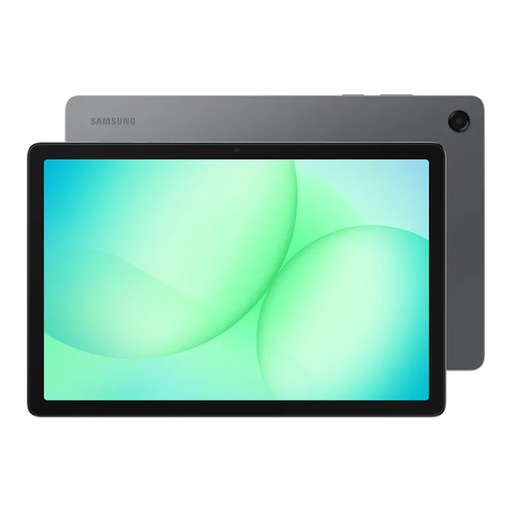 No image available
A Wi-Fi tablet to consider for online services when a larger tablet format suits the user’s reading and handling needs.
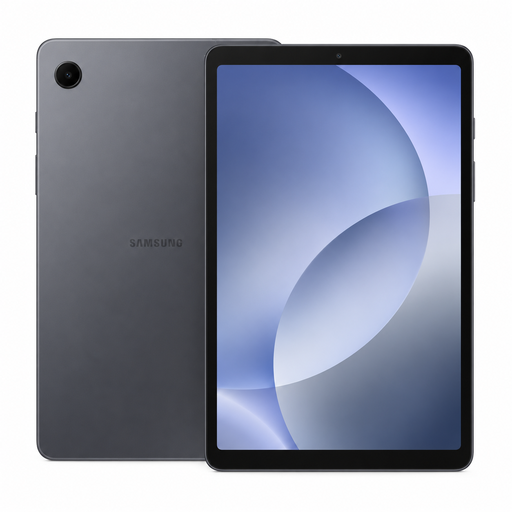 No image available
A Wi-Fi tablet option for everyday online tasks if the user prefers a tablet and the model’s controls suit them.
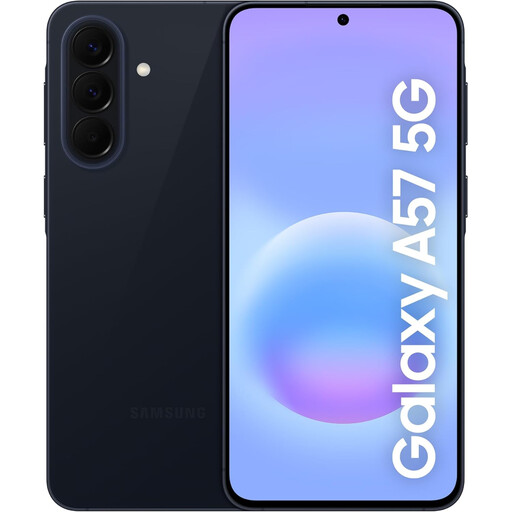 No image available
A smartphone option for mobile access and contact; check that its apps, controls and network service suit the intended user and locations.
 No image available
A Wi-Fi tablet to consider for online tasks if the user finds its screen, controls and setup comfortable.
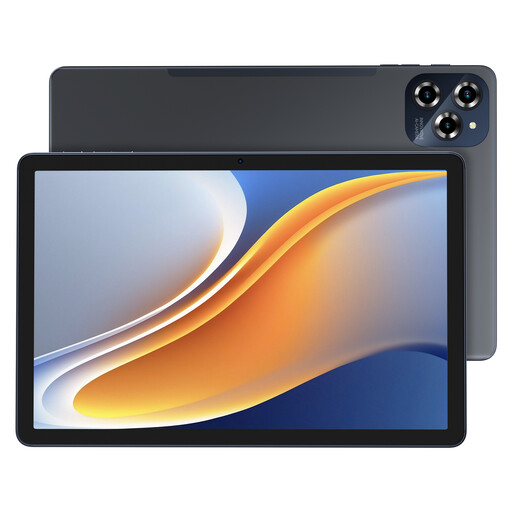 No image available
A tablet option for online access away from Wi-Fi if mobile connectivity is needed; check the provider’s service and coverage for the intended location.
No; try the display settings on a standard phone or tablet first. Age UK explains how to change font and display settings, and you can test the required apps and service pages after adjusting them. A simplified interface is another option if it supports the apps the user needs.
A trusted supporter can help with setup if the intended user wants that assistance. Apple says a supporter may help choose apps for Assistive Access. For Doro’s described remote-support procedure, the user must approve access and should share the session ID only with someone they trust.
No; a headset or stand does not change how much data a video call uses. Age UK warns that video calling over mobile data can incur extra charges if an allowance is exceeded, so check the plan or use suitable Wi-Fi.
GOV.UK says online purchasers generally have 14 days after receiving an item to tell the seller they are cancelling, followed by another 14 days to return it. Handling beyond what would be permitted in a shop can affect the refund; check the applicable terms and keep the device and packaging in returnable condition while assessing it.
No; Ofcom’s August 2026 guidance says UK 3G networks have switched off and 2G withdrawal is progressing. Check the proposed device and provider for the calls and coverage needed. This does not make mobile connectivity a blanket requirement for a Wi-Fi-only tablet.