Students who handwrite notes
If you read course material, annotate PDFs and write by hand, check the exact tablet-and-pen pairing before focusing on keyboard features. Apple, Samsung and Lenovo specify accessory support by model.


Check the apps and services your course, workplace or household needs before choosing an operating system. An Android tablet or iPad is worth considering for touch-first reading, notes and media; consider a Windows tablet when desktop Windows applications are essential, but check the exact software and peripheral requirements, particularly on Windows-on-Arm devices. Add a compatible pen for regular handwriting or a model-specific keyboard for frequent long-form typing.
If you read course material, annotate PDFs and write by hand, check the exact tablet-and-pen pairing before focusing on keyboard features. Apple, Samsung and Lenovo specify accessory support by model.
For reading, streaming, browsing and video calls, compare the screen, carried weight, front camera and the apps you use. Check battery figures against their stated test conditions rather than treating them as mixed-use runtime.
If you draft documents or manage files while travelling, confirm software and file compatibility first. Then assess whether a keyboard, stand and trackpad make the complete setup practical to carry.
Choose the operating system around your required apps, then decide whether handwriting or sustained typing warrants an accessory. Apple, Samsung, Lenovo and Microsoft document different accessory requirements for their respective models.
Consider it when: Your required apps run on Android and you mainly want a touch-first device for reading, calls, media or notes.
Trade-off: Pen inclusion and keyboard support vary by model; Samsung and Lenovo identify accessories for specific devices.
Consider it when: Your required apps run on iPadOS and the exact iPad supports the note-taking or typing setup you want.
Trade-off: Apple Pencil and keyboard compatibility differ across iPad models, and accessories may be separate purchases.
Consider it when: Your routine requires a desktop Windows application or workflow that you cannot confirm on Android or iPadOS.
Trade-off: A detachable keyboard adds hardware to carry. Microsoft advises checking essential apps, drivers and peripherals on Windows-on-Arm devices.
| Concern | What to check | Who this matters to |
|---|---|---|
| Handwritten notes and PDFs | Match the exact tablet to an active pen and check whether that pen comes in the box. | If I annotate course PDFs regularly, I need a pen that works with my tablet and note-taking apps. Around 31% of consumers put handwriting first. |
| Apps and workflow | Confirm required apps, sign-in methods, file formats and peripherals on the exact operating system; check device architecture where relevant. | When coursework depends on a particular app or file format, I cannot choose by tablet brand alone. App and workflow fit comes first for around 25% of consumers. |
| Portable reading and calls | Compare screen size, carried weight and front-camera arrangement; read the conditions behind battery ratings. | I want to read comfortably and take video calls without carrying more device than I need. Around 25% of consumers make portable everyday use their primary concern. |
| Long-form typing | Check keyboard fit, layout and viewing angle, then consider the weight of the complete setup. | If I regularly draft essays or reports, typing on a screen may not suit my routine. A keyboard-led setup is the first concern for around 19% of consumers. |
An accessory can be compatible without being part of the tablet bundle, and support can differ within the same brand.
Check the box contents and match the full tablet model number to the pen or keyboard generation before checkout.
A compatible pen or keyboard case may be a separate purchase.
A familiar operating system does not settle whether a required app, file workflow or peripheral will work on the particular device. Microsoft advises checking essential applications and drivers on Windows-on-Arm PCs.
List your non-negotiable apps, browser services, files and peripherals, then check their requirements against the exact tablet.
A rating tied to a particular activity should not be treated as a promise for a day combining video calls, reading and other tasks.
Read the stated test conditions and look for independent testing of the exact model if time away from a charger is decisive.
A larger tablet and cover may change how convenient the setup is to carry or hold for reading.
Compare tablet-only and tablet-plus-keyboard weights against your usual carrying and desk use.
The iPad range is relevant if your required apps run on iPadOS and you want to pair a tablet with a compatible Apple Pencil or keyboard.
Galaxy Tab models offer an Android route for readers considering handwriting alongside everyday tablet use.
Lenovo offers Android tablets across study and everyday-entertainment use cases, with specifications that vary by model.
Surface is a Windows tablet route for consumers whose document work depends on Windows applications and a detachable-keyboard setup.
These Android tablets and iPad cover reading, media and light study tasks, with several pen-oriented configurations. Choose between them by the apps you need, the screen and carrying size, and the exact accessories required for your notes or typing.
 No image available
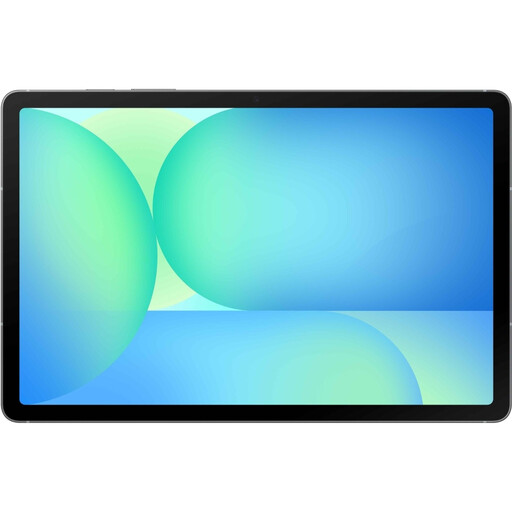
Consider this Android tablet if handwritten notes and carrying comfort are priorities. The Joybuy listing describes a 10.9-inch, 90Hz display, a 497g tablet weight and an included S Pen; check the box contents and your required apps before purchase.
 No image available
This Android option is worth checking if you want a pen alongside reading and everyday apps. Its product name specifies 8GB RAM, 128GB storage and a Focus Pen included; confirm the bundle contents, required apps and carried weight.
 No image available
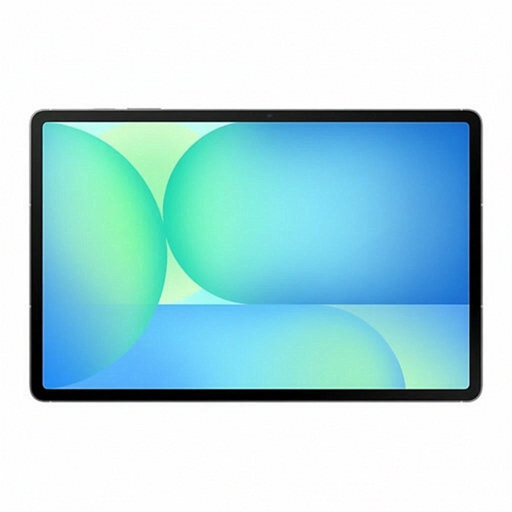
The 13.1-inch screen gives you a larger format to consider for reading and handwritten work, but assess whether the complete setup suits frequent carrying. This Wi-Fi variant has 128GB storage; confirm pen contents and exact-model keyboard compatibility if either accessory matters.
 No image available
Consider this larger Android tablet if you plan to view documents and use the supplied stylus for notes. Its product name specifies a 12.7-inch 2K display, 256GB storage and Android 15; check the exact pen supplied, app compatibility and carrying weight.
 No image available
This iPad is an option if your learning and everyday apps run on iPadOS. The listed variant is 11 inches with Wi-Fi and 128GB storage; check the exact compatible Apple Pencil and keyboard before planning a handwriting or typing setup.
A keyboard case is worth considering if you regularly draft essays, reports or long emails; a touch keyboard may be enough for short replies. Check the exact tablet model and generation, along with the keyboard layout and weight of the combined setup.
No: active-pen support depends on the exact tablet and pen. Apple lists different Pencil support by iPad model, while Lenovo publishes a compatibility list for Tab Pen Plus; also check whether the pen you need is included.
Check the exact application and device before relying on a Windows tablet for coursework. Microsoft says most apps run on Windows 11 Arm-based PCs and native Arm apps perform best, but essential drivers and peripherals still need individual checks.
Keep your order confirmation and contact the seller about the fault. Citizens Advice says consumers may be entitled to a refund, repair or replacement; consult its guidance for the relevant UK nation for the conditions applying to your case.