Organisers working from lists and documents
You want a portable place for inventories, tenancy emails, PDFs and shared calendars. A compatible keyboard becomes more relevant if the tablet will also handle long messages or coursework administration.


Choose for the work you will actually do: an Android tablet for shared lists and documents, a package with a pen if marking up room plans is central, or an iPad if your existing Apple-device workflow matters. Check the cost and compatibility of any keyboard, pen or power adaptor you need; support for an accessory does not mean it comes in the box.
You want a portable place for inventories, tenancy emails, PDFs and shared calendars. A compatible keyboard becomes more relevant if the tablet will also handle long messages or coursework administration.
You want to mark measurements, furniture positions or notes on photos and documents. Check whether the exact tablet package includes a compatible pen or requires one separately.
You mainly need the tablet to get through the move. Compare the complete setup you would use, including any pen, keyboard or power adaptor, rather than judging the tablet alone.
Start with the task that would be hardest to do on your phone, then check the input accessories and box contents needed to make the tablet useful for that task.
| Concern | What to check | Who this matters to |
|---|---|---|
| Documents and typing | Compare screen sizes for reading inventories and PDFs. If you will write long emails, check the exact keyboard compatibility and whether it is included. | I need to keep tenancy documents and shared lists readable while sending detailed messages about the move; roughly 42% of consumers would put document handling first. |
| Pen-based annotation | Check whether a compatible pen is in the box. If you will retain many room photos, compare the exact storage configuration and any stated expansion option. | Marking measurements and furniture positions directly on a room photo would help me plan what fits; around 33% of consumers might make annotation their primary need. |
| Total setup cost | Compare the tablet together with any pen, keyboard, case and power adaptor you need. Check the seller's bundle and return terms. | I only need a workable device for a practical move, so extras I would have to obtain separately matter; about 25% of consumers would prioritise the total setup cost. |
A tablet that suits reading lists may still need a separately purchased pen for annotation or a keyboard for extended typing.
Decide which input method you will use, then check accessory compatibility with the exact model and compare complete setups.
The researched Samsung Galaxy Tab S10 FE package includes a cable but no travel adaptor, according to Samsung UK. Box contents can also differ between models and bundles.
Read the exact package contents and check the required connector and power adaptor before ordering.
Samsung UK lists an S Pen in the Galaxy Tab S10 FE package, while Apple lists a compatible Apple Pencil separately for the iPad (A16). Either arrangement may work, but it changes what you need to order.
Check the accessory's model name against the tablet and look for explicit wording about what is in the box.
GOV.UK's Great Britain product-marking guidance applies to England, Scotland and Wales; its electrical-safety guidance notes that some provisions apply differently in Northern Ireland under the Windsor Framework.
Choose a traceable seller and confirm the exact product version, plug and information applicable where you live rather than relying on the listing title alone.
The 11-inch iPad (A16) is a route for move planning if you value continuity with other Apple devices and want the option of pen or keyboard input.
The Galaxy Tab S10 FE Wi-Fi is an Android option to consider when marking up plans or documents with a pen is a regular part of the move.
The Tab Plus is an 11.5-inch Android option for viewing documents, maintaining shared lists and general use beyond the move.
These tablets offer options for reading move paperwork and keeping lists, with some packages also naming a pen or keyboard for annotation and longer messages. Match the exact bundle to the task you plan to do.
 No image available
Consider this package if you want pen input for marking room photos or plans as well as a tablet for move documents.
The product name specifies 8GB RAM, 128GB storage and an included Focus Pen. Confirm the exact charger contents before ordering.
 No image available
Consider this Wi-Fi tablet if your move planning centres on lists, messages and keeping documents together.
The product name specifies 8GB RAM and 256GB storage. If you need a pen or keyboard, check compatibility and what the seller includes; also check whether you need a separate power adaptor.
 No image available
Consider this bundle if both typing inventories and annotating plans matter to your move.
The product name specifies a 10.1-inch display, 256GB storage, keyboard, mouse and stylus. Check the installed Android version with the seller if a particular app requires one.
 No image available
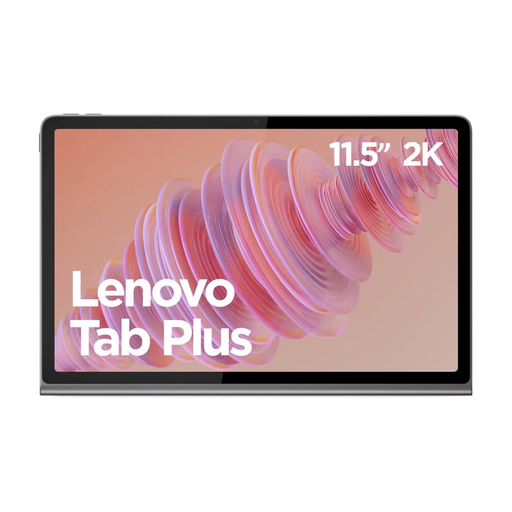
Consider the Tab Plus if your main tasks are viewing tenancy paperwork and keeping shared move lists rather than handwriting on plans.
The product name specifies 128GB storage. Check pen requirements separately if you want to annotate, and arrange a compatible 18 W to 45 W power adaptor: this listing states that one is not included.
 No image available
Consider this iPad Air if you want to organise move documents within an Apple-device workflow and may later need pen or keyboard input.
The product name specifies an 11-inch display, Wi-Fi and 128GB storage. Apple Pencil and Magic Keyboard accessories are separate purchases; confirm which exact models fit this iPad Air before choosing one.
Not if you mainly use checklists, read documents and send short messages. If you expect to write lengthy landlord emails or maintain a detailed inventory, check whether a keyboard fits the exact tablet and whether you must buy it separately.
The researched Samsung UK Galaxy Tab S10 FE package includes an S Pen; Apple lists a compatible Apple Pencil as a separate purchase for the iPad (A16). Check the precise model and seller bundle, particularly if you are comparing these with a different iPad or Samsung tablet.
Check the exact package rather than assuming a supplied cable means a wall adaptor is included. Apple UK specifies a USB-C charge cable for the iPad (A16), Samsung UK says the researched Galaxy Tab S10 FE package has no travel adaptor, and Lenovo lists a charger as an add-on for its researched Tab Plus configuration.
For a UK distance sale, GOV.UK describes a standard cancellation right lasting up to 14 days after delivery, subject to applicable exceptions. Check the seller's cancellation instructions and keep your order confirmation; change-of-mind cancellation is distinct from remedies for goods that are faulty, damaged or misdescribed.
No. GOV.UK's Great Britain product-marking guidance covers England, Scotland and Wales, while its electrical-safety guidance notes differences for Northern Ireland under the Windsor Framework. For a marketplace order, confirm the product version, plug and applicable information for your location with the seller.