
24/7 Customer Support

Free returns

Same-day & Next-day Delivery

Quality Guaranteed

Unlock Your Welcome Offers: FREE Delivery | Up to 80% OFF | Free 30-day JoyPlus trial
Download the APP
A tablet stylus pen can make handwriting, drawing and document annotation feel far more natural. However, choosing one is not simply a matter of finding the lowest price or the largest list of advertised features. Compatibility, charging and pressure response can determine whether a pen becomes a useful daily tool or an unused accessory.
This guide from the Joybuy Product Recommendation Officer focuses on practical buying checks for UK students, artists, designers, professionals and casual tablet users.
A universal stylus pen may work with many capacitive touchscreens, but that does not necessarily mean it supports every active feature on every device. Some tablets require a particular Bluetooth connection, operating system version or manufacturer protocol.
Before ordering, check:
A basic touchscreen pen may be suitable for tapping and navigation but less suitable for detailed drawing or handwritten notes.
A stylus pen with low latency should respond quickly, but the overall writing experience also depends on the tablet’s screen, app compatibility and connection stability. A pen can feel responsive in one note-taking application and less consistent in another.
Look for clearly stated functions such as tilt sensitivity, pressure sensitivity, Bluetooth support and a defined compatibility list. Be cautious when a listing only uses phrases such as “no delay” without explaining the supported devices or setup process.
Rechargeable pens need occasional charging, and some models use proprietary tips or require a separate cable. Magnetic storage may be convenient, but it does not always mean the stylus charges magnetically. For example, some Apple Pencil models pair and charge through a compatible iPad connection, while others use USB-C.
Check what is included in the box and whether replacement tips are available. A modestly priced touchscreen pen may be more practical for occasional use, while a pressure-sensitive stylus can justify a higher cost for regular drawing.
An active stylus for iPad is not automatically compatible with every iPad generation. Apple Pencil models have specific iPad requirements, and operating system support can also matter. The Apple Pencil (2nd generation), for example, lists compatibility with selected iPad Pro, iPad Air and iPad mini models.
Android tablet stylus compatibility varies considerably. A pen designed for capacitive screens may work with Samsung, Huawei and other Android devices for navigation and writing, but advanced features should be confirmed before purchase.
Pressure sensitivity controls how line weight or brush intensity changes as you press. It is valuable for digital artists, illustrators and users who want more natural handwriting. The TECLAST ArtPad Pro specification lists 4,096 levels of pressure sensitivity for T-Pen drawing.
Tilt recognition can help with shading and varied strokes. It is more relevant to sketching and illustration than to basic browsing or document signing. If your main use is note-taking, prioritise accurate input, comfortable balance and reliable palm handling over a high pressure-level figure alone.
A stylus with a built-in rechargeable battery may need pairing through an app or Bluetooth. The VoxorAI HL-U05, for instance, instructs users to scan the QR code supplied with the product and follow the app pairing process.
For an iPad pencil, check whether it:
These details affect convenience during lectures, meetings and long drawing sessions.
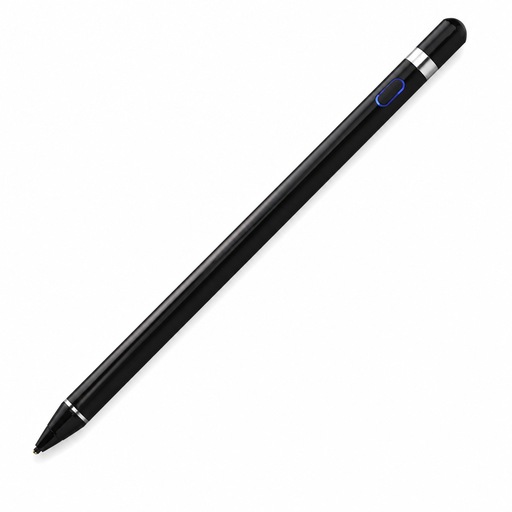
Why This Fits Their Persona: A practical choice for students and tablet owners who need one touchscreen pen for writing, navigation and occasional sketches across compatible iOS and Android capacitive screens.
The listing identifies capacitive-screen requirements and provides pairing instructions, helping buyers check suitability before ordering rather than relying only on the word “universal”.
Built-in 140mAh lithium battery; listed support for iOS, Android and Microsoft devices with capacitive screens.

Why This Fits Their Persona: Suitable for iPad users who want a dedicated iPad pencil for drawing, PDF mark-up, colouring and structured note-taking.
Its listed iPad compatibility is specific, so buyers can compare their tablet generation instead of assuming that all iPads use the same Apple Pencil.
Magnetic pairing, charging and storage; touch surface with double-tap tool switching.

Why This Fits Their Persona: Designed for students, illustrators and mobile professionals who need a larger screen, keyboard input and a digital drawing pen in one Android tablet bundle.
The specification states 4,096 pressure levels and identifies the included stylus, keyboard and case, making the bundle contents easier to assess.
12.7-inch 2K display; 10,000mAh battery; includes a stylus, case and Bluetooth keyboard.
We have compiled a complete, real-time list of products that fully satisfy these strict selection criteria and UK safety regulations.
For lectures and office work, a tablet pen for note-taking should have a comfortable grip, a replaceable or durable tip and enough battery capacity for your routine. If you annotate documents regularly, confirm that your preferred PDF or productivity app recognises the pen correctly.
Digital artists should prioritise pressure response, tilt support and the drawing app’s compatibility. A tablet bundle with a keyboard and pen may offer better value when you also need a portable workstation, but compare the display resolution and included accessories rather than focusing only on RAM figures.
Keep rechargeable styluses away from water, excessive heat and children. Follow the supplied charging instructions, avoid unauthorised battery repairs and replace damaged accessories rather than continuing to use them.
It may work for basic tapping, writing or navigation if the iPad has a compatible capacitive screen. However, advanced functions such as pressure sensitivity, palm rejection, tilt recognition and magnetic charging may require a model specifically designed for that iPad. Always check the exact compatibility list.
Lifespan depends on battery condition, charging habits, tip wear and physical handling. A rechargeable pen may require a tip replacement over time, particularly with frequent drawing. Store it safely, avoid extreme temperatures and follow the manufacturer’s care instructions to help maintain normal operation.