Who might use a tablet?
The reason to carry a tablet depends on whether you mainly want viewing space, occasional typing or a screen you can use in bright places.
Video viewers and readers
If films, ebooks, webpages and occasional video calls are the main tasks, compare screen quality, battery endurance and carrying weight before paying attention to demanding-app performance. A phone may still be simpler when you want just one device to carry.
Occasional mobile typists
Longer emails, documents and simple admin may justify a compatible keyboard or trackpad. If typing is only an occasional short reply, check whether the touchscreen already meets your needs; a keyboard also adds something to carry.
Bright-location travellers
For use in gardens, cafés or other bright settings, look beyond screen size. Which? assesses tablet screens in bright daylight, so its model-specific display findings can help you judge visibility alongside a manufacturer’s brightness specification.
What should you check before choosing?
Start with where you will use the screen, then compare battery testing, everyday responsiveness and the apps or accessories your tasks require.
| Priority |
What to check |
Your needs |
| Screen size and clarity |
Compare the exact model’s size, sharpness, viewing angles and carrying weight. An approximately 10–11.5-inch screen is a portable starting point; a 13-inch-class model takes more room to carry. |
I want films, pages and calls to be easier to see than on my phone, without taking a laptop-sized device everywhere. |
| Daylight visibility |
Look for model-specific daylight tests as well as stated brightness. Which? reports that some lower-cost tablet screens it tested struggle with glare; a brightness claim alone is not the same as a comparative outdoor test. |
I plan to read or watch in bright places, so a screen that works only comfortably indoors would not suit every trip. |
| Battery endurance |
Compare results measured under similar browsing and video conditions. Which? tests tablets by continuously browsing and playing video until the battery runs down; manufacturer playback claims may use different conditions. |
On a journey, I need the tablet to last through my own mix of video, reading and browsing, not just match a headline playback figure. |
| Everyday performance |
Check responsiveness testing for the exact model, particularly app switching and video calls. Which? uses performance benchmarks to assess how tablets handle more demanding apps and games. |
Streaming, browsing and email are my usual tasks; I would give demanding games or frequent multitasking more weight only if I actually use them. |
| Apps and operating system |
Confirm that the apps you rely on are available for the chosen operating system and model. Check storage configuration and software-support information for that device rather than assuming all tablets in a range are alike. |
I need my reading, streaming and communication apps to work on the tablet I buy, whether it runs iPadOS, Android or Fire OS. |
| Typing and accessories |
Match any keyboard to the exact tablet generation and check its layout, stand and trackpad if those matter. Apple specifies Magic Keyboard Folio compatibility for iPad (A16); that does not establish compatibility with every iPad. |
If I regularly write longer emails or documents away from a desk, a keyboard could be useful. For short replies, I may not want another accessory to carry. |
| Refurbished condition |
Check the exact generation, storage, battery-condition information, included items and seller’s stated condition and support terms. |
I would consider a refurbished tablet if its documented condition and remaining usefulness fit the same viewing and app needs as a new one. |
Which tablet ranges are relevant?
These brand examples show different features to investigate; a feature listed for one model should not be assumed across the whole range.
Apple
The iPad range is relevant if you prefer iPadOS and want to compare tablet and keyboard combinations.
- Apple lists iPad (A16) with 128GB starting storage and support for Magic Keyboard Folio.
- Check keyboard compatibility against the exact iPad generation; support for one model does not cover the entire range.
Samsung
Samsung’s Galaxy Tab S10 FE offers a specific Android example for comparing portable viewing and mixed-location use.
- Samsung lists a 10.9-inch screen, up to 2TB microSD support, IP68 water and dust resistance, and up to 800 nits in High Brightness Mode for the Tab S10 FE.
- Those are manufacturer specifications for that model, not guarantees about other Galaxy Tabs or independent daylight test results.
Lenovo
The Tab Plus is an option to examine if viewing and built-in audio at home matter more than having the smallest tablet to carry.
- Lenovo lists an 11.5-inch 2K display, eight JBL speakers and a 175-degree kickstand for the Tab Plus.
- Consider whether its 11.5-inch format fits the space you have when travelling.
Xiaomi
The Redmi Pad 2 provides an Android example for checking storage expansion and stated battery capacity.
- Xiaomi lists a 9000mAh typical battery and support for up to 2TB of expandable storage on the Redmi Pad 2.
- Xiaomi says its video-playback figure comes from internal-lab testing and that actual results may vary; use comparable tests to judge endurance against other models.
Amazon
The Fire HD 10 is relevant for basic viewing, reading and browsing when the required apps are available on Fire OS.
- Amazon’s UK listing for the 2023-release Fire HD 10 states a 10.1-inch 1080p display, 3GB RAM and up to 13 hours of battery life.
- Check the chosen configuration for app availability, lock-screen adverts and power-adaptor inclusion; these details can vary by listing.
Tablet options on Joybuy
These tablets offer different screen sizes and Android or iPadOS options for viewing, reading, browsing and calls. Compare the exact model with your travel and home-use priorities; the larger-screen option is a different carrying choice from the more compact models.
 No image available
DOOGEE U11 PRO 11-inch 256GB Black
The 11-inch format is worth considering for video, browsing and calls on the move. The listing specifies a 1280×800 IPS screen, 90Hz refresh rate, 5MP front camera and 1.19 lb weight.
If fine text detail or travel endurance is decisive, assess the screen for your reading needs and compare battery tests rather than relying on the stated up-to-11-hour video figure alone.
View on Joybuy
 No image available
Apple 11-inch iPad Air (2026, M4) Wi-Fi 128GB Starlight
Its 11-inch Liquid Retina display and M4 chip make this an iPadOS option for casual viewing and tasks that may sometimes involve typing. A keyboard is separate; check the accessory against this exact iPad Air model.
If carrying weight or time away from a charger will decide the purchase, compare measured weight and battery results for this configuration.
View on Joybuy
 No image available
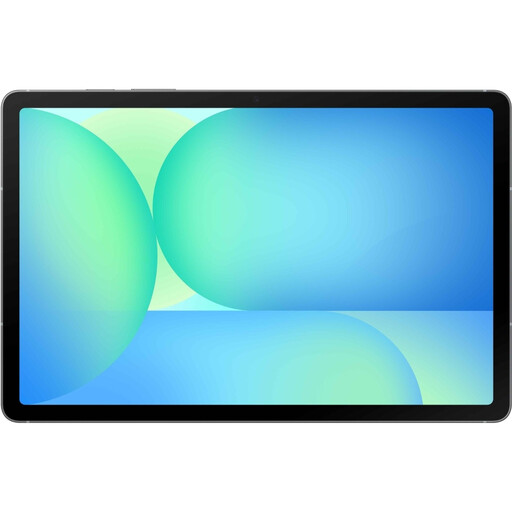
Samsung Galaxy Tab S10 FE 10.9-inch 256GB Wi-Fi Grey
The listing states a 10.9-inch display, 497g weight and 12MP front camera for portable viewing and calls. Samsung specifies IP68 protection and up to 800 nits in High Brightness Mode for the Tab S10 FE.
The brightness figure is a manufacturer claim, not an independent assessment of visibility in daylight. Compare screen and battery test results if outdoor use or long journeys are central to your choice.
View on Joybuy
 No image available
Xiaomi Pad 8 8GB RAM 128GB Wi-Fi Grey
For viewing and browsing, the listing specifies an 11.2-inch 3200×2136 display, four speakers and a 485g weight. It also states an 8MP secondary camera for calls.
Its stated 9200mAh battery capacity does not tell you how long your mix of video and browsing will run; compare runtime and daylight-screen tests if those matter on trips.
View on Joybuy
 No image available
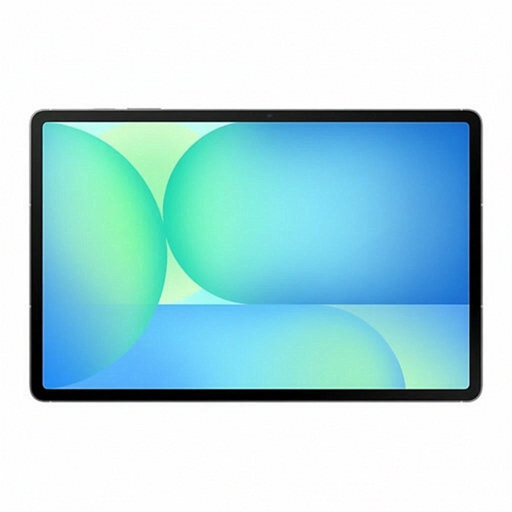
Samsung Galaxy Tab S10 FE+ 13.1-inch Wi-Fi 128GB Silver
The listed 13.1-inch 2880×1800 screen offers more viewing area when home use or work at a table takes priority. At a stated 664g, it is a less compact carrying choice than the smaller tablets here.
The listing also states a 12MP front camera and up to 21 hours of video playback. Treat that playback figure as a product claim until you can compare runtime measured under similar conditions.
View on Joybuy
Frequently asked questions
When does a tablet make more sense than a phone for travel?
Choose a tablet if you will spend enough time watching, reading or browsing to value the extra screen space and are willing to carry another device. A phone remains the simpler choice for brief, one-handed tasks. Compare the tablet’s screen quality and battery results as well as its size.
Should I choose an 11-inch or 13-inch tablet?
An approximately 11-inch tablet is a useful starting point when carrying convenience matters. Consider a 13-inch-class model if larger viewing or split-screen space at a table matters more, then check its dimensions and weight against how you travel.
Do I need a keyboard for casual tablet use?
Not for viewing, reading, browsing or short messages. A keyboard becomes more relevant when you regularly write longer emails or documents; confirm that it fits the exact tablet generation and decide whether its extra carrying bulk is worthwhile.
Will a tablet screen work well outdoors?
That depends on the exact screen and lighting. Which? reports that some lower-cost tablets it tested struggle with glare, so check model-specific daylight assessments where available. A manufacturer’s brightness figure can inform the comparison but is not itself an independent visibility test.
What should I check on a refurbished tablet?
Confirm the exact generation and storage, then examine the stated battery condition, included charger and accessories, software support, condition description and seller terms. Those details matter more to everyday use than the tablet range name alone.


