
24/7 Customer Support

Free returns

Same-day & Next-day Delivery

Quality Guaranteed

Unlock Your Welcome Offers: FREE Delivery | Up to 80% OFF | Free 30-day JoyPlus trial
Download the APP
A tablet with keyboard and stylus can replace several everyday devices, but only if the bundle matches the way you intend to use it. Students may need comfortable note-taking and long battery life, while professionals may prioritise storage, multitasking and a keyboard that is practical for emails. Digital artists, meanwhile, need dependable pen compatibility rather than a generic touchscreen accessory.
Many buyers lose money by focusing on headline specifications while overlooking the details that affect daily use. Here are the main pitfalls to avoid before choosing an Android tablet with keyboard, a tablet with pen or a separate stylus.
Listings may show figures such as 18GB, 20GB or 24GB RAM. Often, part of this figure is virtual memory borrowed from internal storage. It can support multitasking, but it is not equivalent to the same amount of physical RAM. Check the specification in brackets, such as 6GB + 12GB virtual RAM or 8GB + 12GB virtual memory, before comparing models.
A universal active stylus may work with many capacitive screens, but compatibility does not automatically mean that every pressure, palm-rejection or shortcut feature will function. An Apple Pencil, for example, is designed for compatible iPad models and iPadOS versions. Android tablets may require a specific active pen or a stylus supplied with the device.
Before purchasing, confirm:
A large screen is useful for split-screen work and drawing, but size alone does not indicate clarity. Resolution, refresh rate, brightness and viewing comfort all matter. A 12.7-inch tablet with a 2K tablet display can provide more workspace, while a smaller 10.1-inch model may be easier to carry around London, Leeds or Manchester.
For streaming, check whether the tablet supports Widevine L1. This is a digital rights management standard that may allow compatible streaming services to provide higher-resolution playback. Availability can still depend on the service, app and account.
For reading PDFs, annotating documents and drawing, look for a resolution of at least Full HD, with 2K offering a sharper image on larger panels. A 90Hz display can make scrolling feel more fluid, although it may use more power than a lower refresh-rate setting.
If drawing is important, check the stated pressure level rather than relying on phrases such as “precision pen”. The TECLAST ArtPad Pro, for example, lists 4,096 levels of pressure sensitivity for compatible T-Pen drawing. This is a product specification, but the final experience will also depend on the drawing app and pen tip.
A tablet with 256GB storage provides useful room for lecture notes, work files, downloaded media and creative projects. Remember that the operating system and pre-installed apps occupy part of the advertised capacity. A microSD or TF card slot can help, but external storage may not be suitable for every app or file type.
For commuters and students, a tablet with long battery life reduces the need to carry a charger. Capacity is measured in mAh, but real running time also depends on brightness, mobile data, refresh rate and the apps being used. Fast charging can be convenient, but use a compatible charger and follow the supplied safety instructions.
Also consider whether you need Wi-Fi only, dual-band Wi-Fi, 4G LTE, GPS, Bluetooth or USB On-The-Go. A keyboard connection may use Bluetooth or a dedicated connector, so confirm how the tablet and accessories communicate.
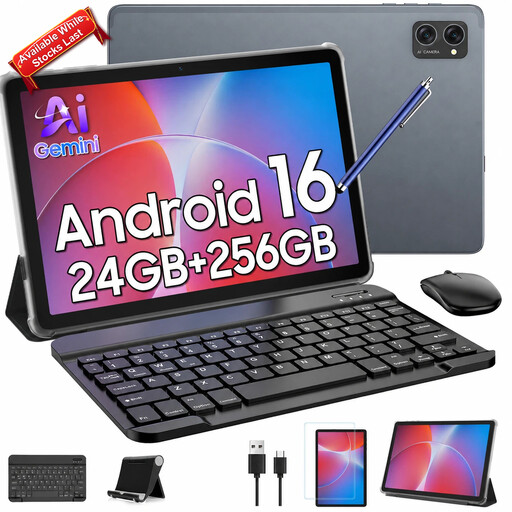
Why This Fits Their Persona: A useful all-in-one option for families, casual home use and students who want keyboard, mouse and stylus accessories in one package.
The listing identifies 8GB physical RAM plus virtual expansion, rather than presenting the full figure without explanation. It also specifies Widevine L1 and included accessories.
256GB storage, TF card expansion up to 2TB, dual-band Wi-Fi and a 10.1-inch IPS display.

Why This Fits Their Persona: Suited to users who want a larger canvas for note-taking, document work and creative applications without moving to a full laptop.
Its specification clearly separates 8GB RAM from 12GB virtual memory and states the included stylus and Bluetooth keyboard.
12.7-inch 2K display, 256GB storage, 10,000mAh battery and 4,096-level pressure sensitivity for compatible T-Pen use.
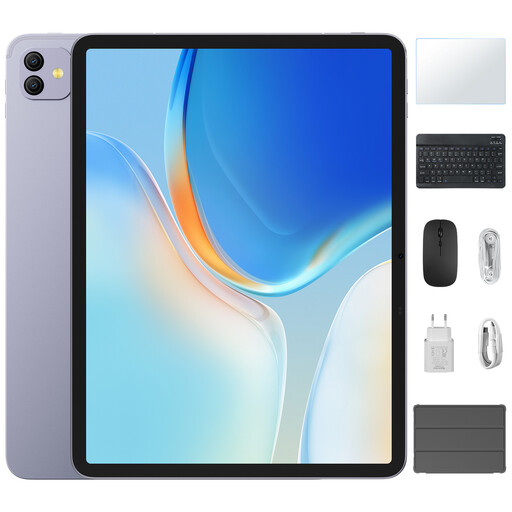
Why This Fits Their Persona: A practical fit for users who need a spacious screen, PC Mode for desktop-style tasks and a substantial battery for longer sessions.
The listing provides separate figures for physical and virtual RAM and specifies the 2K display, 90Hz refresh rate and Widevine L1 support.
12.7-inch screen, 256GB ROM, 8,400mAh battery, GPS, OTG and an included keyboard and stylus.
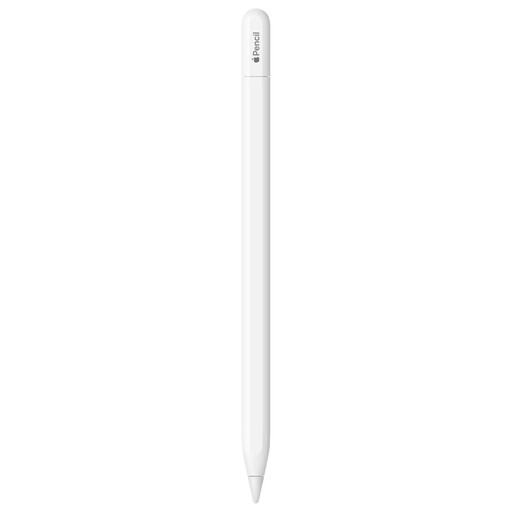
Why This Fits Their Persona: Designed for compatible iPad owners who primarily need a pen for notes, sketching, document marking and journalling.
The stated iPadOS requirements and compatible iPad families make it easier to check fit before ordering, avoiding assumptions about universal compatibility.
USB-C pairing and charging, tilt sensitivity, low-latency operation and magnetic attachment on compatible iPad models.
We have compiled a complete, real-time list of products that fully satisfy these strict selection criteria and UK safety regulations.
It can be suitable for lectures, research, email and document editing, particularly when it has 256GB storage, a comfortable keyboard and sufficient battery capacity. Check that the software you need is available on the tablet’s operating system. Specialist desktop applications may still require a laptop.
A universal active stylus may work with compatible capacitive screens, but features vary. Basic navigation and writing may be available, while pressure sensitivity, palm rejection and shortcut controls may not be. Always compare the pen’s supported devices with the tablet specification.
No. A higher mAh figure indicates greater battery capacity, but screen brightness, refresh rate, mobile data, processor load and app usage affect running time. Treat quoted usage figures as guidance rather than a guarantee, and select a model with charging options that suit your routine.