Close-seat competitive players
If you play fast tactical shooters at a cramped desk, a compact screen and a refresh rate your PC can use may matter more than additional map or desktop space. Check the stand as well as the panel size.


Choose a compact 24.5-inch Full HD monitor if close seating, limited desk space and fast tactical-shooter play take priority. If you have room for a 27-inch screen and want more detail in maps and interfaces, consider QHD IPS; QHD OLED is another option when dark-scene contrast and rated pixel response matter to you, provided you check the exact model’s fit, connections and panel-care guidance.
If you play fast tactical shooters at a cramped desk, a compact screen and a refresh rate your PC can use may matter more than additional map or desktop space. Check the stand as well as the panel size.
If maps, units, inventories and menus are central to your games, a 27-inch QHD screen is worth considering when your desk can accommodate it. It also gives you more pixels for other PC tasks.
If you want QHD detail alongside OLED contrast and high advertised refresh rates, allow space for the larger screen and check the exact model’s connection requirements, panel-care guidance and warranty.
For tactical games on a small desk, establish what physically fits before deciding how much you value fast motion, QHD detail or OLED contrast.
Choose it when: You sit close and mainly play fast tactical shooters on a tightly packed desk.
Accept: Full HD has fewer pixels for maps and desktop work than QHD, even on a high-refresh model.
Choose it when: Reading dense maps and interfaces matters more to you and a larger screen fits your viewing position.
Accept: The panel and stand need more room than a compact model, and the higher resolution gives your graphics hardware more pixels to drive.
Choose it when: QHD detail and contrast in dark scenes are priorities alongside high advertised refresh and pixel-response figures.
Accept: Check the exact screen’s desk fit, image-retention guidance and warranty before using it extensively with static HUDs or desktop content.
| Concern | What to check | Who this matters to |
|---|---|---|
| Desk fit and positioning | Measure usable width and depth, including keyboard space; check with-stand dimensions and adjustment or VESA mounting options. | If the stand crowds my keyboard or puts the screen too close, even a smaller panel will be awkward to place; around 36% of consumers put desk fit first. |
| Motion and refresh rate | Check the refresh rate at your intended resolution and input, then whether your device and games can use that mode. | For fast tactical-shooter play, I want movement to remain clear without choosing a headline refresh figure my setup cannot use; around 29% of consumers prioritise motion handling. |
| Map and interface detail | Compare Full HD with 2560 × 1440 QHD, and confirm the desired QHD mode works through your intended connection. | When maps, inventories and desktop tasks fill my screen, I would rather have more pixels than pursue the highest advertised refresh rate; around 21% of consumers put detail first. |
| OLED contrast and response | Check the exact model’s connection modes, image-retention guidance and warranty terms. | Dark scenes and fast rated pixel response matter to me, but I also use static HUDs or desktop windows; around 14% of consumers make OLED characteristics their primary concern. |
A small desk can be constrained by the stand rather than the panel. ASUS lists a 17.4 cm stand depth and no height adjustment for the TUF Gaming VG259Q5A, despite its compact 24.5-inch screen.
Measure the space left after your keyboard and compare the exact monitor’s with-stand dimensions and adjustments. Check VESA mounting if the supplied stand will not work for your layout.
An arm becomes an additional accessory to consider if you need a smaller footprint or height adjustment.
Dell Technologies specifies 320Hz through DisplayPort but 255Hz through HDMI for the Alienware AW2525HM. LG states that the 27GS85Q-B’s 200Hz overclock requires DisplayPort 1.4 support.
Match the resolution and refresh mode to your PC or console output and the cable you intend to use, rather than relying on the maximum figure alone.
Panel-care behaviour can matter when games have persistent HUDs or the screen also displays desktop content. Dell Technologies documents a Pixel Refresh function intended to reduce temporary image retention on specified Alienware OLED models; that guidance does not establish how another model behaves.
Read the manual, maintenance guidance and warranty for the exact OLED monitor you are considering.
The Health and Safety Executive links poorly designed workstations with discomfort. That does not mean a particular gaming display will suit every seating position.
Consider screen placement, available adjustments and breaks together. If the desk is also used for work, follow the applicable workplace display-screen assessment process.
These product lines illustrate different size, resolution and panel choices; the specifications below apply to the named models, not every monitor from each brand.
A compact Full HD route and a larger QHD QD-OLED route sit within the Alienware range.
The XL2566X+ is aimed at players considering a compact, motion-focused competitive display.
Named UltraGear models illustrate both QHD IPS and QHD OLED options in the 27-inch class.
The VG259Q5A illustrates the compact Full HD Fast IPS choice.
These Joybuy monitors cover a compact Full HD choice and larger QHD IPS and QD-OLED choices. Compare their physical fit and intended connection before settling on a refresh-rate figure.
 No image available
Consider this larger-screen option if QHD detail and QD-OLED are priorities and the stand fits your desk.
The product title specifies 2560 × 1440 WQHD, 240Hz, 0.03ms rated response and Adaptive-Sync. Check the intended connection and the exact model’s OLED care and warranty terms.
 No image available
This QD-OLED option is for a desk that can accommodate a 27-inch-class screen and a setup where its advertised high-refresh mode is relevant.
The product title specifies 2560 × 1440 WQHD, 500Hz, 0.03ms rated response and AMD FreeSync. Confirm the supported mode on your chosen input, along with the model’s panel-care and warranty terms.
 No image available
Consider this IPS model when QHD map and interface detail matters and your desk has room for a 27-inch display.
The product title specifies WQHD, 180Hz, 0.5ms rated response and Adaptive Sync. Measure the full stand footprint and confirm the refresh mode available through your intended connection.
 No image available
This QHD IPS model is an option if you want more pixels for tactical interfaces and can position a 27-inch screen comfortably.
The product title specifies 2560 × 1440 and 220Hz. Check its with-stand footprint, adjustments and refresh rate on the input you plan to use.
 No image available
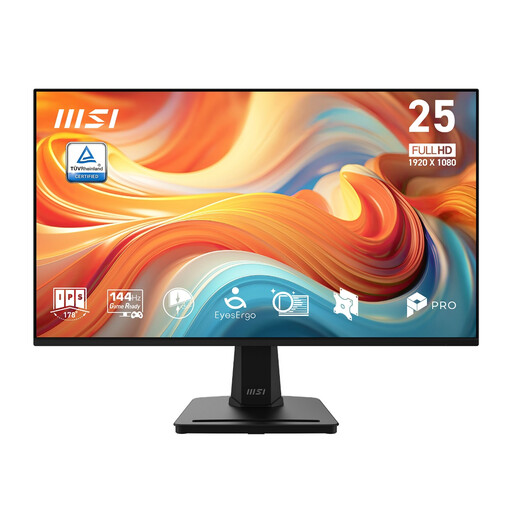
Consider this compact-screen choice if a 24.5-inch display fits your desk better and 144Hz meets your gaming needs; Full HD gives you fewer pixels for maps and interfaces than QHD.
The product title specifies 1920 × 1080, IPS and Adaptive-Sync. Check the supplied stand’s adjustment range and the connection you intend to use.
Choose by usable desk space and viewing position, not screen diagonal alone. A 24.5-inch Full HD model is worth considering for close seating; a 27-inch QHD model offers more pixels for maps and interfaces if its stand fits. Check the exact with-stand dimensions and mounting options before ordering.
Not necessarily: the available mode depends on the monitor, connection and source device. Dell Technologies specifies 320Hz over DisplayPort but 255Hz over HDMI for the AW2525HM; LG says the 27GS85Q-B needs a DisplayPort 1.4-capable graphics card and cable for its 200Hz overclock. Check your chosen model at the resolution you intend to use.
Some OLED monitors have panel-care routines that matter when displaying static HUDs or desktop content. Dell Technologies describes Pixel Refresh for specified Alienware OLED models, but another monitor may have different behaviour. Read the exact model’s maintenance guidance and warranty before buying.