Shortcut-focused tactical players
You want frequently used map, inventory, camera or communication commands within reach of your mouse hand. Button count helps only if you can distinguish and press the controls reliably.


For tactical RPGs, choose a mouse whose programmable buttons you can reach and remember, rather than choosing by its maximum DPI figure alone. A wired model avoids battery management if its cable has a clear path across your desk; wireless is worth considering when you regularly clear the desk or move your laptop, provided you are comfortable managing its battery.
You want frequently used map, inventory, camera or communication commands within reach of your mouse hand. Button count helps only if you can distinguish and press the controls reliably.
You share your desk with study equipment or move your laptop between places. Cable routing, connection options and USB-port use can affect which mouse is practical.
You study and game at the same desk, so button reach and mouse placement matter alongside weight. The Health and Safety Executive advises keeping the mouse in line with your elbow.
Start with the commands you want under your mouse hand, then assess fit and desk placement before deciding whether a cable or battery routine is easier to live with.
| Concern | What to check | Who this matters to |
|---|---|---|
| Reachable shortcuts | Compare button placement with the commands you use repeatedly; check whether your preferred settings can be saved as profiles. | If I open maps and inventories frequently, I want shortcuts I can find without pressing the wrong button. Around 36% of consumers put reachable commands first. |
| Comfort over long sessions | Check dimensions, listed weight and thumb-button reach against your grip. Keep the mouse in line with your elbow, as the Health and Safety Executive advises. | When I study and play at the same desk, I need a mouse I can position and control comfortably for extended use. Comfort comes first for around 29% of consumers. |
| Desk flexibility | For wired models, plan the cable path; for wireless models, check the connection mode, battery routine and any receiver's USB-port needs. | If I clear my desk or move my laptop, I want the mouse connection to suit that routine. Around 21% of consumers prioritise desk flexibility. |
| Useful features, not extras | List the controls you will assign before comparing button counts, lighting or connection options. | If I use only a few repeat commands, I do not want more controls to learn than I need. Avoiding unused features is the main concern for around 14% of consumers. |
A high sensitivity figure does not tell you whether tactical commands are easy to assign or reach.
Write down your repeat actions, then compare button positions and profile options before focusing on maximum DPI.
Shape and listed weight cannot establish how a mouse will fit your hand, grip or desk position. The Health and Safety Executive also advises keeping the mouse in line with your elbow.
Check the dimensions, button reach and applicable return terms, and consider where your mouse will sit during use.
Razer gives different maximum battery-life figures for the Basilisk V3 X HyperSpeed's wireless connection modes; actual use conditions matter.
Check the mode and battery arrangement of the model you plan to use, then decide whether its battery routine suits you.
A wireless model may also require replacement batteries or time to recharge, depending on its design.
A mouse is electrical equipment. GOV.UK describes the UK Waste Electrical and Electronic Equipment framework as supporting recovery, reuse and recycling.
Keep a working mouse for reuse, or check an appropriate retailer or local-authority electrical-waste collection route.
These brands provide relevant mouse designs to compare; the model and connection type matter more than the brand name alone.
Its wired G502 models offer different ways to combine extra controls and mouse weight. Logitech G lists 11 programmable buttons for the G502 HERO and a weight of 89 g for the wired G502 X.
The wired Basilisk V3 and wireless Basilisk V3 X HyperSpeed offer different connection choices. Razer lists 11 programmable buttons for the V3 and nine programmable controls for the V3 X HyperSpeed.
SteelSeries lists the wired Rival 5 with nine programmable buttons and a weight of 85 g.
These wired and wireless gaming mice offer different ways to handle tactical shortcuts at a student-room desk. Compare each model's stated controls and connection with the commands you want to assign and the space you have.
 No image available
Consider it if you want several mouse shortcuts and prefer a wireless desk set-up; check whether its button positions suit your grip.
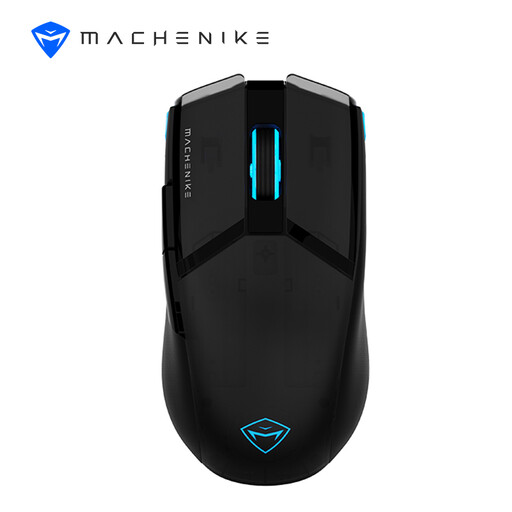
The product title lists 10 programmable buttons and a weight of 53 g. Its stated battery maximum depends on a driver update that enables low-power mode.
 No image available
Consider it if connection flexibility matters at your desk. Before assigning tactical commands, check how many buttons you can program and where they sit.
The product title identifies a dual-mode wireless design and a 26000 DPI specification; check its dimensions and weight for your preferred grip.
 No image available
Consider it if you move between desk arrangements and want to compare wired, 2.4G and Bluetooth connections. Check button placement against the commands you use most.
The title lists a PAW3311 sensor and a charging dock. Its weight is stated inconsistently across the product information, so confirm the mouse's weight if that affects your choice.
 No image available
Consider it if a wireless connection suits your laptop or desk routine. Check the programmable-button layout before relying on it for a particular set of shortcuts.
 No image available
Consider it if your mouse stays at one desk and a limited set of shortcuts covers your tactical commands. Make sure the cable can run clear of your study equipment.
The product information describes a wired USB connection and a six-button layout. Check its dimensions and button reach against your grip.
Start with the commands you use repeatedly while moving the cursor, then look for buttons you can reach reliably. Logitech G and Razer each list 11 programmable buttons on the wired G502 HERO and Basilisk V3 respectively, while SteelSeries lists nine on the Rival 5; a higher count is useful only if the layout works for you.
Choose wired if the mouse stays at one desk and its cable has a clear route; choose wireless if you regularly clear the desk or move your laptop and can manage a battery routine. Check the connection mode you intend to use rather than assuming every wireless model works the same way.
Not by itself: mouse placement and the rest of your workstation still matter. The Health and Safety Executive advises keeping the mouse in line with your elbow and recommends a separate keyboard and mouse for prolonged laptop use so the display can be raised.
Keep a working mouse for reuse, or check a suitable electrical-waste collection route when replacing it. GOV.UK says the UK Waste Electrical and Electronic Equipment framework supports recovery, reuse and recycling; your local authority or retailer can provide details of an applicable collection route.