Tax preparers with limited access to sockets
If you work through returns, invoices or expenses away from a dedicated desk, you need a charging plan as well as a battery figure. Check whether charging occupies a port needed for a drive or display.


Choose a laptop that runs your tax and accounting workflow, then check how you will charge it when a socket is unavailable. Treat advertised battery figures as test results rather than a promise for your workload, and plan separate backups for records kept on the device.
If you work through returns, invoices or expenses away from a dedicated desk, you need a charging plan as well as a battery figure. Check whether charging occupies a port needed for a drive or display.
If your records depend on accounting software, spreadsheets or bridging software, confirm that the whole workflow runs on the laptop you are considering. HMRC’s Making Tax Digital guidance centres on compatible software, not a particular laptop brand.
Bank statements, invoices and personal information need secure access and a recovery plan. The National Cyber Security Centre recommends a backup kept in a separate safe location; the Information Commissioner’s Office describes encryption as a security measure to assess according to risk.
Confirm your required software and devices before comparing battery claims. Then decide which charging, record-protection and workspace needs matter most during sessions away from a socket.
| Concern | What to check | Who this matters to |
|---|---|---|
| Working away from a socket | Check the exact model’s battery-test activity and compatible charging requirements. Check whether charging leaves the ports you need free. | If I cannot count on a free socket, I need a workable charging fallback rather than an advertised maximum alone. Around 33% of consumers put socket independence first. |
| Software compatibility | Confirm your accounting or bridging software’s operating-system, processor and browser support, plus any essential printer or scanner. | When my records depend on a particular application, I need it to run before screen or battery features matter. Roughly 27% of consumers make workflow compatibility their primary concern. |
| Secure, recoverable records | Check appropriate device encryption and sign-in options, and arrange a separate backup that you can restore. | If my invoices and bank records live on the laptop, I need to protect them and recover them if the device fails or disappears. Around 20% of consumers place secure, recoverable records first. |
| Documents and connections | Assess the screen for your forms and spreadsheets, then match the available ports to the devices you use. | If I regularly work across forms, statements and files from other devices, I want a comfortable view without constantly swapping connections. For around 20% of consumers, workspace and connectivity come first. |
Battery claims reflect particular tests. Microsoft says actual battery life varies significantly with usage, settings, network conditions and battery age; figures from different tests are not directly comparable.
Read the test activity for the exact model, then check its charging requirements before choosing a compatible charger or power source.
A laptop’s hardware does not establish that your accounting software, browser, file transfers or peripherals will work on it. HMRC’s Making Tax Digital for Income Tax guidance calls for compatible software where the rules apply.
Confirm support for your exact software version, operating system, processor architecture and essential devices before ordering.
HMRC says tax records must be accurate, complete and readable. A lost or failed device can also interrupt access to them; the National Cyber Security Centre recommends a backup in a separate safe location.
Arrange a separate backup and test that you can restore a document from it.
The Information Commissioner’s Office describes encryption as one measure to consider according to risk, not a replacement for account protection, secure handling and recovery.
Assess encryption for records stored on the device, maintain sign-in protection and updates, and keep a separate backup.
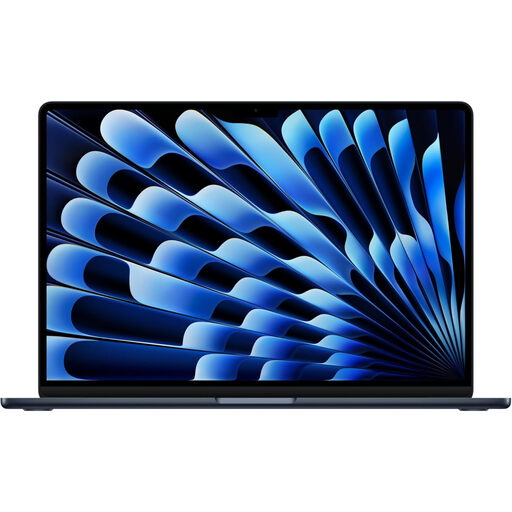
The 13-inch MacBook Air is a macOS option if your tax and bookkeeping workflow is confirmed to run on macOS.
The 13-inch Surface Laptop is a Windows-led option for document work where a 3:2 screen and both USB-C and USB-A connections suit your setup.
The ThinkPad X1 Carbon Gen 13 Aura Edition is a Windows business-laptop option if carrying weight and the supplied charger matter to your work pattern.
These laptops offer different screen sizes, storage configurations and operating-system choices for working through tax records. Check your accounting software and charging needs against the exact model before choosing.
 No image available
Consider this configuration if your accounting workflow runs on macOS and you want to work away from a socket. Its listed configuration has 24GB of memory and a 1TB SSD. Apple documents USB Power Delivery charging for the 13-inch M5 MacBook Air; check your intended charger and your software and peripherals before buying.
 No image available
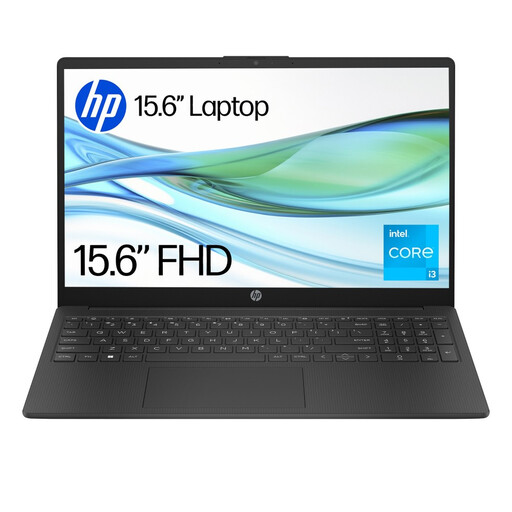
This is a Windows option to assess if your tax-record work fits its software setup. The named configuration has 4GB of memory and 128GB UFS storage. Confirm that your required applications can be installed under Windows 11 Home S, and check runtime and charging for sessions away from a socket.
 No image available
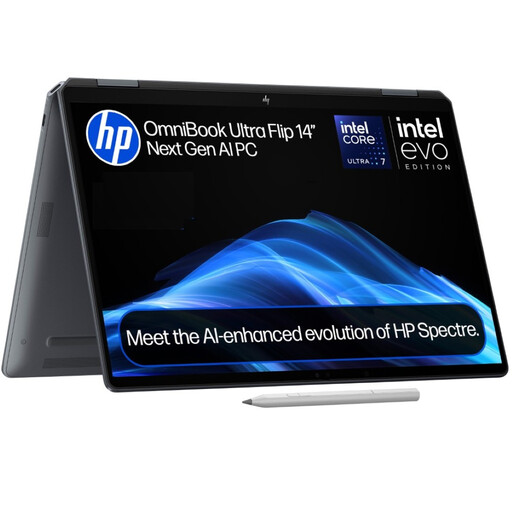
Consider this 2-in-1 if its form factor suits the way you review documents and your software runs on the chosen Windows configuration. It has 16GB of memory and a 1TB SSD. Check its battery information, charging setup and peripheral compatibility for your tax workflow.
 No image available
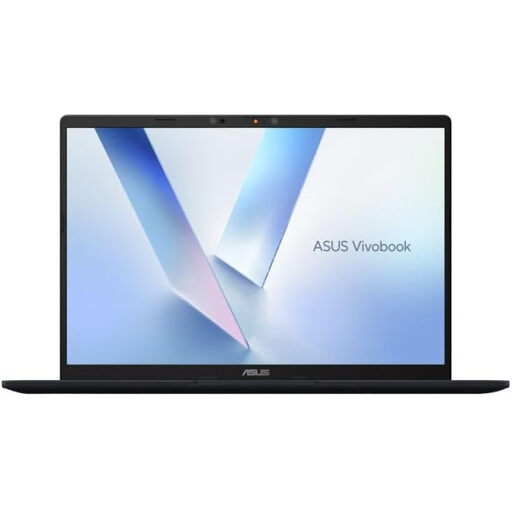
Consider this 14-inch model only after confirming that your accounting applications and peripherals support its Snapdragon X processor platform. The named configuration has 16GB of memory and a 512GB SSD. Check battery runtime and charging against your limited-socket work pattern.
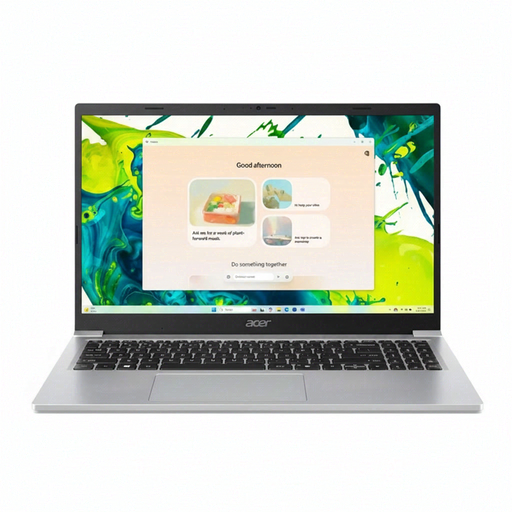 No image available
This 15.6-inch model may suit document work if its screen size fits where you prepare records. Its named configuration has 8GB DDR4 memory and a 128GB SSD. Check that your software runs on the required Windows setup, and confirm the battery-test basis and charging options before relying on it away from a socket.
No particular laptop brand is required by the HMRC guidance cited here. Where Making Tax Digital for Income Tax applies, choose software that works with the service, then check the provider’s current operating-system, browser and processor requirements before buying a laptop.
A separate backup is the safer way to keep records recoverable if the laptop is lost, damaged or fails. HMRC says records must be accurate, complete and readable, and the National Cyber Security Centre recommends storing a backup in a separate safe location.
The Information Commissioner’s Office says UK GDPR does not specifically require encryption of all personal information. It identifies encryption as a measure to consider according to risk, alongside appropriate access controls and a separate backup.
An “up to” figure does not guarantee runtime for your tax workload. Microsoft notes that actual battery life can vary significantly with usage, settings, network conditions and battery age; check the stated test activity and plan a compatible charging fallback.