
24/7 Customer Support

Free returns

Same-day & Next-day Delivery

Quality Guaranteed

Unlock Your Welcome Offers: FREE Delivery | Up to 80% OFF | Free 30-day JoyPlus trial
Download the APP
Navigating the world of Android tablets can be a challenge. You want a device powerful enough for smooth multitasking, streaming and even some gaming, but without the premium price tag that often comes with high-end specifications. This is where tablets powered by the MediaTek Helio G99 processor have carved out a significant space, offering a compelling balance of performance and value.
As a Joybuy Product Recommendation Officer, my role is to help you understand your options. This guide is designed to cut through the marketing jargon and focus on the practical features of several TECLAST Helio G99 tablets, helping you find the right fit for your daily needs, whether for work, study or entertainment.
Before diving into specific models, it helps to understand the key features that will impact your experience. Considering these points will ensure you select a tablet that truly meets your expectations.
The display is your primary window into the digital world. While a standard 10-inch screen is common, a large screen android tablet (12 inches or more) can significantly enhance media consumption and productivity. For an even better visual experience, look for a high 120Hz refresh rate, which makes scrolling, animations and gaming feel noticeably smoother and more responsive compared to standard 60Hz displays. A higher resolution, such as 1920x1200 or 2K, will also provide sharper text and more detailed images.
The Helio G99 is a capable octa-core processor, but overall performance also depends heavily on RAM (Random Access Memory). A 20GB RAM tablet might sound like a lot, and it's important to note this is often achieved through a combination of physical and virtual RAM. For instance, a tablet with 8GB of physical RAM can borrow 12GB from its internal storage. This allows you to keep more applications open simultaneously without the device slowing down, making for a much smoother multitasking experience.
Consider how and where you'll use your tablet. If you need internet access away from Wi-Fi, a 4G LTE tablet with a SIM card slot is essential. Furthermore, many affordable tablets now come as a complete package. An android tablet with keyboard and stylus included in the box provides immediate value, transforming the device from a simple content consumption slate into a versatile tool for typing, drawing and note-taking right away.
Based on their features and intended use cases, here are our recommendations from the TECLAST range. Each model is built around the efficient Helio G99 processor, but offers a unique combination of features to suit different users.
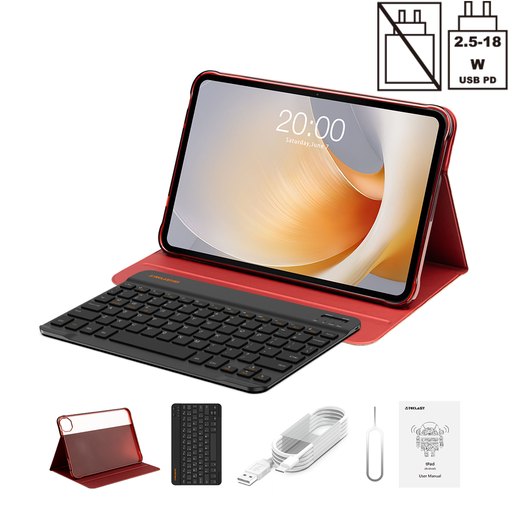
Why It Stands Out: The T65 Plus is all about the display. Its expansive 13.4-inch screen combined with a fluid 120Hz refresh rate creates an immersive experience that is rare at this price point. It’s an excellent choice for those who prioritise visual quality for films and gaming.
Pros:
Who is it for? This tablet is ideal for media enthusiasts and casual gamers who want a large, ultra-smooth display for watching videos, browsing and playing games.
Learn more about the TECLAST T65 Plus
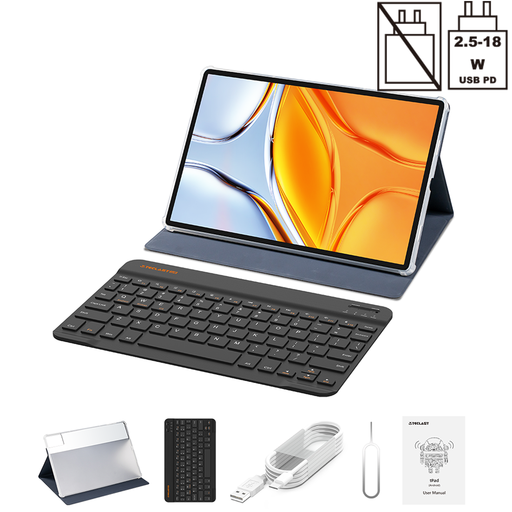
Why It Stands Out: If screen real estate and battery life are your top priorities, the T70 delivers. It boasts a massive 14-inch display and a 10,000mAh battery, making it a workhorse for long productivity sessions or binge-watching an entire series without reaching for the charger.
Pros:
Who is it for? Professionals, students and home users who need the largest possible screen for multitasking, document editing or entertainment and value extended battery life.
View details for the TECLAST T70
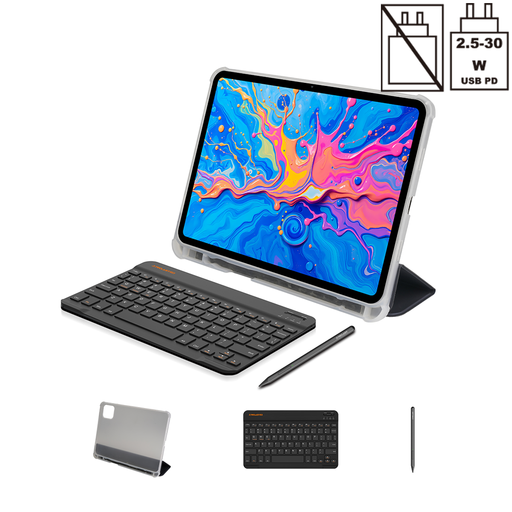
Why It Stands Out: The ArtPad Pro is tailored for creativity. It’s a capable affordable drawing tablet thanks to its sharp 12.7-inch 2K display and an included stylus with 4096 levels of pressure sensitivity. It offers a complete creative package without a hefty investment.
Pros:
Who is it for? Students, aspiring digital artists and professionals who want a versatile tablet for drawing, design and note-taking, alongside general productivity and entertainment.
Explore the TECLAST ArtPad Pro
The tablets recommended above come with a practical set of accessories to get you started. However, if you have specific needs or prefer a different style, you might want to explore other options. For a wider selection of protective and functional add-ons, you can browse our full range of keyboard cases.
Explore more keyboard case options here
The MediaTek Helio G99 is a very capable processor for the affordable-to-mid-range tablet market. Built on an efficient 6nm process, it delivers strong performance for everyday tasks like web browsing, streaming high-definition video and social media. It is also competent enough for multitasking and handling many popular games smoothly, making it an excellent all-round choice.
Virtual RAM is a feature where the tablet temporarily uses a portion of its fast internal storage as extra memory. In a tablet with 8GB of physical RAM and 12GB of virtual RAM, the system can move less active apps to the virtual memory space. This keeps the physical RAM free for the tasks you are actively using, resulting in a smoother experience with fewer app reloads. While not strictly necessary for light use, it is highly beneficial for power users who frequently switch between many demanding applications.
Yes, TECLAST tablets can be a very practical choice for students. The combination of a large screen for reading and research, a capable processor for handling academic software and the inclusion of a keyboard for typing assignments makes them a versatile educational tool. Their affordability also makes them an accessible option for those on a student budget.