
24/7 Customer Support

Free returns

Same-day & Next-day Delivery

Quality Guaranteed

Unlock Your Welcome Offers: FREE Delivery | Up to 80% OFF | Free 30-day JoyPlus trial
Download the APP
Navigating the world of tablets can be a challenge, especially when premium models come with equally premium price tags. For many UK residents—from students managing a budget to families needing an extra screen—finding a device that delivers on features without breaking the bank is the main goal. This is where a TECLAST tablet often enters the conversation, offering a compelling balance of performance and affordability.
As the Joybuy Product Recommendation Officer, my role is to help you sift through the options. This guide is designed to provide clear, practical advice on choosing the right TECLAST tablet for your specific needs, whether it's for work, study, creativity or entertainment.
Before diving into specific models, let's cover a few key considerations. Focusing on these points will help you find a cheap tablet in the UK that truly meets your expectations.
The display is your window to everything you do. A large screen tablet, typically 12 inches or more, is excellent for watching films, multitasking with split-screen apps or detailed creative work. A more standard 10-inch screen offers a great compromise between usability and portability, making it a versatile choice for general use. Pay attention to the resolution—higher numbers like 1920x1200 (Full HD) or 2K will provide sharper, more vibrant images.
A tablet's processor and RAM determine how smoothly it runs. For everyday tasks like browsing, social media and streaming, a reliable quad-core or octa-core processor is more than sufficient. However, if you plan on digital drawing, light gaming or heavy multitasking, look for a more powerful chipset like the MediaTek Helio G99. Many modern tablets also use virtual RAM expansion to boost performance, which is a useful feature for demanding applications.
Consider where you'll use your tablet most. If it's primarily at home, a Wi-Fi-only model is a cost-effective choice. However, if you need internet access while commuting, travelling or working remotely, a 4G LTE tablet is essential. Having a SIM card slot gives you the freedom to stay connected wherever you are, making it an ideal tablet for students or professionals on the move.
Here are our recommendations, selected to cater to different needs and budgets.
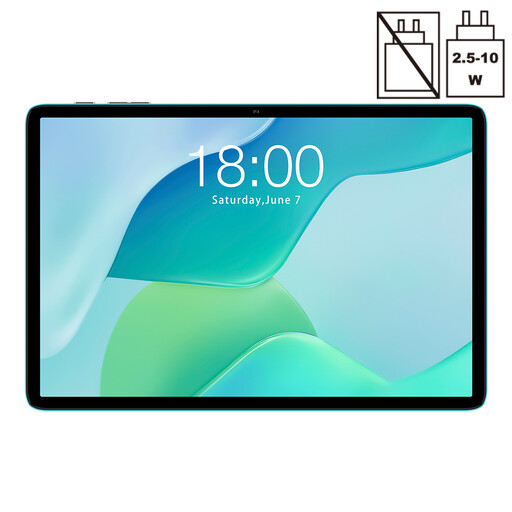
Why It Stands Out: The P33 is an excellent entry point into the world of Android tablets. It focuses on delivering the essentials for everyday use at a highly accessible price. Running on Android 15, it provides a modern software experience, while the 10.1-inch IPS display is well-suited for browsing, reading and watching videos.
Pros:
Who is it for? This tablet is a practical choice for families looking for a secondary device for kids, students who need a simple tool for research and note-taking or anyone seeking a straightforward affordable Android tablet for light entertainment and daily web browsing.
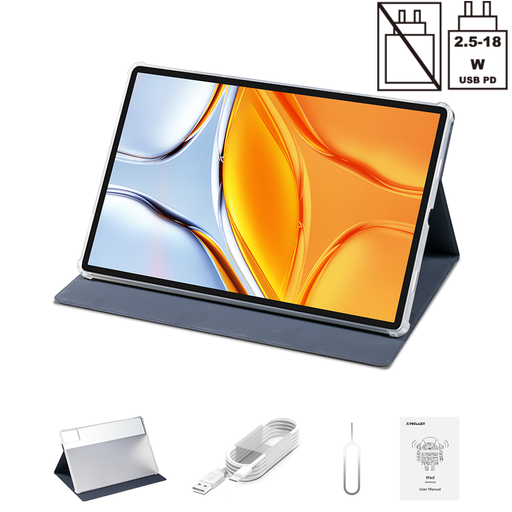
Why It Stands Out: With its expansive 14-inch display, the T70 is built for immersive media consumption and productivity. It’s a true large screen tablet powered by the capable MediaTek Helio G99 octa-core processor. This combination, along with 20GB of combined RAM and 256GB of storage, makes it a strong performer for multitasking and even some light gaming. The inclusion of Widevine L1 support means you can stream content from services like Netflix and Prime Video in high definition.
Pros:
Who is it for? This is for the user who prioritises screen real estate. It’s perfect for film enthusiasts, individuals who use their tablet as a portable entertainment hub or professionals who need a large display for reviewing documents and spreadsheets on the go.
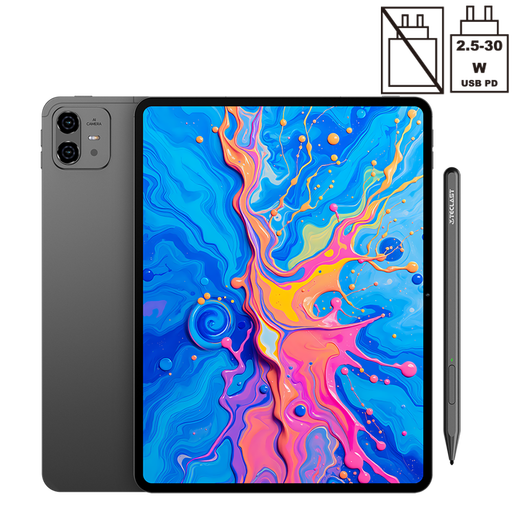
Why It Stands Out: The ArtPad Pro is tailored for creativity. Its key feature is the 12.7-inch 2K display paired with support for a 4096-level pressure-sensitive stylus (included), making it a formidable drawing tablet with stylus. It shares the same powerful Helio G99 processor as the T70, ensuring that creative applications run smoothly without lag.
Pros:
Who is it for? This tablet is aimed squarely at digital artists, designers and students who want a device for handwritten notes and sketches. It offers a feature set often found in more expensive creative tablets, making it an excellent choice for hobbyists and aspiring professionals on a budget.
View TECLAST ArtPad Pro Details
If the models above don't quite fit your requirements or if you'd like to compare them with other value-focused devices, we have a broader selection available. Explore our curated collection to find the right device for your needs and budget.
? Browse All Affordable Recommended Tablets on Joybuy UK
1. Are TECLAST tablets good value for money? TECLAST focuses on providing strong specifications, such as large displays, capable processors and generous RAM, at a price point that is generally more accessible than many mainstream brands. This makes them a popular choice for UK consumers who prioritise value and features over brand recognition.
2. Can I use a TECLAST tablet for drawing? Yes, certain models are designed specifically for creative work. The TECLAST ArtPad Pro, for example, comes with a high-resolution screen and a pressure-sensitive stylus, making it a very capable drawing tablet with stylus for digital art and note-taking.