
24/7 Customer Support

Free returns

Same-day & Next-day Delivery

Quality Guaranteed

Unlock Your Welcome Offers: FREE Delivery | Up to 80% OFF | Free 30-day JoyPlus trial
Download the APP
Navigating the world of tablets can be a challenge, especially when you're looking for features that don't come with a premium price tag. Many of us in the UK—whether students, families or budding creatives—need a device that can handle everything from streaming our favourite shows to sketching out ideas, without stretching the budget. This is where brands like TECLAST come in, offering a range of tablets designed to balance performance with affordability.
This guide is here to help you understand what to look for in a TECLAST tablet. We'll break down the key features and recommend a few standout models to help you find the perfect fit for your daily needs, whether that's for entertainment, study or creative work.
Before diving into specific models, it's helpful to know what features matter most. Focusing on these three areas will ensure you get the best value for your money.
The screen is your window to everything you do, so its size and quality are crucial. A standard 10 inch tablet is a popular choice, offering a great balance between a comfortable viewing area and portability for commuting or carrying in a bag. For those who prioritise media consumption or creative work, a large screen tablet (12 inches or more) provides a more immersive experience. Pay attention to the resolution; a higher resolution like 2K (around 2000 pixels wide) will deliver sharper images and text than a standard HD (1280x800) display.
A tablet's performance is determined by its processor, RAM (memory) and storage. For general browsing, streaming and social media, a quad-core or penta-core processor with 4GB to 8GB of RAM is usually sufficient. If you plan on multitasking, gaming or using a drawing tablet for digital art, look for an octa-core processor (like the Helio G99) and higher RAM (often boosted with virtual expansion). Also, check for the operating system. An Android 15 tablet will provide the latest software features, security patches and a more refined user interface.
Consider where you'll use your tablet. A WiFi-only model is perfect for home, school or office use. However, if you need to stay connected on the go, a 4G LTE tablet with a SIM card slot is essential. Additionally, look at what's included in the box. A tablet with keyboard and a tablet with stylus included from the start adds significant value, transforming your device into a productivity or creative tool without extra cost.
Based on features, value and user needs, here are our recommendations from the current TECLAST lineup.
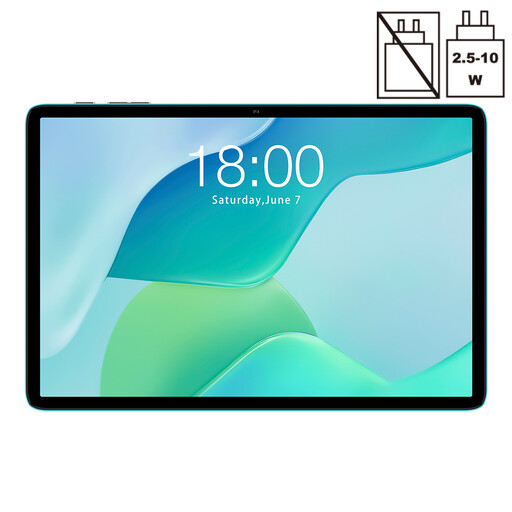
Why It Stands Out: The P33 is an ideal entry-point into the world of Android tablets. It combines essential features and the latest operating system into a highly accessible package, making it a dependable choice for everyday tasks.
Pros:
Who is it for?: This is a great option for families looking for a shared device, students who need a simple tool for research and media or anyone seeking a straightforward and affordable budget Android tablet.

Why It Stands Out: The ArtPad Pro is a complete creative and productivity suite straight out of the box. By bundling a high-resolution display with a stylus and keyboard, it offers exceptional value for aspiring artists and busy professionals.
Pros:
Who is it for?: Aspiring digital artists, designers and students who need a versatile drawing tablet that doubles as a laptop replacement. It's also perfect for users who want a premium, all-in-one package without the high-end price.
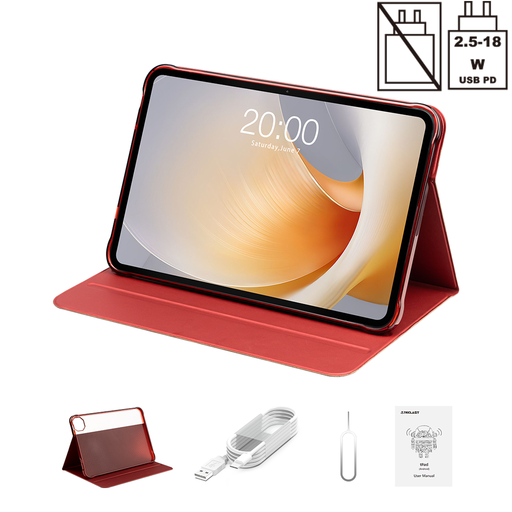
Why It Stands Out: This tablet is an entertainment powerhouse, built around an expansive and fluid display. Its combination of a large screen, high refresh rate and powerful processor makes it ideal for an immersive cinematic and gaming experience.
Pros:
Who is it for?: This is the ultimate large screen tablet for film buffs, casual gamers and anyone who uses their tablet primarily for media consumption. Its large display also makes it a great tool for split-screen multitasking.
If your work or hobby demands even more specialised features, you may want to explore other devices designed for professional use. For those who need precision input for graphic design or detailed note-taking, our curated selection of pro tablet with stylus models offers a wider range of advanced options.
Yes, they are designed to offer a solid balance of performance and value for daily activities like web browsing, streaming video, reading and using social media. Models with higher specifications, like the ArtPad Pro and T65 Plus, can comfortably handle more demanding applications, multitasking and light gaming.
Absolutely. Certain models are specifically equipped for creative work. The TECLAST ArtPad Pro, for instance, is an excellent drawing tablet as it includes a pressure-sensitive stylus and a high-resolution screen, making it a suitable choice for digital artists and note-takers. Always check the product page to confirm if a stylus is included or supported.
Many of the newer models, including those featured in our 2026 guide, are equipped with Android 15. This ensures you have access to the latest software enhancements, security updates and a modern user experience. We always recommend checking the product specifications for the exact OS version before purchasing.