Choose the mobile network for the temporary address before choosing a device: Ofcom’s indoor coverage predictions are a starting point, but test reception in the room where you will work if reliable calls matter. Phone tethering can suit brief, light use; a portable hotspot gives you a separate connection you can move around; and a mains-powered SIM router may suit a shared, fixed workspace. Check the data terms, device compatibility, length of stay and your employer’s rules before committing.
Who this is for
Remote workers who rely on calls
If your work involves video meetings, screen sharing or cloud applications, start with usable indoor reception at the temporary address. Ofcom cautions that its in-home coverage results are a guide and that building materials can affect reception.
Workers staying for a short time
If the stay has an end date or could change, compare the plan commitment before buying hardware. Vodafone, EE and Three describe short-term data options alongside longer commitments, depending on the plan.
Workers sharing a connection
If a laptop and other devices need access, consider whether a separate hotspot or SIM router fits better than depending on one phone. Check the connected-device limit for the particular model; Three and TP-Link publish different limits for their cited hotspot ranges.
What matters when choosing
For a stay without usable fixed broadband, establish which network works in the intended work room before deciding on a data plan or device.
Phone tethering
Consider it when: One laptop needs occasional access and your phone, tariff and employer’s rules permit tethering.
Trade-off: The connection uses your phone’s data allowance and keeps the setup dependent on that phone.
Portable mobile Wi-Fi
Consider it when: You want a separate connection that can move with you during the stay.
Trade-off: A battery-powered hotspot needs charging as well as a suitable mobile-data service.
Mains-powered SIM router
Consider it when: The connection will remain in a fixed temporary workspace and may be shared.
Trade-off: It needs a suitable place near power and is less convenient to move than a portable hotspot.
| Concern |
What to check |
Who this matters to |
| Indoor coverage |
Compare networks’ predicted indoor 4G and 5G coverage for the postcode using Ofcom’s checker; test in the work room where possible. |
If I depend on meetings, I need usable reception where I actually sit, not just a promising coverage map. Around 36% of consumers put indoor signal first. |
| Data and speed terms |
Match the allowance and any speed or acceptable-use limits to recurring calls, uploads and downloads; check what happens when an allowance runs out. |
I need meetings and file transfers to continue throughout my working day, so the plan’s limits matter. Roughly 29% of consumers prioritise data capacity and terms. |
| Plan commitment |
Compare pay-as-you-go, short-term and longer plan terms against the likely stay; check renewal and cancellation conditions on the chosen tariff. |
With an uncertain move-out date, I want a plan that does not outlast my need for it. Around 21% of consumers place flexibility first. |
| Device setup |
Check compatibility with the chosen SIM and network, and whether the connection needs to move or serve several devices. |
If I share the connection or change work rooms, the way I connect my devices shapes my choice. Roughly 14% of consumers put setup first. |
Mistakes to avoid
-
Treating predicted coverage as a guarantee indoors
Ofcom says its in-home results are a guide; walls, building materials and local conditions can change reception in the room where you work.
Compare coverage for the temporary postcode and, if calls are critical, try the leading network in the intended room before taking on a long commitment.
-
Choosing an unlimited plan without reading its terms
An unlimited allowance does not establish an unrestricted speed. Providers can set tariff-specific speed and acceptable-use conditions, while capped plans can change after their allowance is used.
Read the exact tariff’s speed, acceptable-use and out-of-allowance terms against your most demanding recurring work activity.
-
Buying 5G hardware before checking the address
A 5G-capable router cannot provide a usable 5G connection without compatible service and reception at the temporary address. A rated maximum speed is not a prediction for that room.
Check local 4G and 5G coverage, then confirm that the chosen router and SIM are compatible with the provider.
-
Assuming tethering replaces every dedicated setup
EE explains that tethering uses the phone plan’s data allowance. Its suitability also depends on the phone, tariff and how you need to share the connection.
Check your employer’s rules and your phone plan before relying on tethering for work; consider separate mobile-broadband equipment if you need the connection independently of your phone.
Brands to consider
EE
EE offers UK Data SIM and mobile-broadband plans with commitments that vary by tariff.
- EE’s Data SIM terms describe mobile-internet use and refer to 30-day and 24-month commitments.
- Check the chosen plan’s allowance treatment, compatible device requirements and coverage at the temporary address.
Vodafone
Vodafone offers data-only SIMs for compatible tablets, dongles and mobile Wi-Fi devices.
- Vodafone presents plan lengths ranging from 30 days to 24 months.
- Check device compatibility and the specific tariff’s speed and acceptable-use conditions.
Three
Three offers portable MiFi and data SIM routes, including pay-as-you-go and fixed-term options.
- Three lists one-month, 12-month and 24-month mobile-broadband plans alongside pay-as-you-go SIMs.
- Its stated device limit for particular MiFi models does not establish the speed available when several devices are working at once.
TP-Link
TP-Link makes portable 4G mobile Wi-Fi equipment for use with a suitable data SIM.
- TP-Link lists up to 10 connected devices and up to 12 working hours of battery life for its M7005.
- Those M7005 specifications do not establish reception or mobile speed at a particular address.
NETGEAR
NETGEAR makes 5G mobile hotspots, including the Nighthawk M6.
- NETGEAR lists Wi-Fi 6 and up to 32 concurrent devices for the Nighthawk M6.
- Check the exact model, network, signal and data plan rather than treating rated maximum speeds as speeds available at your address.
Joybuy products for temporary mobile broadband
These options include portable mobile Wi-Fi devices, SIM routers for a temporary workspace and a data SIM. Choose the connection route and check local coverage before deciding which equipment or plan fits your stay.
 No image available
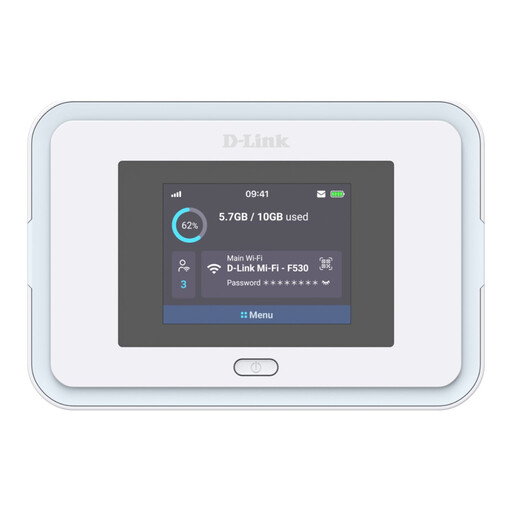
D-Link F530 5G NR AX3000 Wi-Fi 6 Mobile Hotspot
Consider this portable hotspot if the connection needs to move during your stay. Its title specifies 5G NR and Wi-Fi 6; check compatibility with your chosen provider and whether a suitable SIM and plan need to be arranged separately.
View on Joybuy
No image available
TP-Link Archer NX500 5G AX3000 Dual-Band Gigabit Router
Consider a SIM router like this for a connection that will stay in a temporary workspace. The title specifies 5G, AX3000 dual-band wireless and gigabit networking; confirm the required SIM, provider compatibility and power arrangement before purchase.
View on Joybuy
 No image available
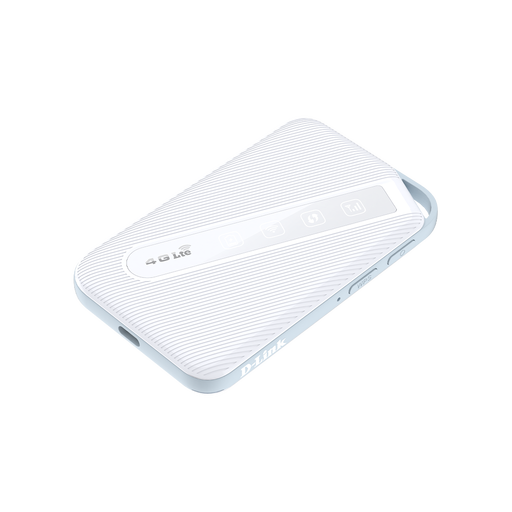
D-Link DWR-932W 4G LTE AX300 Wi-Fi 6 Mobile Hotspot
This portable 4G LTE option is worth considering if usable 4G reception meets your work needs. Confirm provider and SIM compatibility, and check the exact Wi-Fi specification if it matters to your setup.
View on Joybuy
 No image available
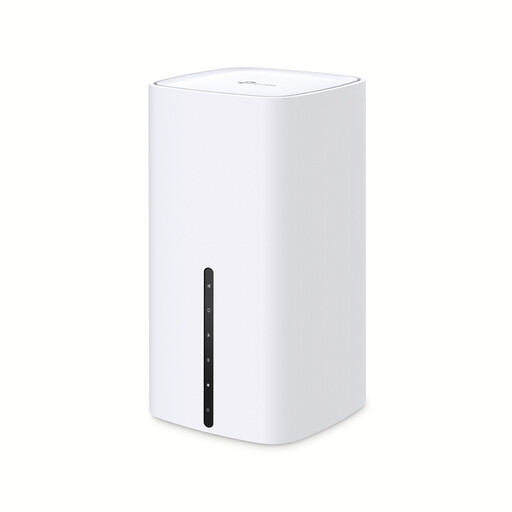
TP-Link Archer NX200 Wireless Dual-Band Gigabit Router
Consider this router for a fixed temporary workspace if its exact configuration suits your chosen mobile-data service. Confirm the NX200’s network and SIM compatibility and the wireless specification before buying.
View on Joybuy
 No image available
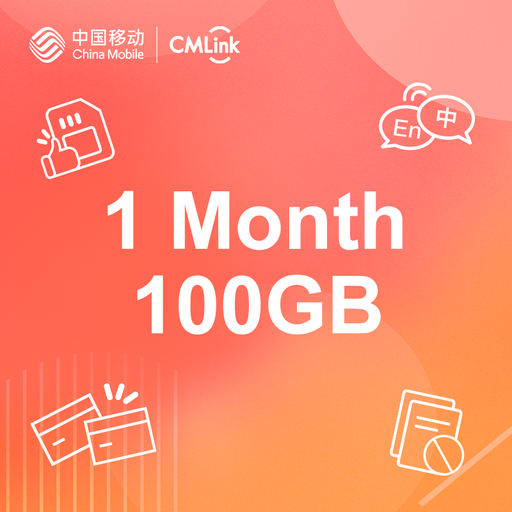
CMLink UK SIM, 100GB UK Data, 10GB EU & Other Destinations (1-Month Plan)
Consider this data SIM if its preloaded one-month plan suits your stay and you have a compatible way to connect the laptop. The title states 100GB of UK data; check device compatibility, renewal conditions and the plan’s speed terms.
View on Joybuy
Questions about temporary mobile broadband
How do I choose a mobile network for a temporary work address?
Start by comparing predicted indoor coverage for the postcode with Ofcom’s mobile checker. Ofcom says in-home results are a guide, so try the network in the room where you will work if important calls depend on it.
Can I connect my laptop using my phone instead of a hotspot?
Yes, if your phone and tariff support tethering and your employer permits that setup. EE explains that tethering can connect a laptop by Wi-Fi, USB or Bluetooth and uses the phone plan’s data allowance.
When does a portable MiFi device make sense?
A portable MiFi device makes sense when you want a separate connection that can move with your laptop or serve other devices without relying entirely on your phone. Check the particular device’s connection limit and battery needs, as well as the network available where you will use it.
Do I need 5G to work remotely?
Not necessarily: choose a connection with usable indoor reception and data terms suited to your work. EE states that 5G requires a compatible device and a 5G-enabled area, so a 5G label alone cannot establish how the connection will perform at the address.
Can I make ordinary calls and texts with a data-only SIM?
Do not assume a data-only SIM includes ordinary calling and texting. EE’s cited Data SIM terms specify mobile-internet use and require a monthly calling add-on for calls using the device; check the terms of the particular SIM you choose.


