Movers connecting one laptop
If fixed broadband is not ready when you move in, tethering an existing phone can provide a short-term connection for a laptop or tablet, provided the phone, signal and plan suit the work.


Choose a temporary connection for the address where you will actually work, starting with mobile coverage rather than the device. Phone tethering can cover a short, one-device gap; a dongle connects a compatible computer directly, while a MiFi hotspot or mobile router provides Wi-Fi for several devices. Whichever route you choose, check the data plan and whether the local connection can sustain your work, especially video calls.
If fixed broadband is not ready when you move in, tethering an existing phone can provide a short-term connection for a laptop or tablet, provided the phone, signal and plan suit the work.
Working from a relative’s home without broadband may call for separate Wi-Fi that a work laptop and other household devices can share. The number of connected devices helps determine whether a hotspot or a larger router makes sense.
Regular meetings, screen sharing and uploads make both two-way connection quality and data allowance important. Check the intended address and working pattern before relying on mobile internet for these tasks.
Choose the network for the work address, then choose how to connect your devices. A mobile data SIM is a plan choice that can go with a compatible phone, hotspot, dongle or router; it is not an alternative to having a device.
Choose it when: You have a compatible phone and need to connect one laptop or tablet for a short gap.
Trade-off: Work uses the phone’s data allowance and battery; check the terms of your particular plan.
Choose it when: Several devices need a separate, portable Wi-Fi connection.
Trade-off: You need to charge the hotspot and arrange a suitable data connection.
Choose it when: One compatible laptop or PC needs a direct mobile-data connection.
Trade-off: A laptop-focused dongle does not replace shared Wi-Fi for other devices; Vodafone distinguishes these uses in its mobile-broadband range.
Choose it when: A temporary household needs Wi-Fi for several people or devices in one place.
Trade-off: It is less portable than a pocket hotspot, and a 5G model is not automatically useful where 5G coverage is unavailable.
| Concern | What to check | Who this matters to |
|---|---|---|
| Coverage at the work address | Enter the actual postcode in Ofcom’s Map Your Mobile checker and compare predicted indoor 4G or 5G coverage. Treat the prediction as a guide, not a guarantee inside the building. | If the connection fails inside the place where I need to work, the device and allowance will not solve the problem. Around 33% of consumers put usable coverage at the temporary address first. |
| Video work and data allowance | Consider meeting frequency, uploads and simultaneous use; check the plan’s allowance and validity alongside likely upload and download capacity. | Regular video meetings make an interrupted call or exhausted allowance my main concern. Roughly 27% of consumers prioritise capacity for this kind of work. |
| Sharing the connection | Count the devices that need access, then distinguish a computer-focused dongle from a portable hotspot or household router. Check device and SIM compatibility. | When a work laptop and other household devices need to connect, I want Wi-Fi that does not depend on keeping my phone available. About 20% of consumers put multi-device access first. |
| Plan duration | Compare pay-as-you-go and rolling options with the length of the gap; check activation, renewal, expiry and how to stop the particular plan. | If the broadband start date changes, I do not want a longer commitment solely for a short gap. Around 20% of consumers chiefly prioritise a flexible plan. |
Ofcom’s postcode predictions can differ from reception inside a particular building because of walls and other local factors. A coverage claim for a wider area cannot settle whether the temporary workspace will have a usable signal.
Check the exact postcode before choosing a SIM or device. If the address is unfamiliar, consider whether you can test the connection before taking on a longer commitment.
Ofcom says UK 3G networks have been switched off, and Three states that 3G-only devices no longer work on its network. An older dongle or hotspot is therefore a poor choice for a new temporary setup.
Choose a 4G- or 5G-capable device and confirm that it accepts the intended SIM and works with the selected network.
Video meetings need sustained upload and download capacity as well as enough data. Zoom’s bandwidth recommendations vary with meeting type and video resolution; a plan’s allowance alone says nothing about the connection at your address.
Assess coverage and your meeting pattern together. Lower video quality or audio-only participation can be a contingency when capacity is limited.
Vodafone describes its data dongle as a way to connect a laptop or PC, while a hotspot provides a connection for multiple devices. The distinction matters when other people also need access.
Count the devices before buying: consider a dongle for one compatible computer, or a hotspot or router when shared Wi-Fi is the requirement.
EE offers portable mobile-broadband devices and larger hubs for temporary connectivity.
Three offers pay-as-you-go data SIMs and portable 4G/5G MiFi devices.
Vodafone offers mobile hotspots, data dongles and data-only SIM plans with different plan lengths.
O2’s rolling SIM plans are a plan option for someone who already has a compatible device.
These products cover portable hotspots, a computer-focused USB adapter and data SIMs for use with a compatible device. Choose the network and connection format for your address and working setup before comparing the individual products.
 No image available
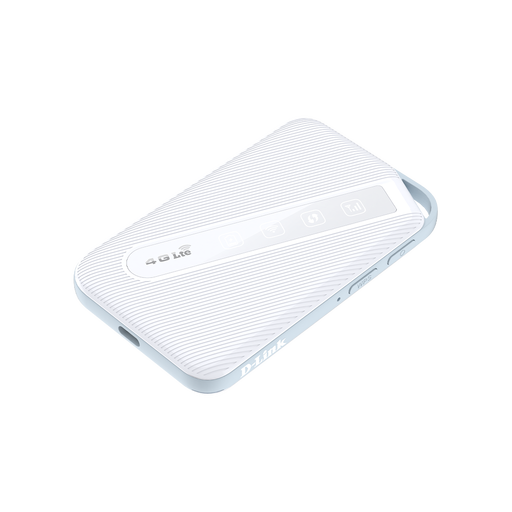
A portable hotspot to consider when more than one device needs temporary Wi-Fi.
The product title identifies 4G LTE and AX300 Wi-Fi 6. Before choosing a SIM, check network and SIM compatibility, indoor coverage and the plan’s data terms.
 No image available
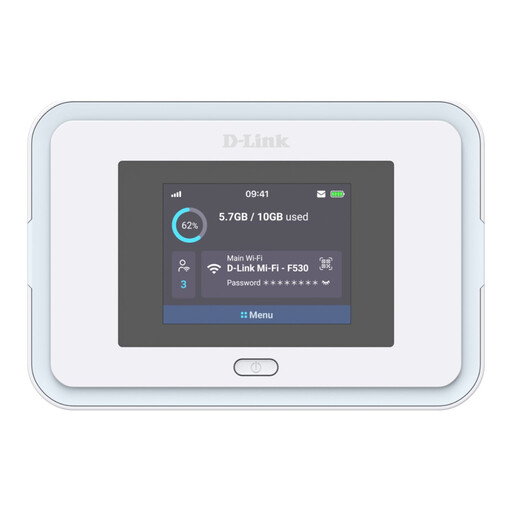
A portable hotspot to consider where the intended network has suitable 5G coverage and a separate Wi-Fi connection would be useful.
The product title identifies 5G NR and AX3000 Wi-Fi 6. Check SIM and network compatibility, coverage and how many devices need to connect before buying.
 No image available
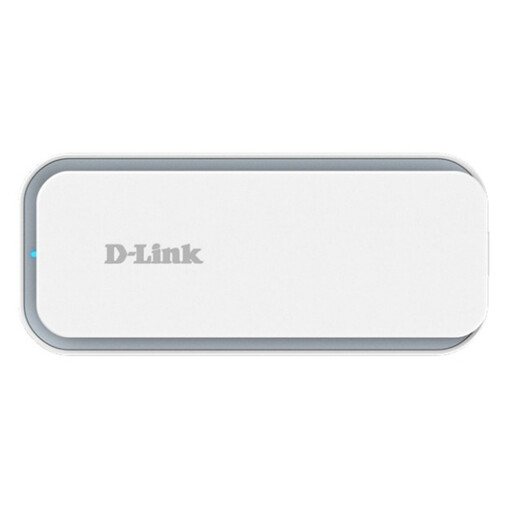
A USB adapter to consider when one compatible computer needs a direct mobile-data connection rather than shared Wi-Fi.
Check the computer’s port and software compatibility, then confirm the intended SIM, network and coverage before relying on it for work.
 No image available
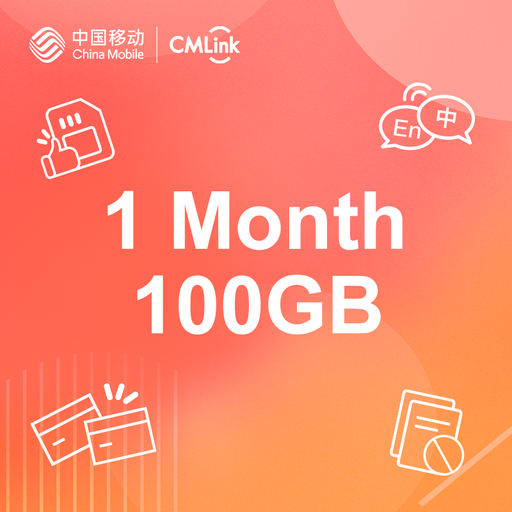
A SIM-plan option for a short broadband gap if you already have a compatible mobile-data device.
The product title specifies 100GB UK data and a preloaded one-month plan. Check coverage, device compatibility and the exact activation, renewal, expiry and use conditions.
 No image available
A SIM-plan option when you have a compatible device and expect a temporary connection to cover your work pattern.
The product title specifies 40GB UK data and a preloaded one-month plan. Assess likely meeting and upload use, then check coverage and the exact activation, renewal, expiry and use conditions.
Enter the actual postcode in Ofcom’s Map Your Mobile checker and compare its predicted 4G and 5G coverage, including the indoor indication. Ofcom cautions that walls, buildings and other local factors can make the connection you experience differ from the prediction.
Phone tethering can cover a short, one-laptop arrangement if the phone, data plan and local signal are suitable. Consider a separate hotspot or router when several devices need Wi-Fi or you do not want work connectivity to depend on your phone’s battery and availability.
It needs enough sustained upload and download capacity for the app, meeting type and video setting, as well as sufficient data allowance. Zoom recommends 1.2 Mbps in each direction for a one-to-one 720p meeting and 2.6 Mbps upload with 1.8 Mbps download for a 720p group meeting; those bandwidth figures are not monthly data-use estimates.
Yes: Three advertises no-contract pay-as-you-go data SIMs, and O2 says its rolling plans can be changed or stopped without a minimum commitment. Check the selected plan’s activation, renewal, expiry and allowance conditions against the likely length of your gap.
Do not rely on a 3G-only device for temporary mobile internet in the UK. Ofcom says UK 3G networks have been switched off, and Three states that 3G-only devices no longer work on its network; choose a compatible 4G- or 5G-capable device instead.