What matters when choosing?
Deal with the window first, then decide whether map workspace or colour-controlled output should shape the monitor choice. The percentages below describe how consumers might prioritise one primary need; they are not measured purchasing rates.
| Concern |
What to check |
Who this matters to |
| Window glare and visibility |
Position the screen away from direct reflections; compare matte or anti-glare treatment and stated typical brightness. Check whether a hood is supplied if light reaches the panel from the side. |
If window reflections make terrain shading difficult to judge, I need a legible view before extra display features. Around 42% of consumers put glare and light control first. |
| Map workspace and rendering |
Compare native resolution and physical screen size, then check the computer and mapping software against the terrain data and detail settings you use. |
When I work with terrain layers, legends and editing panels together, I need enough screen space without assuming the display will speed up rendering. For around 33% of consumers, workspace and system performance are the primary concern. |
| Colour-controlled output |
Check the exact model’s stated colour spaces and calibration method against the requirements of your map-output workflow. |
If I must review colour-coded terrain maps consistently, I need a suitable colour workflow as well as controlled room light. Colour output comes first for around 25% of consumers. |
Joybuy monitor options
These 4K monitors offer different screen sizes and features to assess for terrain-map editing. Check each model’s surface treatment and normal working brightness against your window light; the professional models discussed above are not interchangeable with similarly named products here.
 No image available
ASUS ProArt Display PA32UCG-K 32-inch 4K monitor
Consider its large screen for terrain maps alongside editing panels. The product name identifies a 32-inch 4K HDR IPS Mini LED display; confirm its typical brightness for your working mode rather than relying on a peak-brightness claim. This is the PA32UCG-K, not the PA32UCX-PK discussed in the brand section.
Joybuy
 No image available
BenQ MA320UP Nano Glossy 32-inch 4K monitor
Its large 4K format may suit a terrain-editing desktop where the window can be shaded or the screen repositioned. The named Nano Glossy finish is worth assessing carefully for reflections; check typical working brightness and connection compatibility for your computer.
Joybuy
 No image available
iiyama ProLite XUB2792UHSU-B6 27-inch 4K monitor
The 27-inch 4K format is an option if you prefer a smaller physical screen for terrain editing. Check the panel’s surface treatment and whether its stated brightness describes normal use; the name’s “Matte Black” describes its colour, not necessarily its screen coating.
Joybuy
 No image available
Lenovo L32p-30 31.5-inch 4K USB-C monitor
Consider the 31.5-inch 4K screen if physical map workspace and a USB-C connection matter to your setup. Confirm the screen coating, typical brightness and the USB-C functions your computer supports before choosing it for a bright-window desk.
Joybuy
 No image available
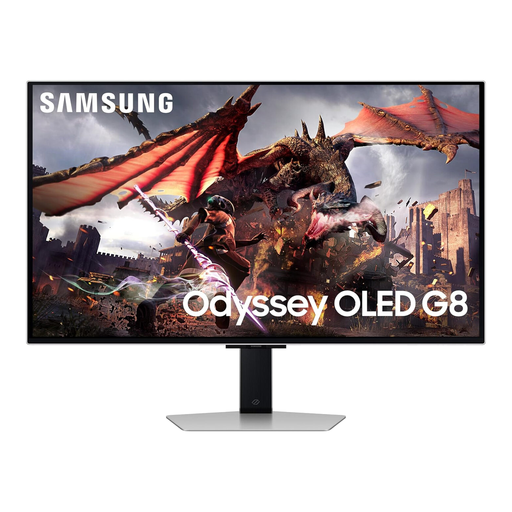
Samsung Odyssey OLED G8 LS32DG802SUXXU 32-inch 4K monitor
Its 32-inch Ultra HD format provides a large display option, although the product is presented primarily as a gaming monitor. Treat the stated reflection-reducing feature as a product claim, and check typical working brightness and any colour-management requirements before using it for terrain-map output.
Joybuy
Frequently asked questions
Should a terrain-mapping monitor face a bright window?
Avoid positioning it directly towards the window if that creates glare or bright reflections. The Health and Safety Executive advises arranging screens to avoid these conditions; try repositioning the monitor and adjusting blinds before relying on greater screen brightness.
Can I compare monitors using their HDR peak-brightness figures?
Not for ordinary daytime mapping on their own: compare stated typical brightness under comparable conditions instead. ASUS, for example, lists 600 cd/m² typical and a separate 1,200 cd/m² HDR peak figure for the PA32UCX-PK; those figures apply to that model, not the PA32UCG-K product listed above.
Do I need a monitor hood or built-in calibration for terrain maps?
Prioritise them when side reflections or repeatable colour judgements are important to your workflow, rather than assuming every terrain map needs both. EIZO says its CG2700X includes a hood and built-in calibration sensor; even with a hood, screen position and room light still matter.
Does regular screen-based work require a workstation assessment in the UK?
For workers who use display screen equipment daily as part of their normal work, continuously for an hour or more, the Health and Safety Executive says employers must carry out a workstation assessment. This does not prescribe a particular terrain-mapping monitor or brightness setting.


