What matters when choosing
Decide how the monitor must fit before weighing Full HD high-refresh play against QHD detail. The needs below concern consumers choosing a tower defence monitor for a small desk; each percentage refers to those who put that particular need first.
| Concern |
What to check |
Who this matters to |
| Desk fit |
Compare the monitor’s full width and depth with stand against your usable desk space; check mounting requirements if you plan to use an arm. |
I need room for my keyboard and mouse as well as the screen, so the stand’s footprint could decide what fits. Around 31% of consumers put desk fit first. |
| Motion in faster games |
Check the refresh rate at your intended resolution and whether your device and chosen connection can deliver that mode. |
Tower defence is not my only game, and I want to assess how the monitor will serve faster titles too. Roughly 31% of consumers make gaming smoothness their primary concern. |
| Map and text detail |
Compare Full HD with QHD at a similar screen size, and consider whether text scaling is comfortable at your viewing distance. |
I spend time reading tooltips and scanning crowded maps, so interface detail matters more to me than the highest quoted refresh rate. Around 23% of consumers put clarity first. |
| Positioning and connections |
Check the stand’s adjustment range and whether the available ports match the devices you intend to connect. |
I use the desk for more than gaming and need to position the screen around my setup. Approximately 15% of consumers prioritise adjustment and connections. |
Joybuy monitor choices
These compact-screen options span curved Full HD gaming monitors and displays suited to reading or desk work. Check each model’s stand footprint and connection modes against your setup; the ASUS ProArt PA24ACRV’s QHD specification must not be confused with the separate Dell P2425D discussed above.
 No image available
KOORUI MG24A12FV2 24-inch 180Hz curved gaming monitor
Consider this if you want a compact Full HD screen for tower defence and faster games, and prefer a curved display. The title specifies a VA panel, 1500R curvature, Adaptive Sync, VESA compatibility and tilt adjustment.
Check the stand footprint, exact connections and refresh mode available through your device and cable before buying.
View on Joybuy
 No image available
ASUS ProArt PA248CNV IPS WUXGA monitor
Consider this for a desk shared between strategy games and reading or work, where screen positioning is important. Its title identifies an IPS WUXGA display; check the stand dimensions, adjustments and refresh mode against your setup.
View on Joybuy
 No image available
Gawfolk 24.5-inch 100Hz curved FHD monitor
Consider this if a 24.5-inch curved Full HD screen suits your available space and you also play games beyond tower defence. The title specifies 3000R curvature, AMD FreeSync, HDMI and 75 × 75mm VESA mounting.
Check its dimensions with stand and the refresh mode available through your intended connection.
View on Joybuy
 No image available
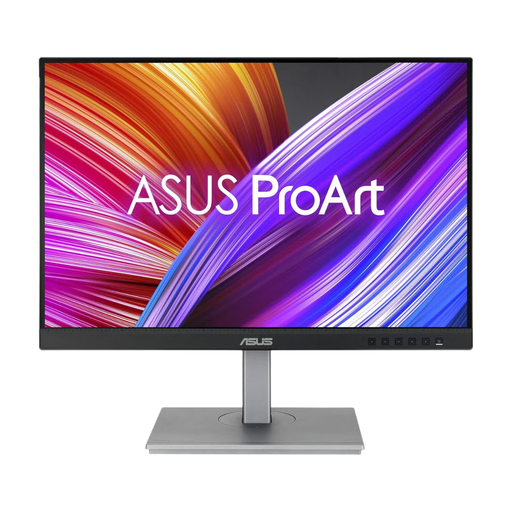
ASUS ProArt PA24ACRV IPS QHD monitor
Consider this if QHD detail for maps, menus and work is a higher priority than choosing a monitor by its quoted gaming refresh rate. Its title identifies an IPS QHD display; confirm the stand footprint, adjustment range and usable refresh mode for your device.
View on Joybuy
 No image available
Dell P2425 24-inch monitor
Consider this for a compact desk where monitor positioning matters alongside gaming. This is the P2425, not Dell’s P2425D QHD model; check the exact P2425 specifications, particularly its refresh rate, stand footprint and connections, before deciding whether it suits your games.
View on Joybuy
Common questions
Is a 24-inch monitor a sensible starting point for a small desk?
Yes, a 23.8-inch or 24-inch screen is a practical size to investigate, but the stand determines much of the space it occupies. Dell UK, LG UK and AOC UK all list relevant 23.8-inch models; compare the exact model’s full dimensions with your usable desk area.
Should I choose Full HD at 180Hz or QHD at 100Hz for tower defence?
Choose according to what else you do at the screen: Full HD at 180Hz is worth considering for faster games, while QHD may better serve a preference for detailed maps and desktop text. LG UK and AOC UK specify 180Hz Full HD for the 24GS65F-B and 24G4X; Dell UK specifies QHD at 100Hz for the P2425D. Check that your device can deliver your preferred mode.
Do I need DisplayPort to use the advertised refresh rate?
Not necessarily; the usable mode depends on the exact monitor input, source-device output and cable. Check the supported resolution-and-refresh combination for the connection you plan to use rather than assuming every port offers the monitor’s quoted maximum.
What should I do with an old monitor in the UK?
Use an appropriate electrical-recycling route rather than putting the monitor in general household waste. GOV.UK describes UK WEEE regulations as supporting recovery, reuse and recycling; check your local authority’s or retailer’s accepted-item arrangements.


